Making years of business logic easier to navigate.
A no-code ERP for managing interconnected operations across procurement, logistics, finance, projects and operations.
- AVK Consulting
- Senior Product Designer
- 2023–2025
- Enterprise ERP · Desktop
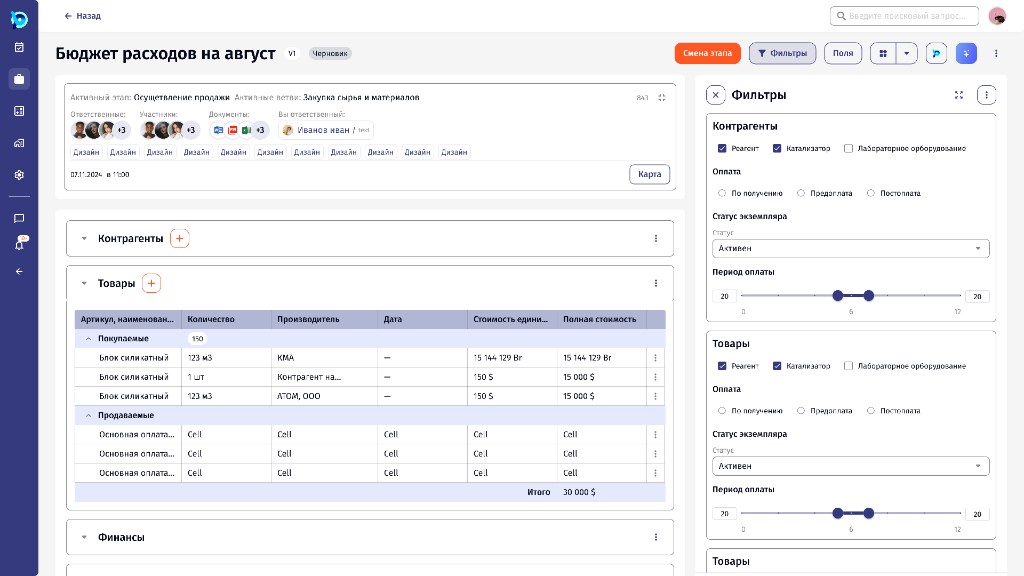
An ERP where companies build their own processes.
BusinessPad is a no-code ERP. Instead of fixed modules, a company describes how its work runs, and the system turns that into screens, tasks and data.
It is used across procurement, logistics, finance, projects and operations, often with several departments working inside the same process.
Processes
Procurement, payments or hiring are set up as business processes: stages, roles and the data each stage collects.
Instances
Each real request, like an August expense budget, runs as an instance of a process and moves from stage to stage.
Tasks and people
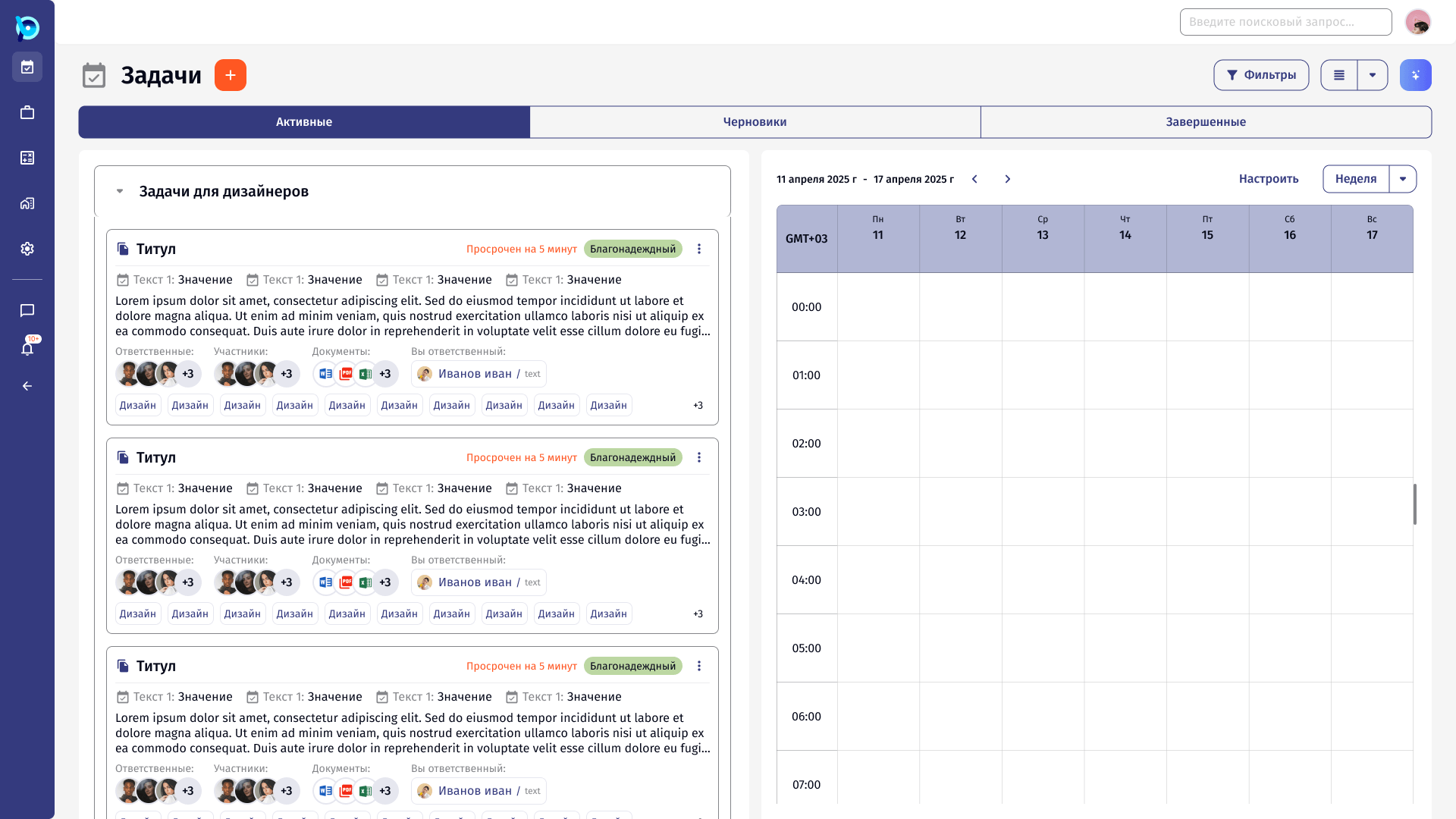
Work is assigned to people as tasks, with chats, notifications and documents around it.
A process is drawn, not coded.
Process owners lay out stages across swimlanes for each role, connect them, and configure each stage: who is responsible, how long it takes, which tasks and fields it has.
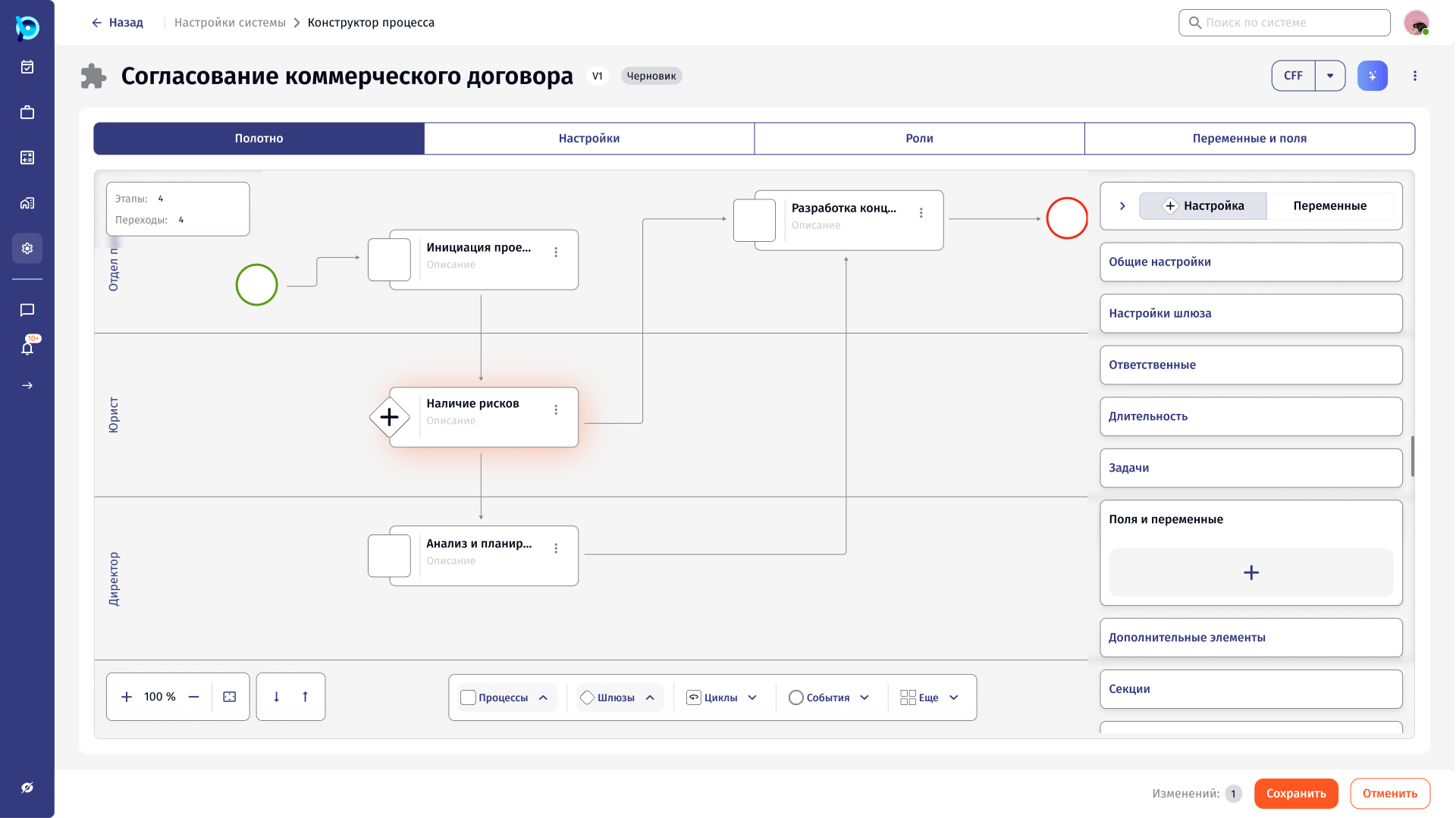
One process, four views
Swimlanes by role
Stage
Stage settings
Building blocks
Complex because the work is complex.
Processes run across departments, with many steps, approvals and large datasets. An action in one place can affect another part of the business.
Removing functionality would have made the product less useful. The goal was to make its complexity understandable.
Senior Product Designer at AVK Consulting.
- Mapping workflows with analysts and the product team before designing screens
- Redesigning dense working screens: process instances, registries, tasks
- Information hierarchy for tables, statuses, filters, forms and documents
- Platform features such as reference data, chats, process variables, notifications and saved list views
- Turning recurring solutions into reusable components in the BusinessPad design system
- Mobile flows for the work people need away from a desk
A few rules used across the product.
Keep density, add structure
Experienced users need the data. Grouping, spacing and hierarchy make it scannable.
Panels beside the list
Viewing, editing and settings open in a side panel, so context stays in view.
One pattern, many places
Lists, forms and empty states behave the same across the product.
Design for none, one and many
Every list and panel is checked with no items, one item and many.
Recurring solutions became components.
Tables, filters, forms, statuses, empty states and actions kept coming back. They were extracted into reusable components, which became the BusinessPad design system.
Closer looks at individual features.
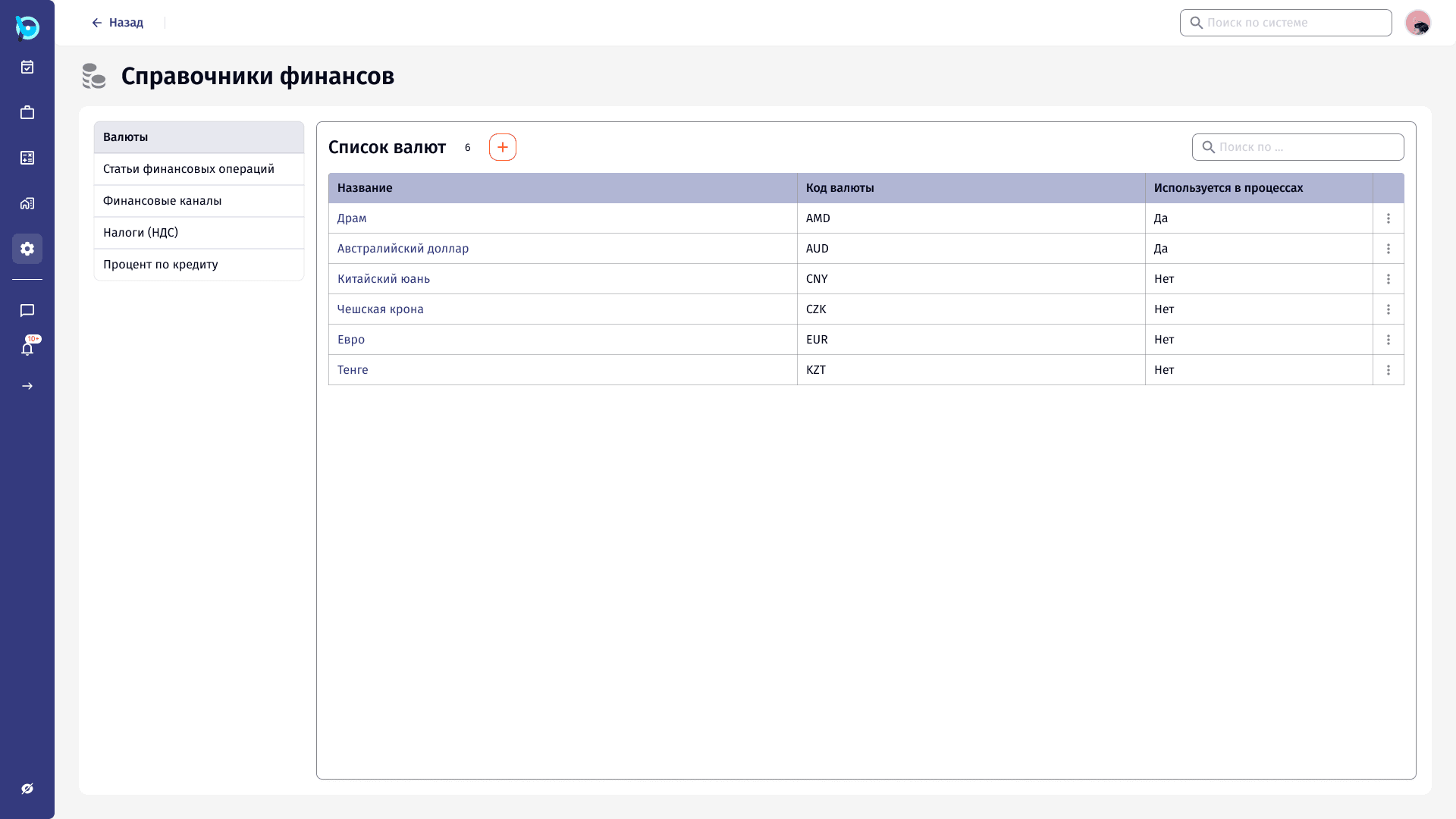
Reference Data
One place for the lists every process depends on: currencies, VAT rates, counterparty types, document types. Grouped by domain and edited without leaving the list.
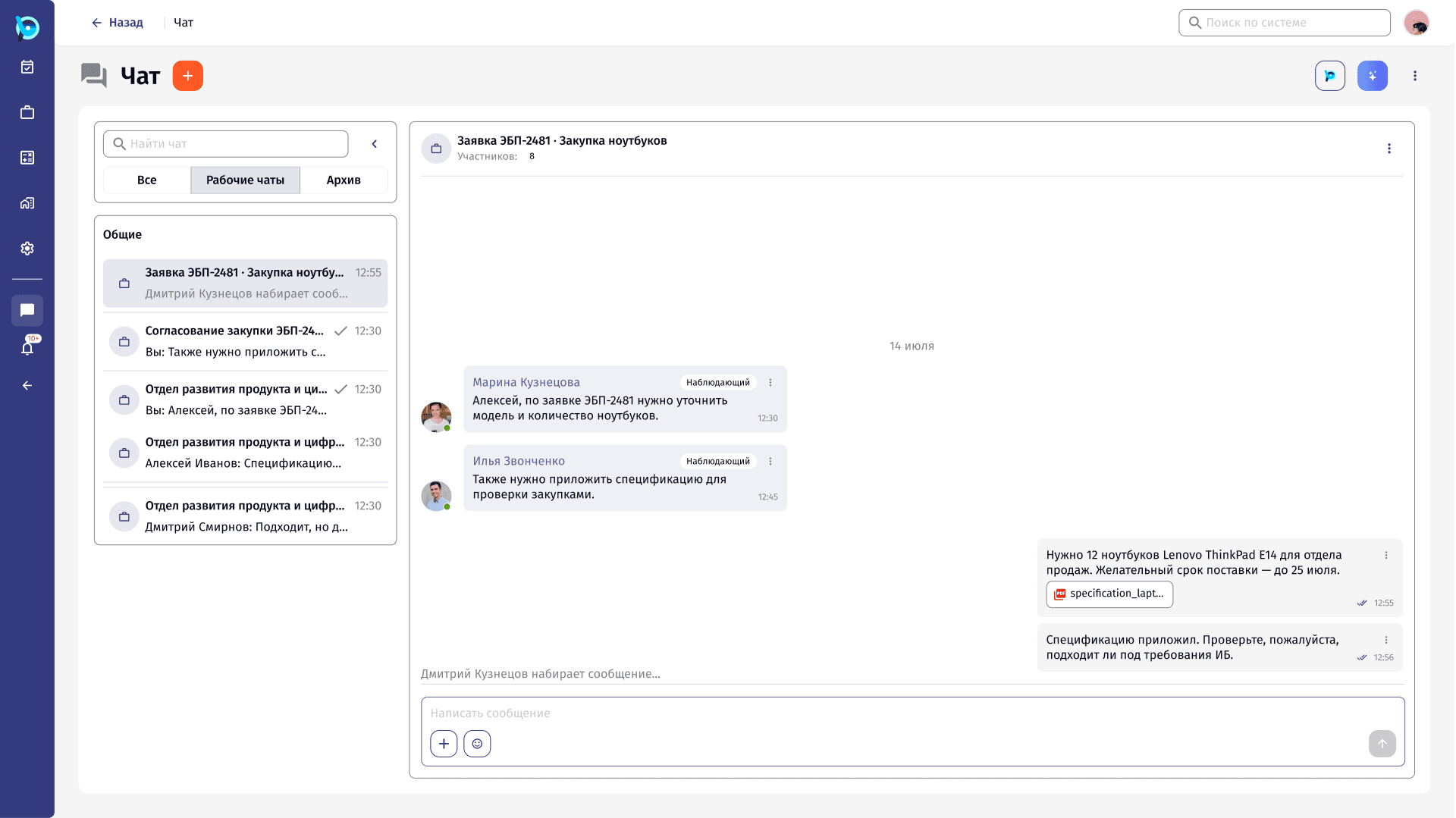
Work Chats
Conversations tied to the work itself: a chat per request or process, with participants’ roles, files and process events in the same thread.
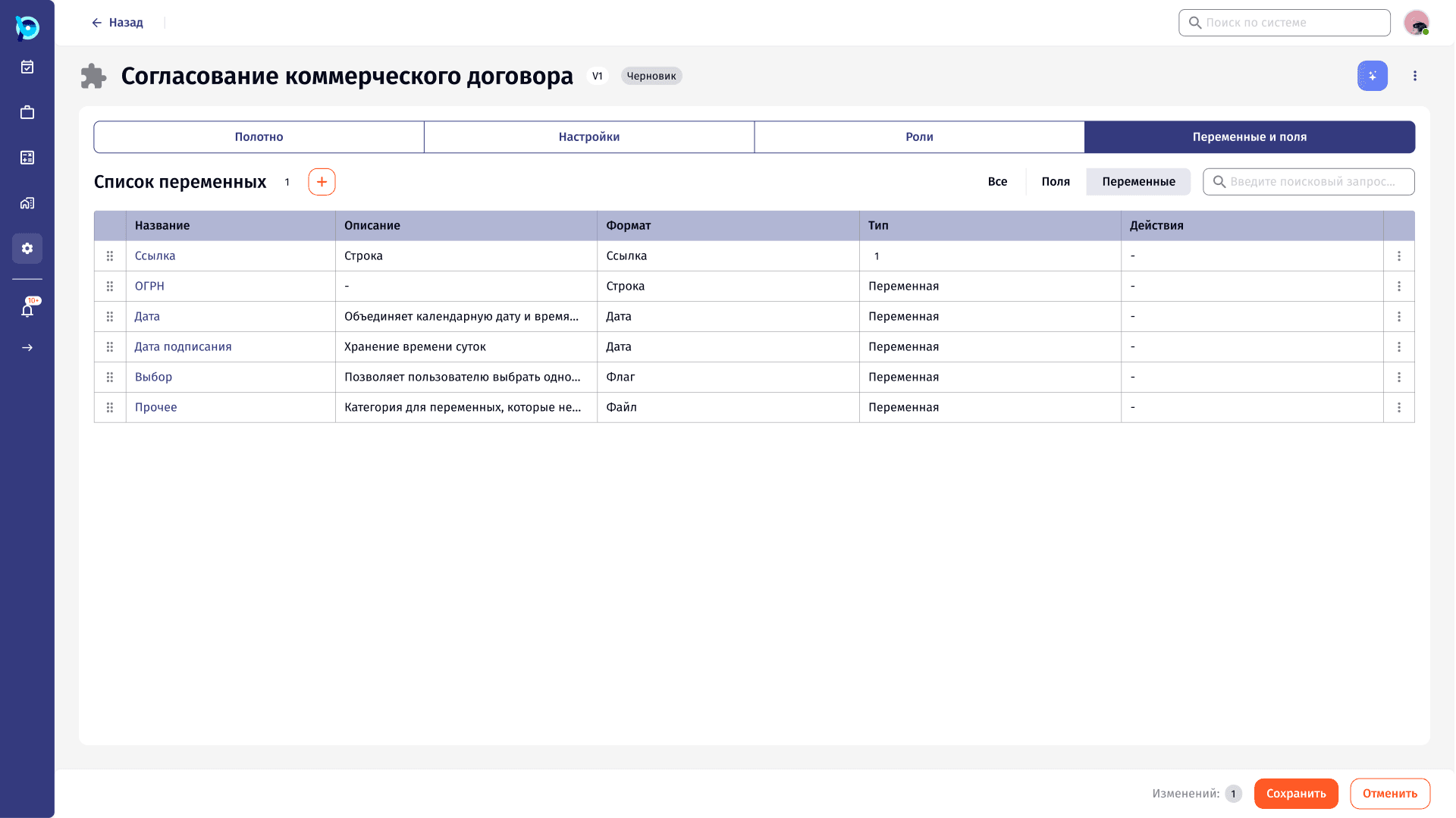
Process Variables
Letting process owners define the data a process collects, and decide at which stage each value is entered, without code.
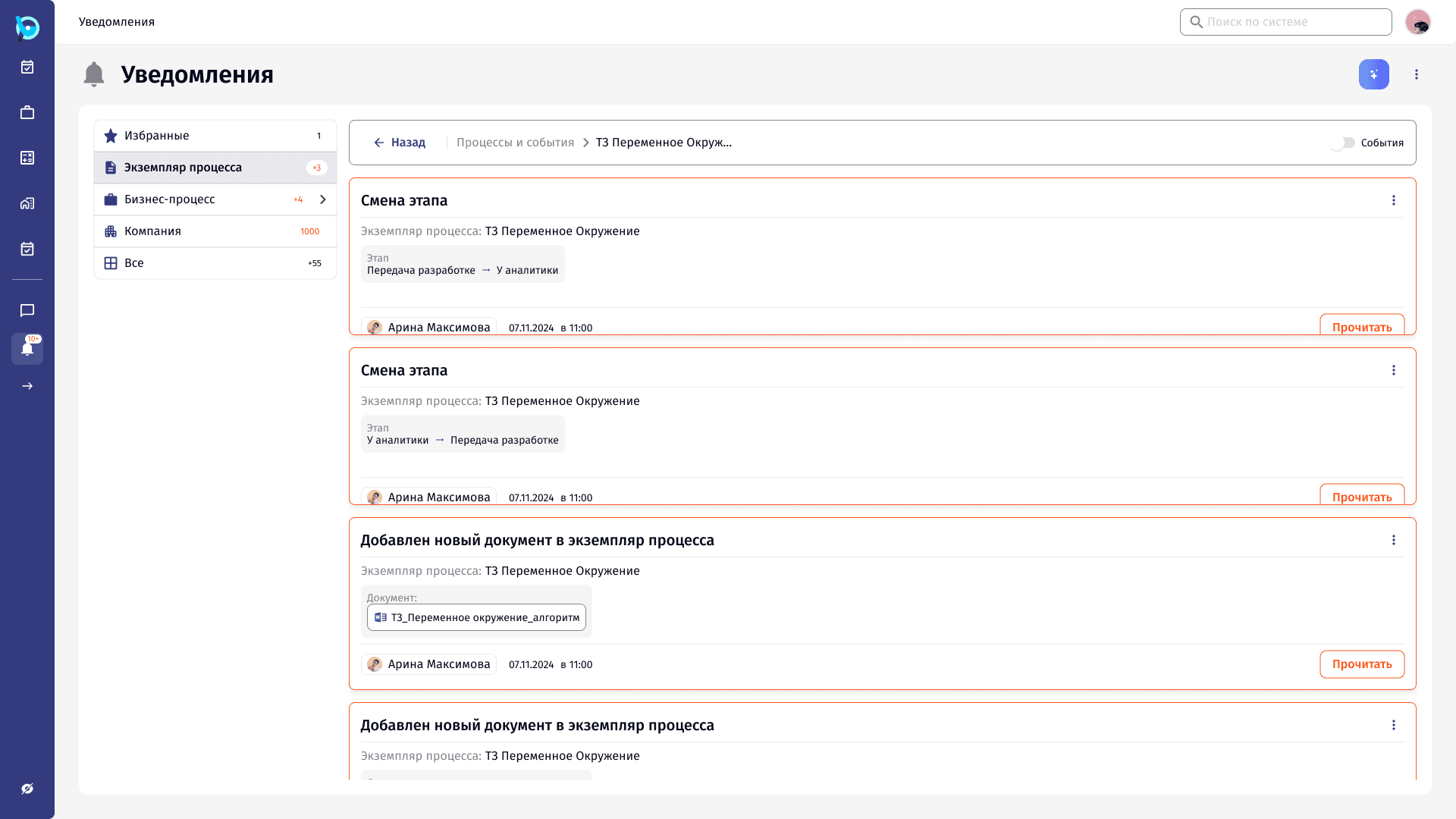
Notifications
A notification centre for a system where many things change at once: grouped by where the change happened, with the change itself shown on the card.
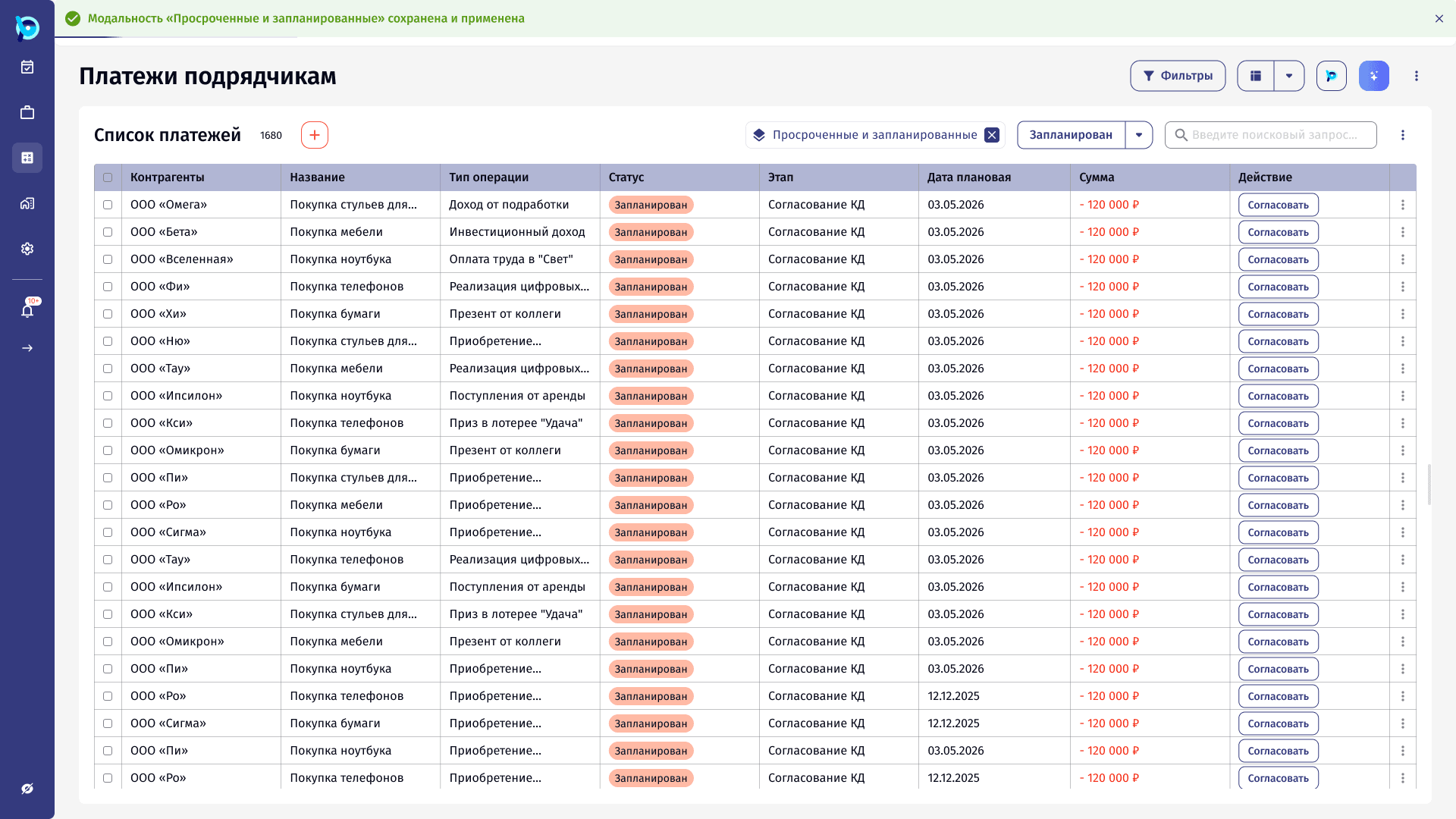
Saved List Views
Turning a set of filters, groupings and columns into a named view that can be reopened in one click, kept personal or shared.