Reference Data
One place for the lists every process depends on: currencies, VAT rates, counterparty types, document types. Grouped by domain and edited without leaving the list.
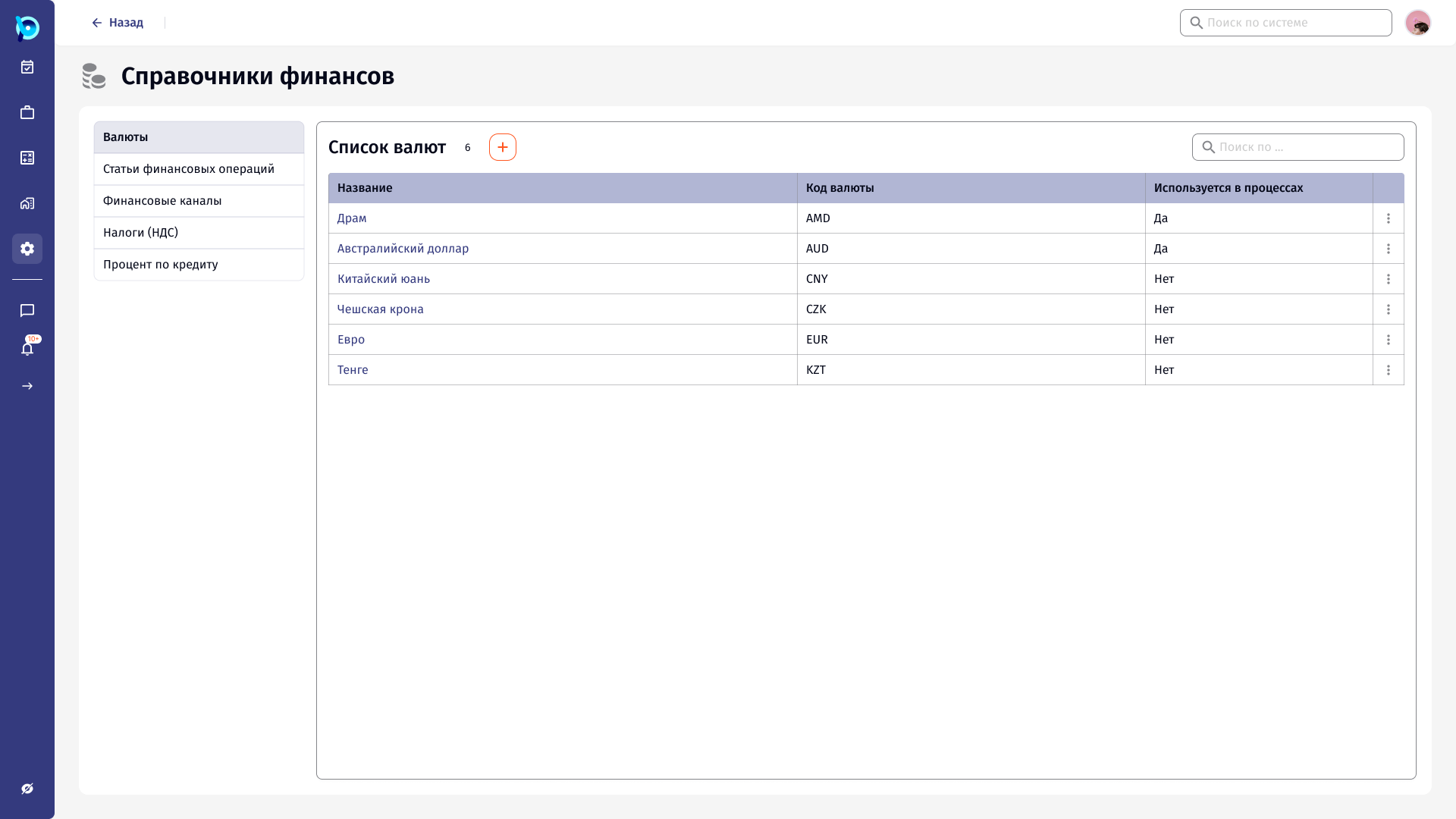
Every process uses the same lists.
A payment needs a currency and a VAT rate. A counterparty needs a type and an address type. Those values are shared across all business processes in BusinessPad, so they are maintained once, in system settings.
Справочники (reference data) is the settings group that holds them. It covers finance, documents, goods, counterparties, employees and contacts, and lists common to all processes.
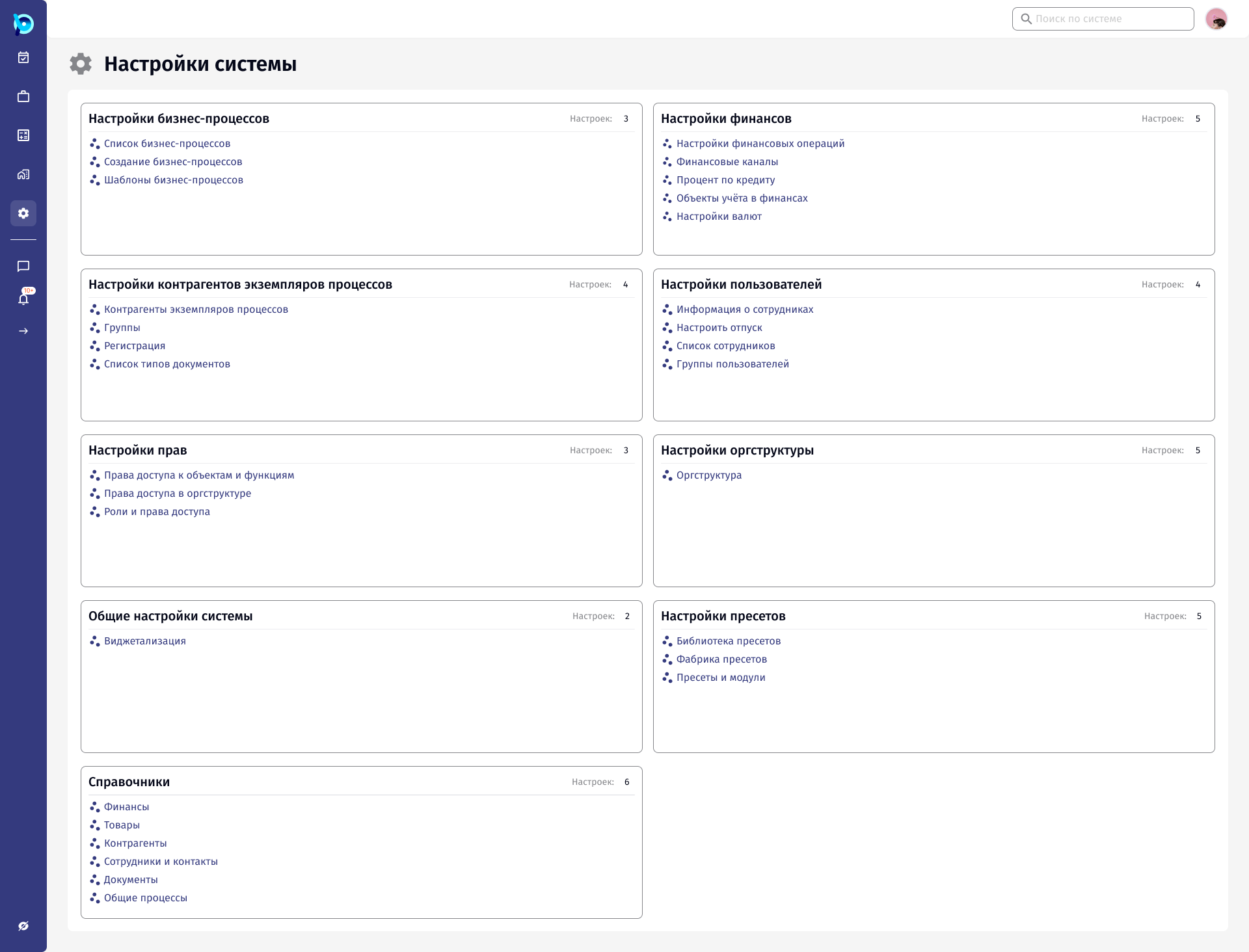
Many small lists, each easy to break.
There are dozens of directories, each a short table. They are opened rarely, usually to add or correct one value, and the person doing it has to find the right list first.
A value that is already used in processes cannot simply disappear, but lists still need to be cleaned up over time.
Group by domain. Edit in place.
Directories are grouped by the area of the business they belong to, each group with a short description. Inside a group, a vertical list switches between directories, so related lists are one click apart.
Viewing and editing open in a side panel over the table, so the list stays visible behind the form.
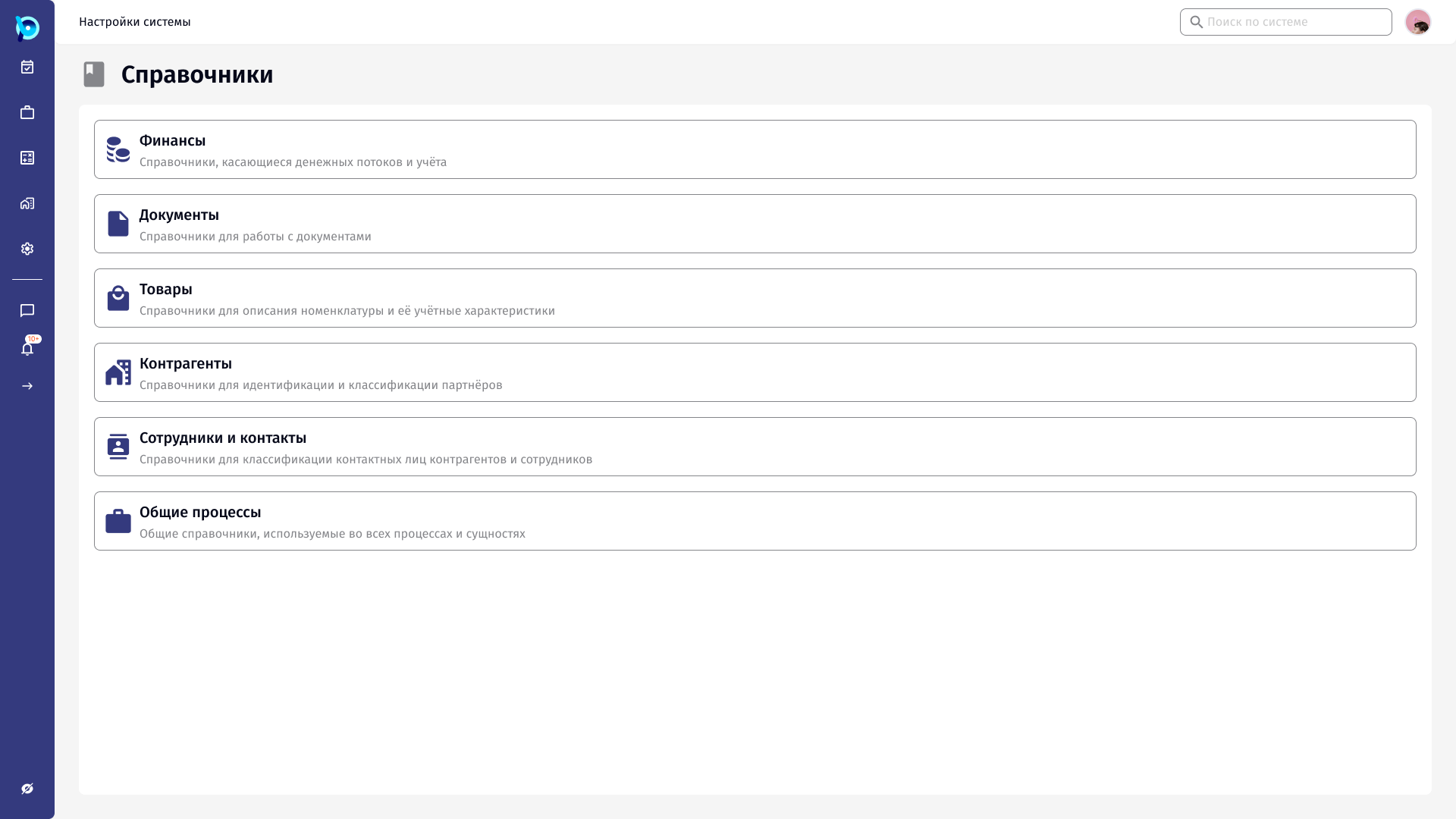
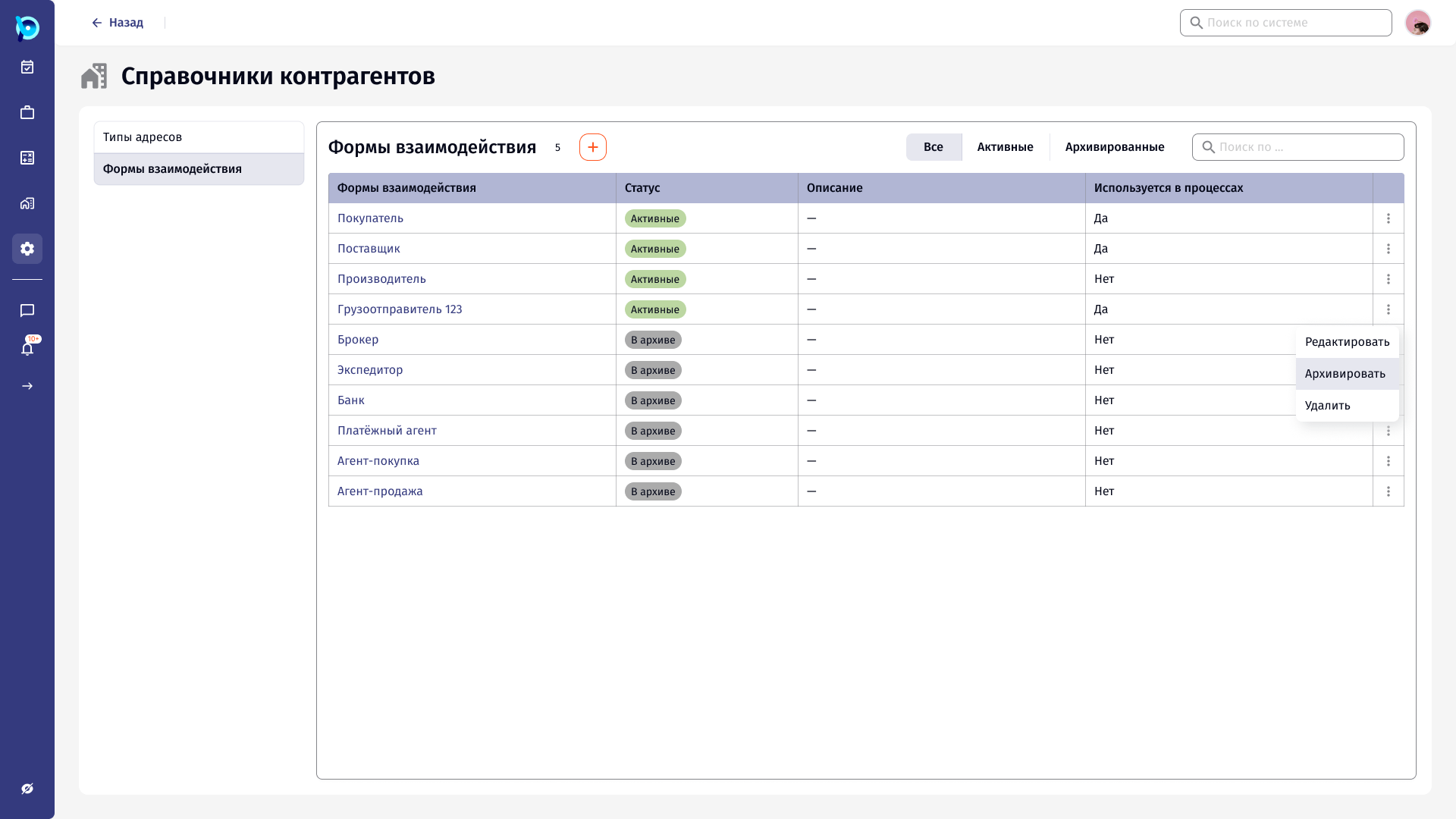
The same pattern for every directory.
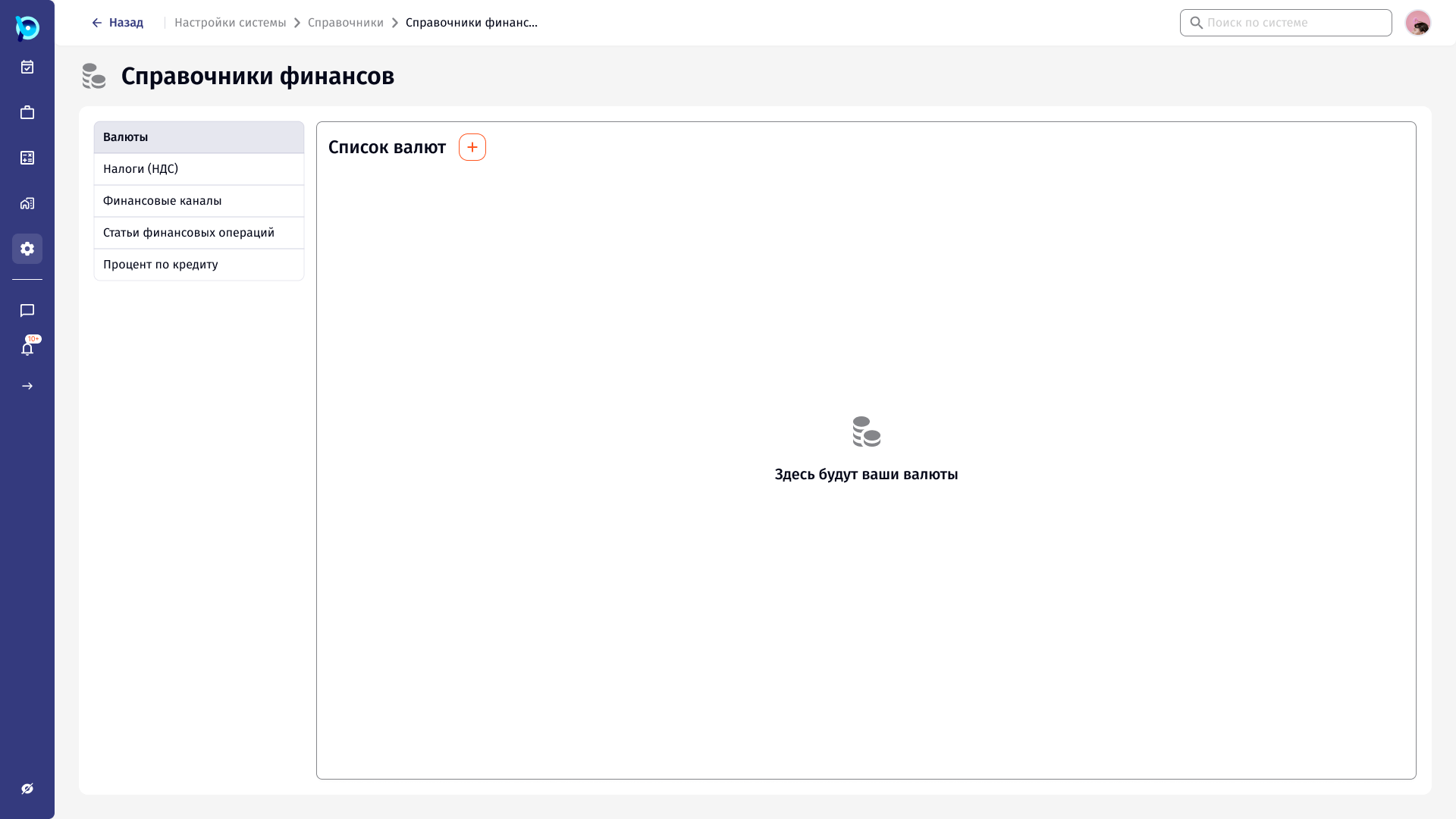
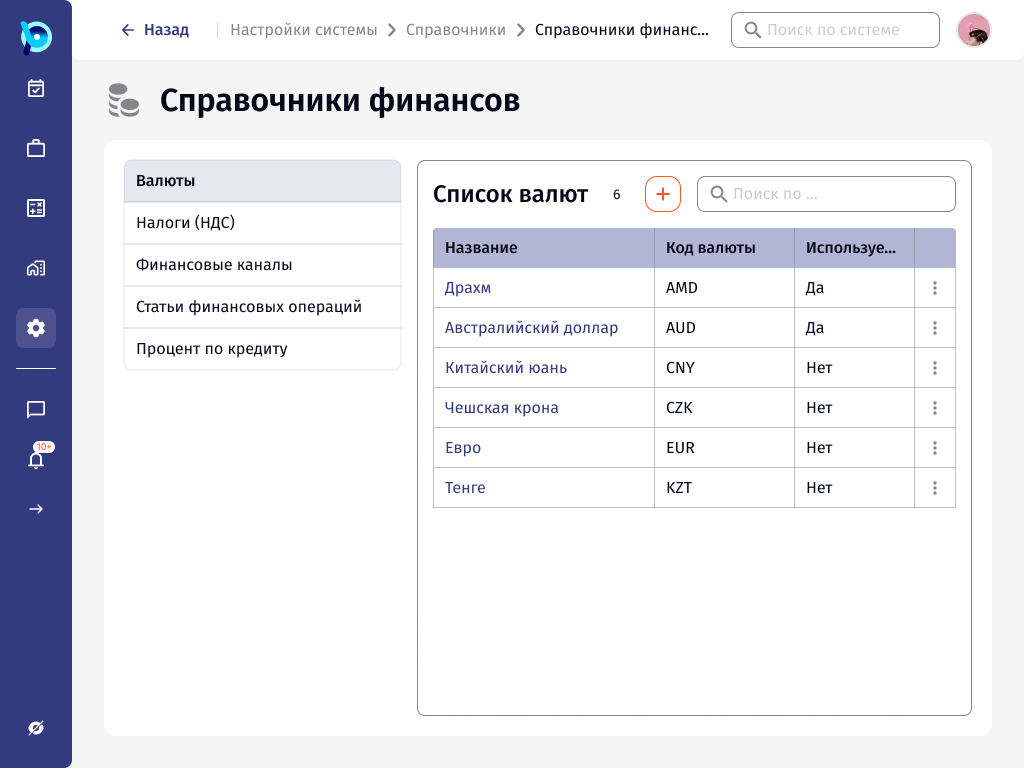
Every directory uses the same layout: title with a count and an add button, search, a table, and a row menu. Each table shows whether a value is used in processes.
Values are archived instead of deleted, with Active and Archived filters on top of the list.
Directories in the group
Add next to the title
Search inside the list
Used in processes
Key decisions
Grouped by business area
Finance, documents, goods, counterparties, people and common processes.
One layout for all lists
Learn one directory and the rest work the same way.
Side panel for view and edit
The list stays in view behind the form.
Usage is visible
Each value shows whether processes use it.
Archive, not delete
Old values leave the active list without breaking history.
Adaptive layouts
Frames for 1440 and 1024 px widths.
What was designed
The structure of the reference data section, the directory pattern used across finance, counterparties and other groups, and its states: empty, archived, view, edit and validation, plus adaptive layouts for 1440 and 1024 px.