Work Chats
Conversations tied to the work itself: a chat per request or process, with participants’ roles, files and process events in the same thread.
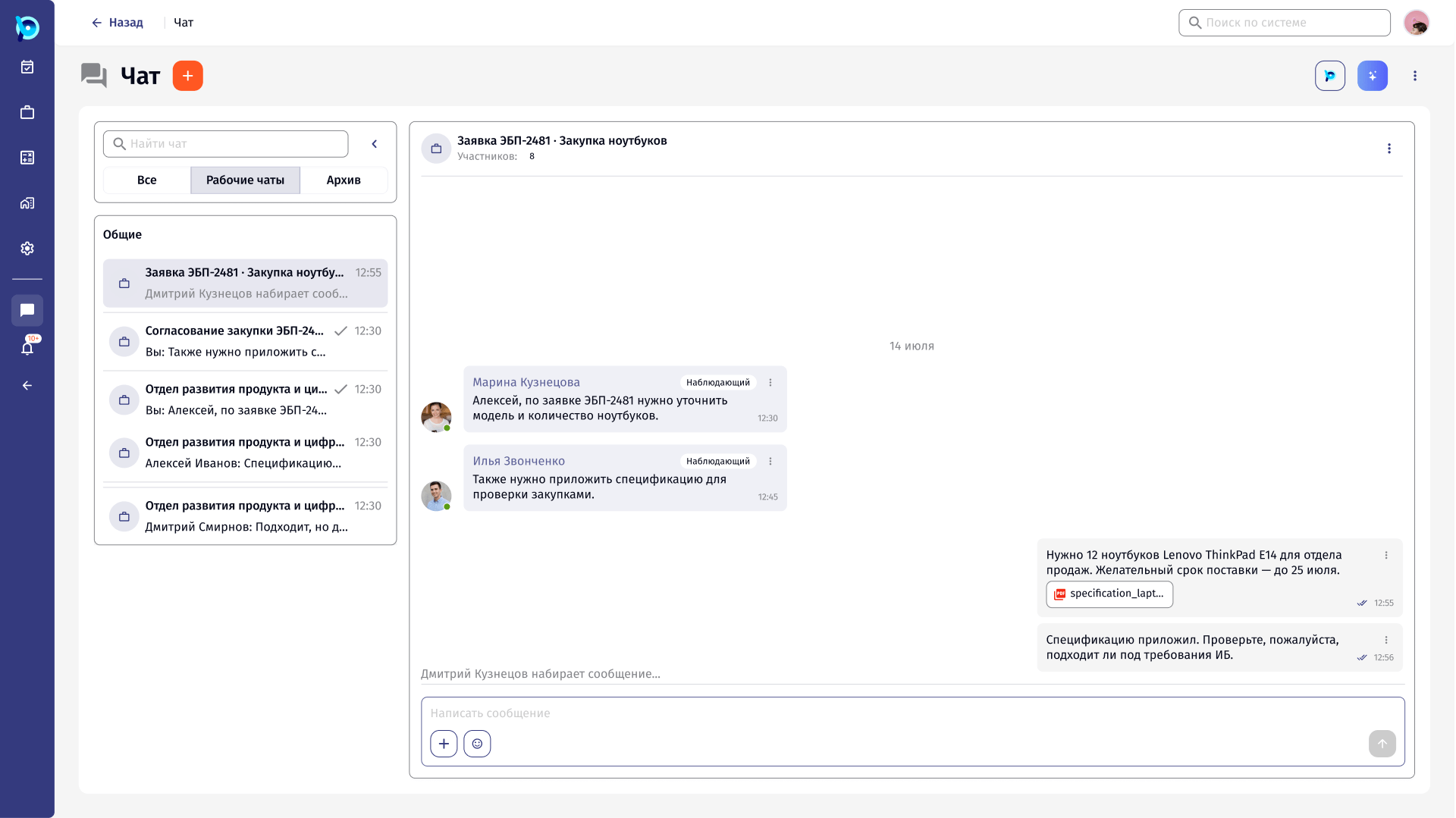
Questions about a request belong next to the request.
Requests and approvals in BusinessPad involve several people with different roles. Without a shared place to talk, questions about a request move to email or messengers and lose their link to the work.
The chat section brings personal chats and work chats, created around a request or a process, into the product.
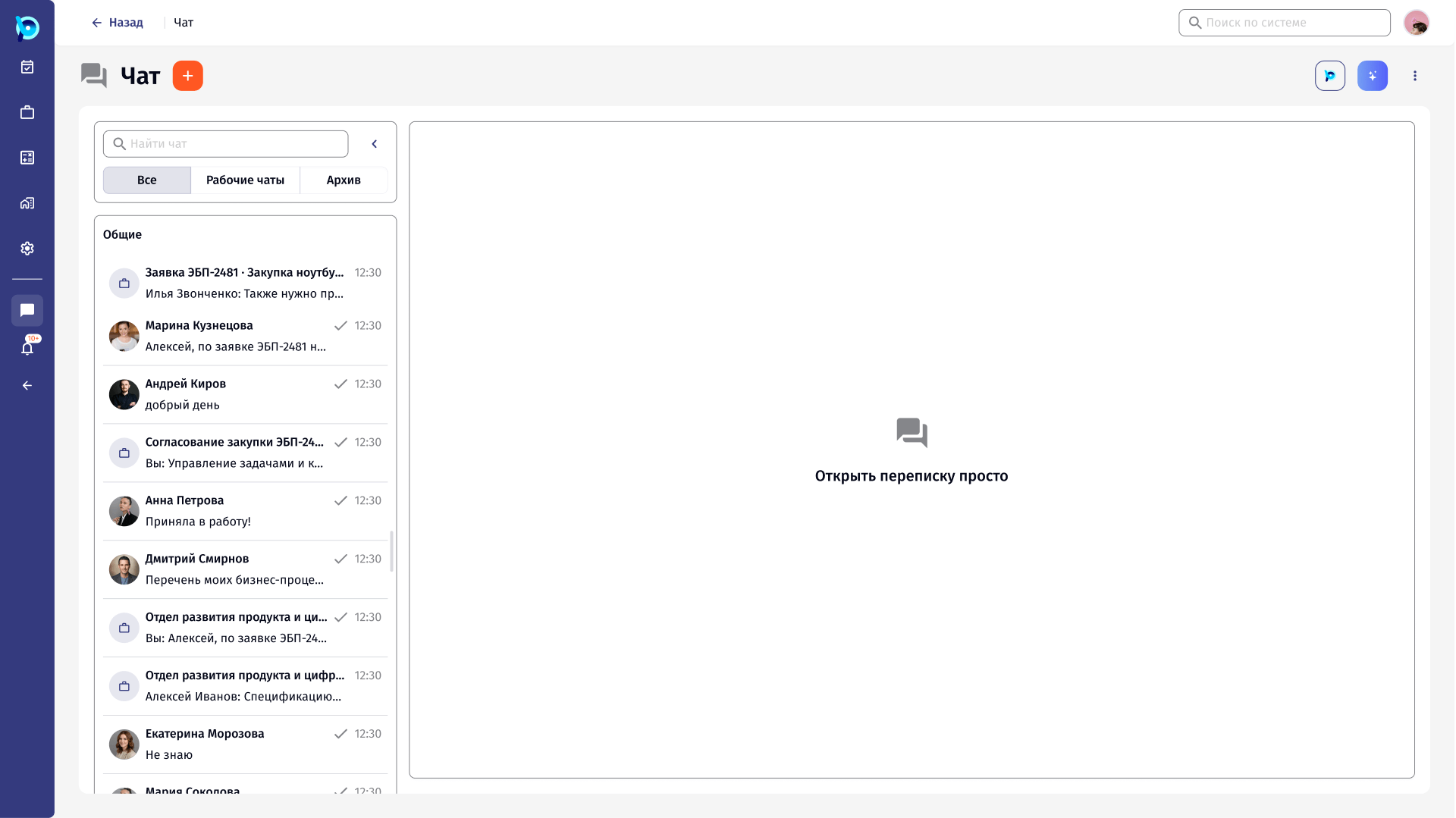
A work chat is not a messenger.
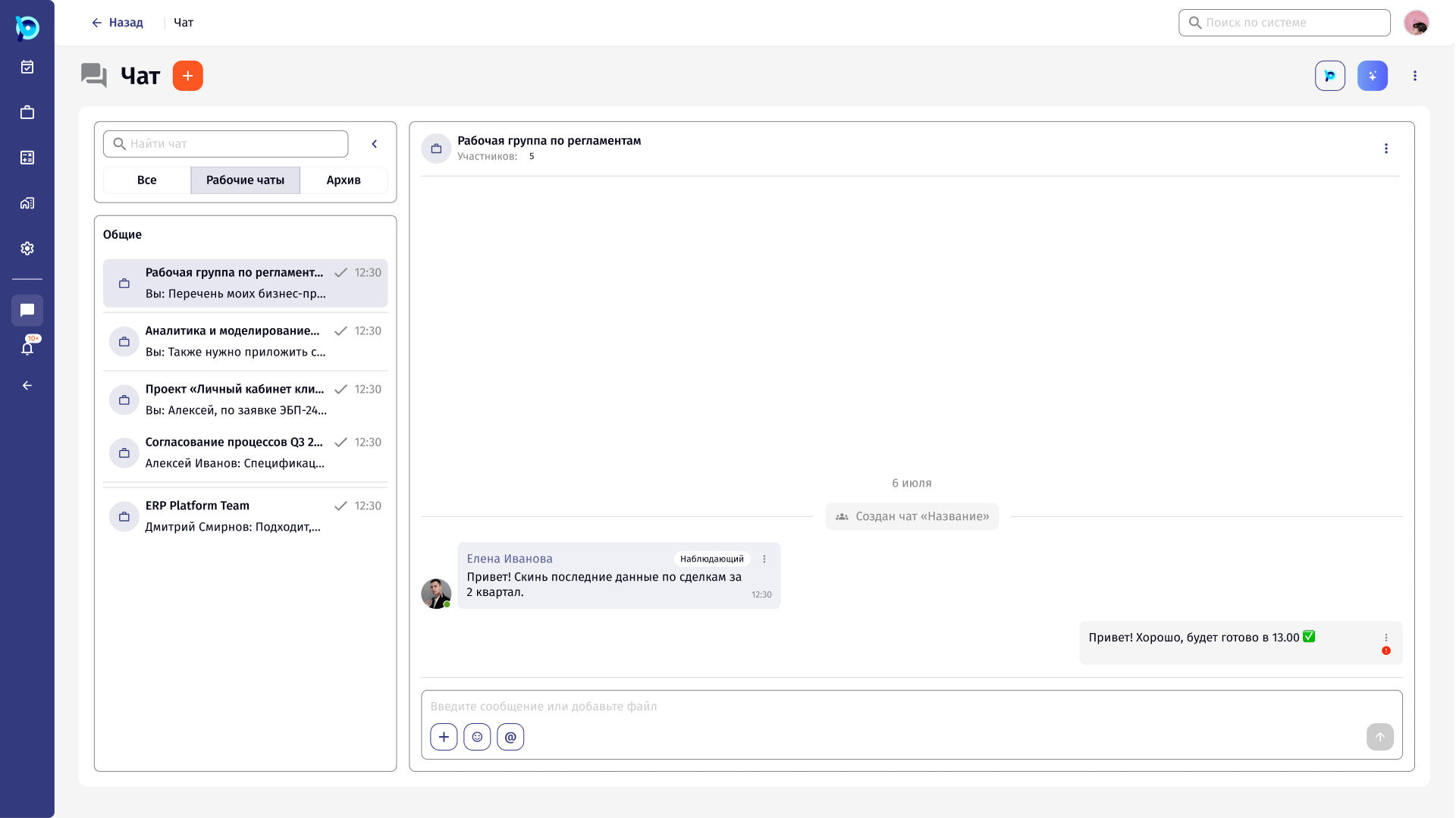
In a work chat, it matters who someone is in the process, not only their name. Files are part of the work. Things happen in the process while people talk: a stage changes, someone is added, access ends.
The chat had to carry that context without looking like a second process screen.
Familiar chat, with process context added.
The layout follows patterns people already know: a list of conversations, a thread, a composer, reactions, replies and forwarding.
On top of that, each message shows the sender’s role in the process, and process events appear in the thread as system messages.
Work chats separated
Role in the process
Files in the thread
Typing indicator
Messages, files and events in one thread.
Forwarding opens a side panel with the same tabs as the chat list. The forwarded message is quoted above the composer, so the user can add a comment before sending.
System messages record what happened in the process: an instance resumed, a participant added, unread messages from here.
Key decisions
Roles on messages
Who someone is in the process, shown where they speak.
Process events as system messages
The thread keeps a record of what happened, not only what was said.
Side panel for forwarding
The conversation stays visible behind the picker.
Errors stay on the message
A failed send is marked on the message itself.
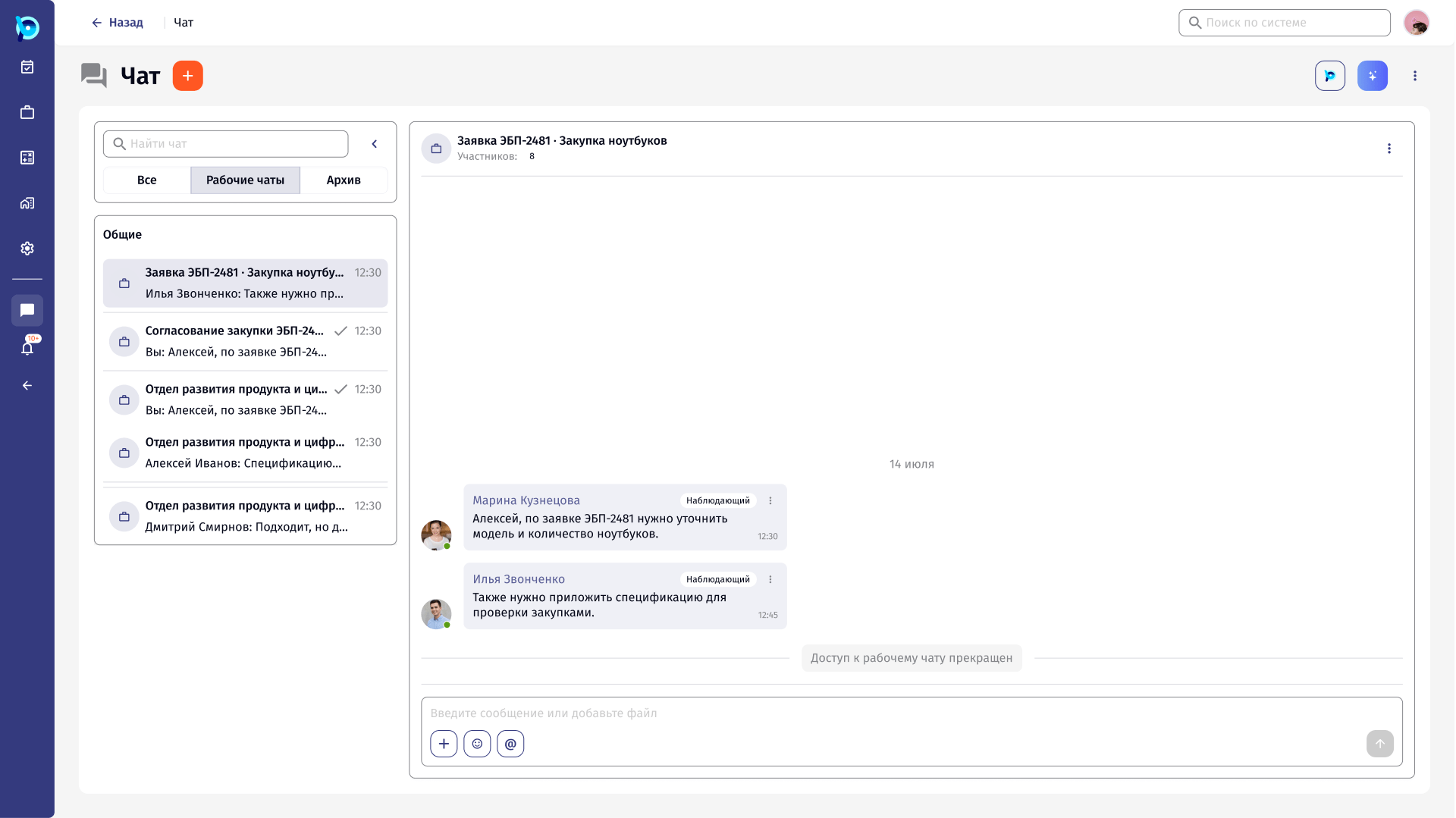
Access can end
When access to a work chat is removed, the history says so.
What was designed
A demo flow from an empty chat section to work chats around a request and a process, with forwarding, reactions, files and system messages. Plus empty and no-results states, error states for sending, forwarding and editing, closed access, and rule-of-three variants.