(01)Desktop
BusinessPad
Designing clarity into a complex ERP
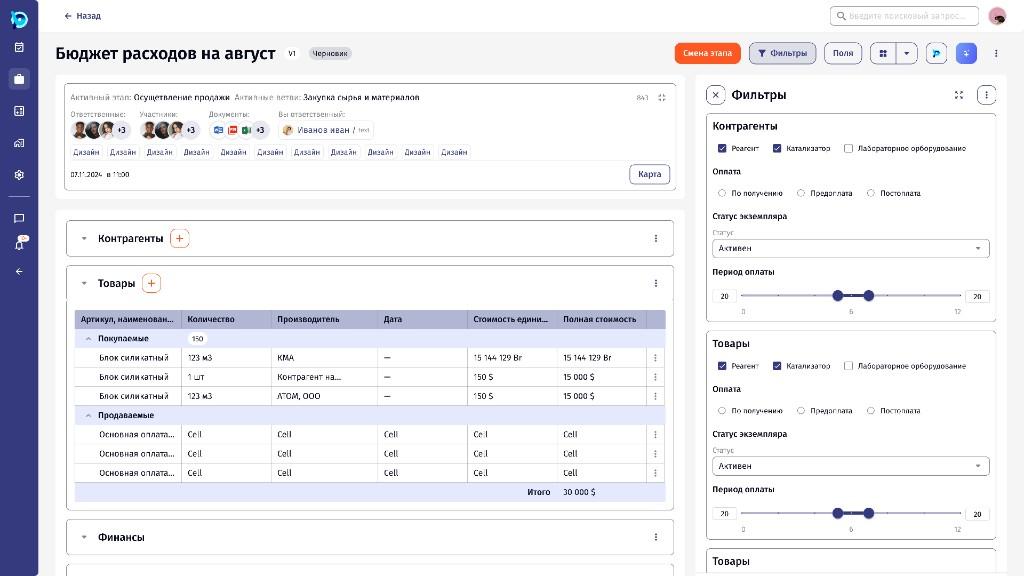
BusinessPad is an enterprise resource planning platform developed by AVK Consulting. It brings procurement, finance, logistics, documents, projects, tasks and internal processes into one connected environment.
- Company
- AVK Consulting
- Role
- Senior / Lead Product Designer
- Year
- 2023–2025
- Type
- Product Design · Enterprise ERP · B2B SaaS
01Overview
Unlike smaller applications built around one main task, BusinessPad supports many departments and user roles within the same system. Each has different responsibilities, workflows and information needs.
It is also a no-code platform: instead of fixed modules, a company describes how its work runs, and the system turns that into screens, tasks and data. Processes describe the stages, roles and data of a piece of work; instances are the real requests that move through them; tasks are where the work gets assigned, discussed and documented.
02My role
Senior / Lead Product Designer
- Examining existing workflows with analysts and the product team
- Redesigning dense working screens: process instances, registers and tasks
- Visual hierarchy for tables, statuses, filters, forms and documents
- Platform features: reference data, chats, process variables, notifications, saved list views
- Turning recurring solutions into components of the AVK UI Kit
- Developer handoff, from requirements to final UI
03The challenge
Over the years, BusinessPad had accumulated a large amount of functionality. As new features were introduced, the interface became increasingly difficult to navigate and maintain. Similar interactions could look or behave differently across the platform, screens held large amounts of information, and users often had to move between several sections to complete one process.
But simplifying the interface wasn’t as simple as removing elements. Enterprise users rely on detailed information, complex tables, advanced filters and multi-step processes to do their jobs. The real challenge was making the system easier to understand without taking away the complexity that made it useful.
- 01Similar interactions behaved differently across the product
- 02One process could span several departments and sections
- 03Users need the detail; it can’t simply be removed
04Approach
4.1
Understanding the workflows before redesigning the screens
BusinessPad couldn’t be redesigned screen by screen in isolation. A single business process could involve several departments, approvals, documents and changes in status.
I examined existing workflows, identified recurring problems and traced how information moved between parts of the system. Rather than asking how a screen could look better, the more useful question became how that screen supported the task users were trying to complete.
4.2
Creating hierarchy in information-heavy interfaces
BusinessPad contains complex tables, registers, forms, filters, statuses and actions, and removing them wasn’t always possible or desirable. The redesign focused on making information easier to scan: stronger visual hierarchy, related information grouped, important actions easier to find, and more predictable layouts.
The aim was to help users tell what needs their attention now from what can stay secondary. A well-designed enterprise interface doesn’t necessarily contain less information. It makes the existing information easier to work with.
4.3
Designing for different roles
A finance employee cares about payments and approvals, someone in logistics monitors shipments and deadlines, and a manager needs a broader overview of activity and status.
Instead of one identical layout for every workflow, I established consistent patterns that individual workspaces could adapt to their tasks. That balance between consistency and flexibility became central to the redesign.
05Key flows
5.1
Setting up a process
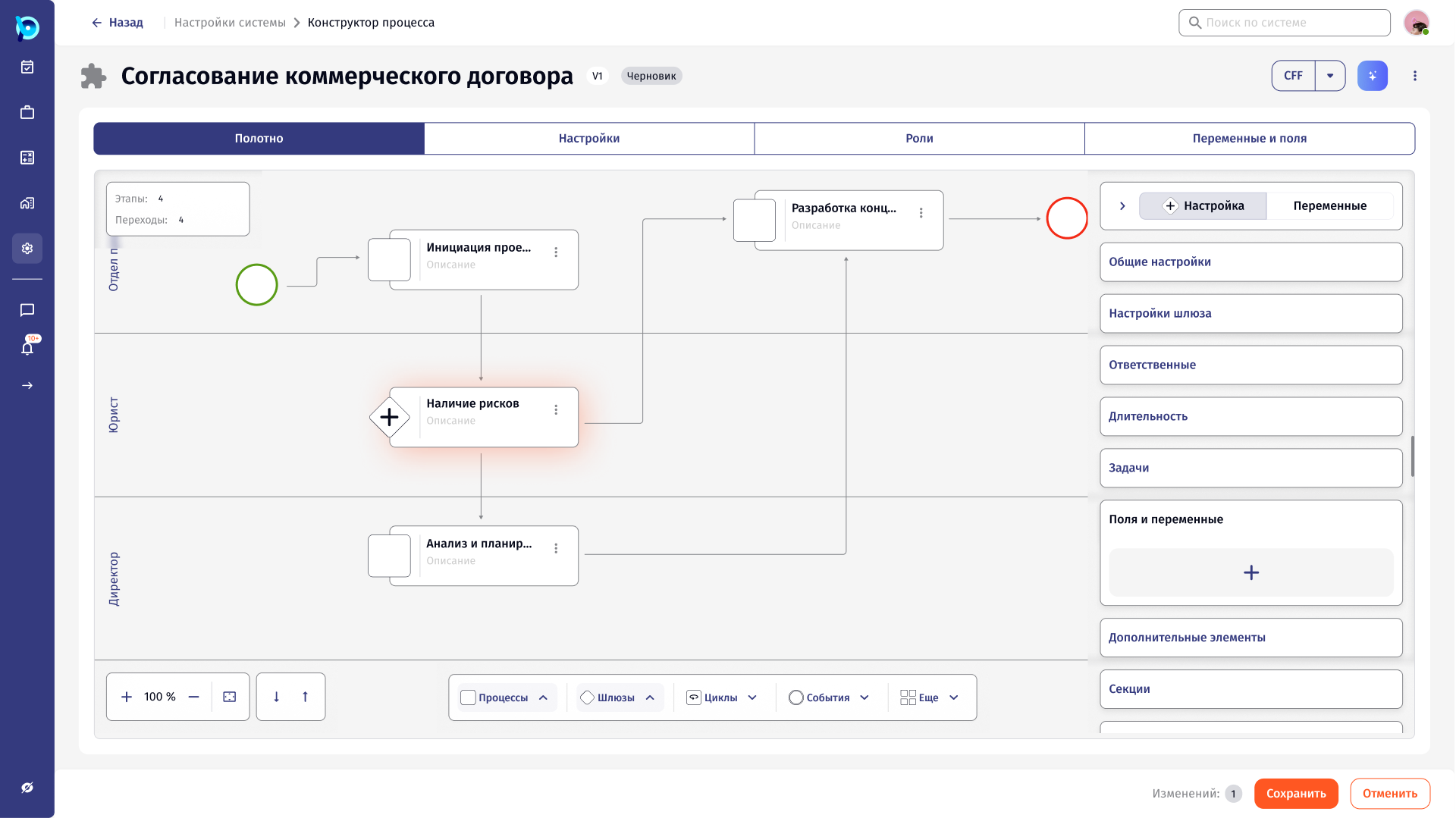
Process owners draw a process instead of coding it. Stages sit in swimlanes for each role (department, lawyer, director), and the selected stage is configured in a panel on the right.
- 1Lay out stages by role
- 2Connect them with transitions and gateways
- 3Set who is responsible, the duration, tasks, fields and variables
 Open full size
5.2
Working inside a process
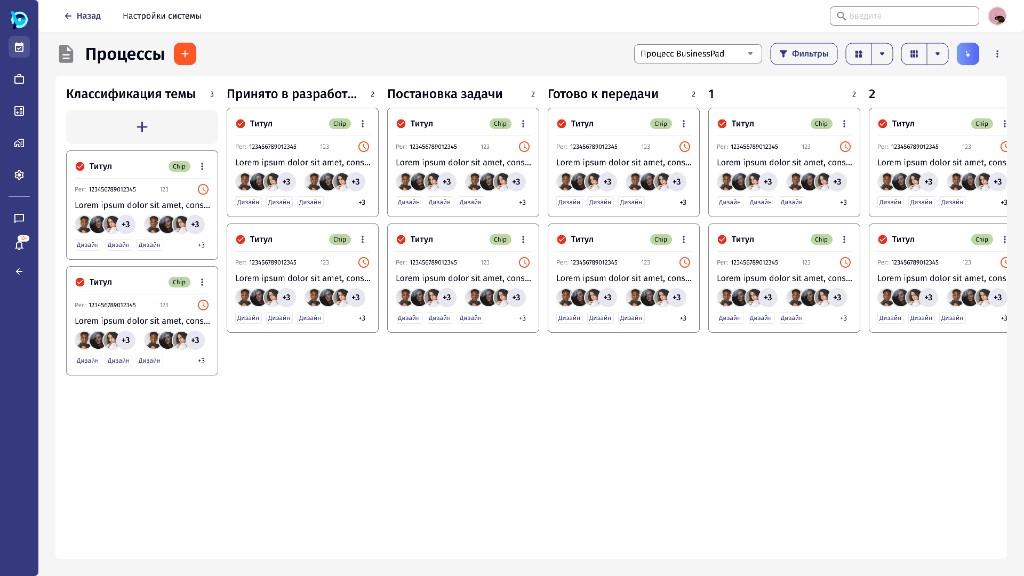
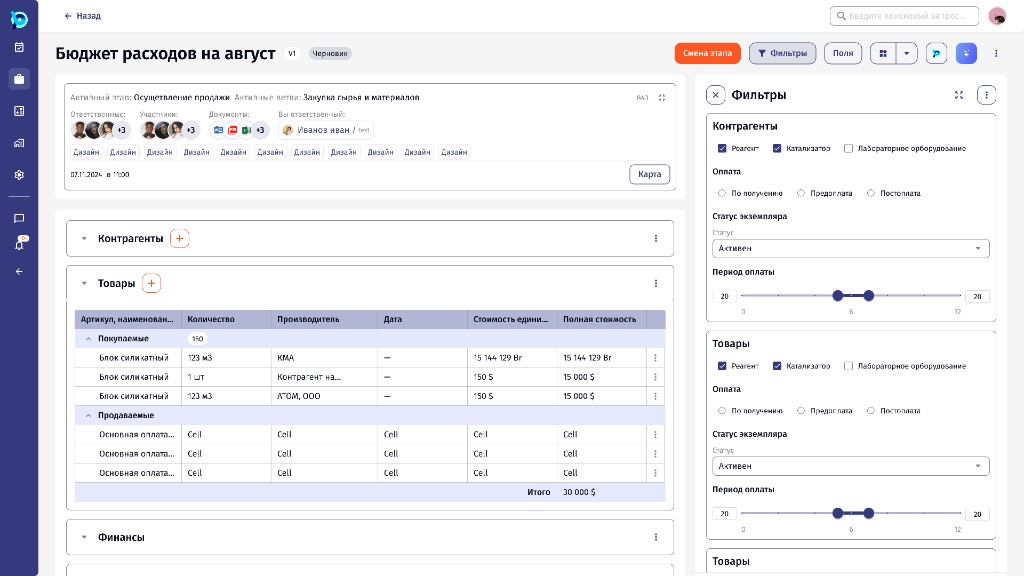
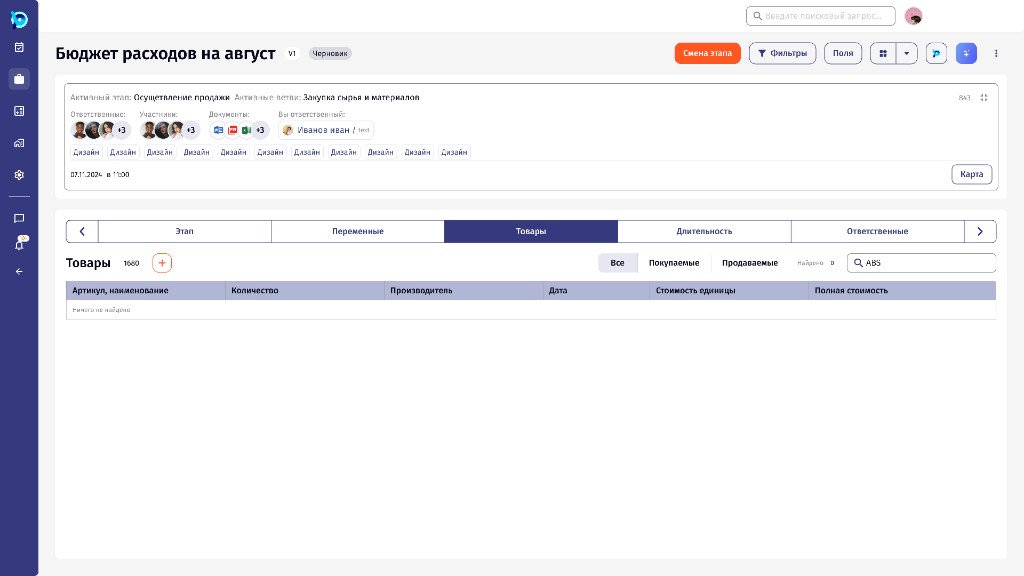
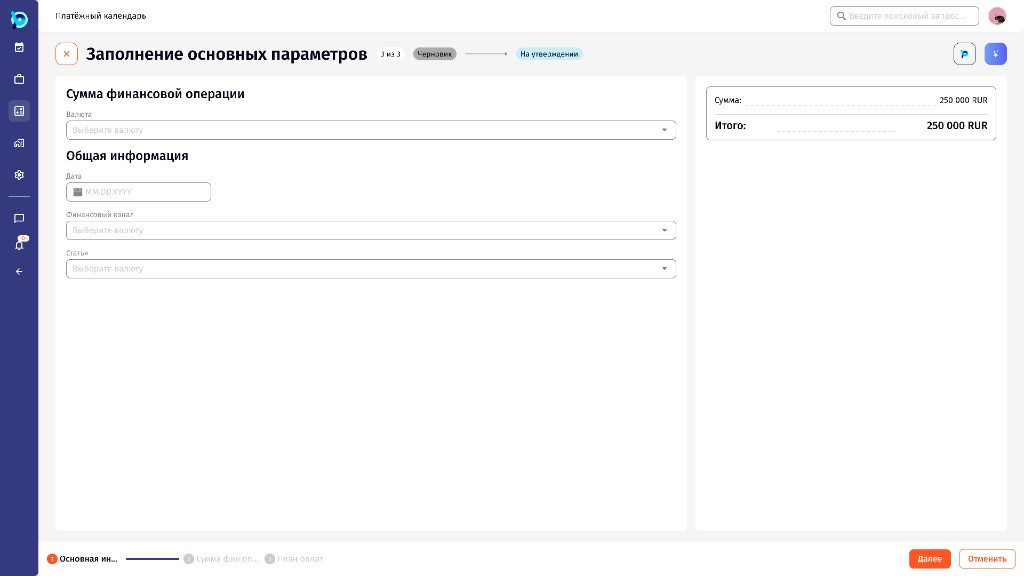
Every real request runs as an instance of a process. The board shows where each instance is; inside one, the active stage, people, related records and operational data share a single workspace, with filters beside the data rather than over it.
- 1Find the instance on the board
- 2Open it on its current stage
- 3Work with the stage’s data, like goods or payment parameters
- 4Move it to the next stage
 Open full size
 Open full size
 Open full size
 Open full size
5.3
Tasks
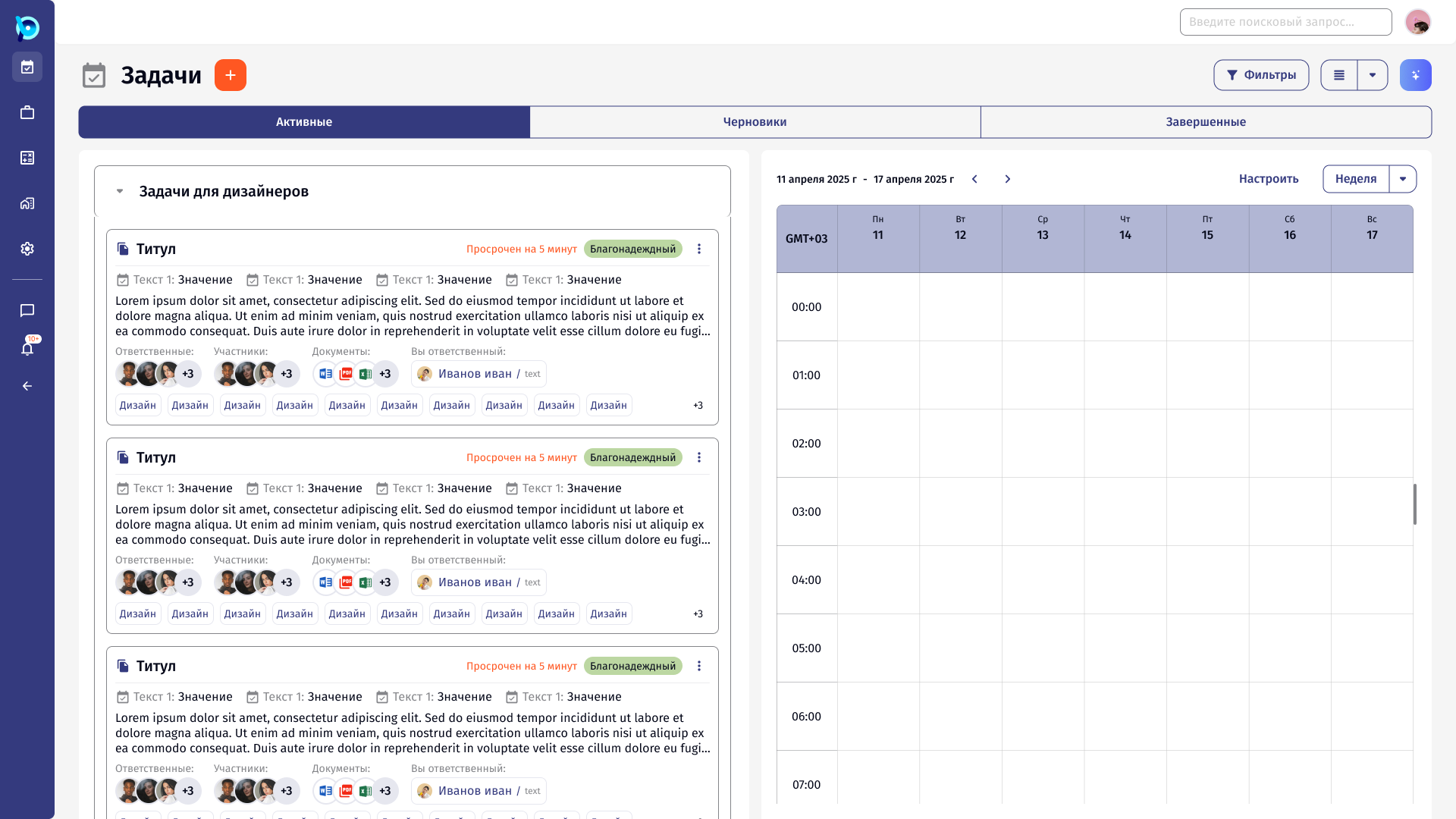
Tasks became a working list: status, deadline, people, documents and tags are visible without opening every record, with Active, Drafts and Completed tabs and a week calendar alongside.
 Open full size
06Design decisions
Keep density, add structure
Experienced users need the data. Grouping, spacing and hierarchy make it scannable.
Panels beside the list
Viewing, editing and settings open in a side panel, so the context stays in view.
One pattern, many places
Lists, forms and empty states behave the same across the product.
Design for none, one and many
Every list and panel is checked with no items, one item and many.
From screens to a system
Tables, forms, filters, buttons, navigation and states recurred everywhere, so recurring solutions became reusable components in the AVK UI Kit, based on Material UI and adapted to BusinessPad. It grew to more than 120 components.
07Outcome
The redesign established a clearer and more consistent experience across BusinessPad. Complex workflows remained part of the product, but their interfaces became more structured, with more predictable interactions and a stronger visual hierarchy.
It also created a reusable design foundation that could support new functionality without designing every screen from scratch. BusinessPad was never going to become a simple product, nor did it need to. The goal was to make its complexity manageable.
08What this project demonstrates
BusinessPad is an example of designing for real operational complexity: understanding business processes, working with information-heavy interfaces, balancing the needs of different users, and developing reusable patterns across a large product.
The most important lesson: good enterprise UX isn’t about reducing functionality. It’s about creating enough structure that complex functionality becomes understandable and usable.