Notifications
A notification centre for a system where many things change at once: grouped by where the change happened, with the change itself shown on the card.
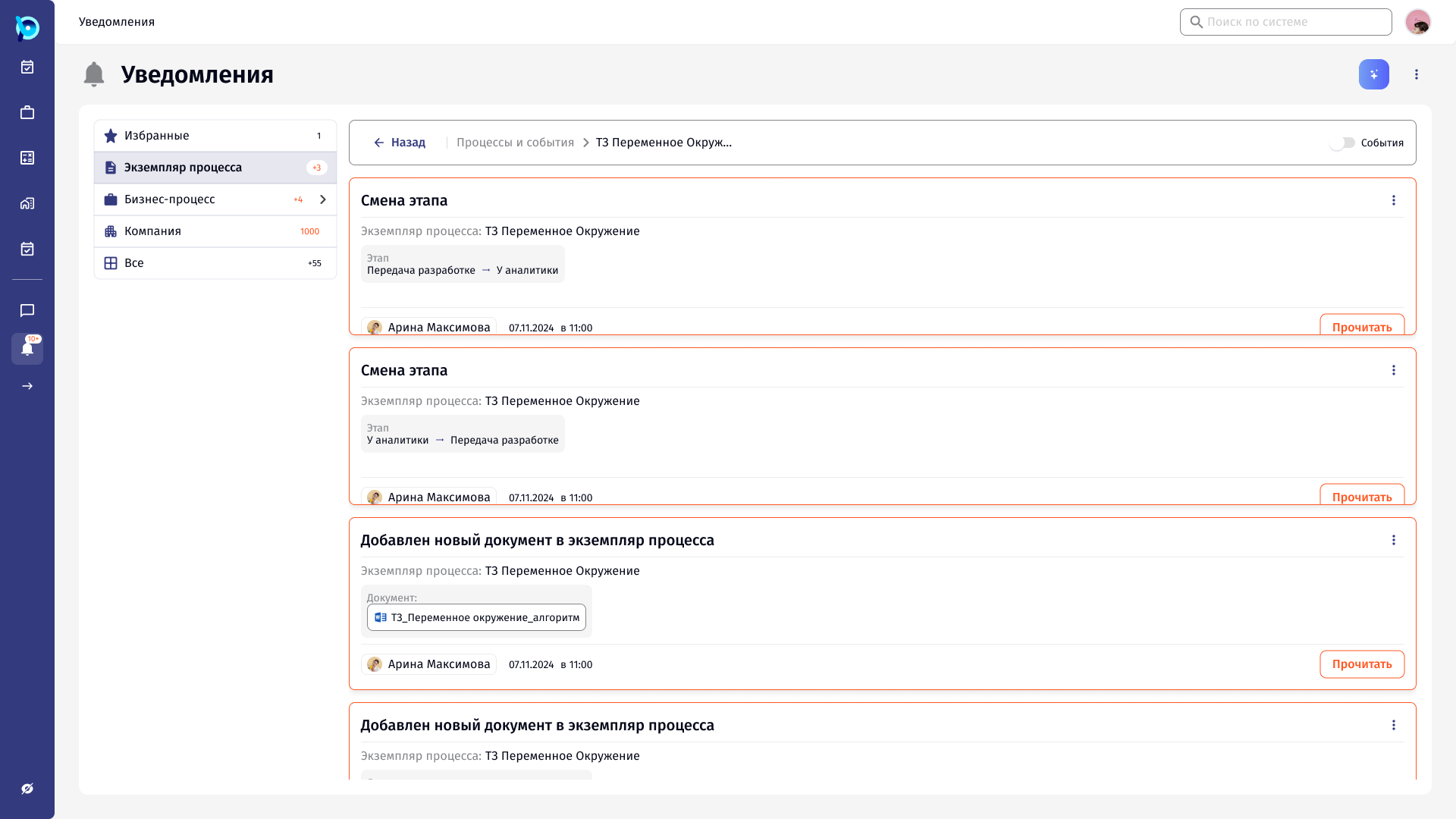
Every process produces events.
Stages change, responsible people are reassigned, documents and counterparties are added, comments are left. Each of these can matter to someone working on the process.
Notifications collect them in one place, reachable from the main navigation.
A long list of “something changed”.
With many processes running, a single feed fills quickly, and a title alone does not say whether a notification needs attention. Opening each one to find out is slow.
Group by source. Show the change on the card.
Notifications are grouped by where they came from: favourites, process instances, business processes, company, and all. Business process notifications have their own categories, from tasks and finance to goods.
Each card names the event, the process instance, and the change itself, such as the old and new stage, the new responsible person or the attached document.
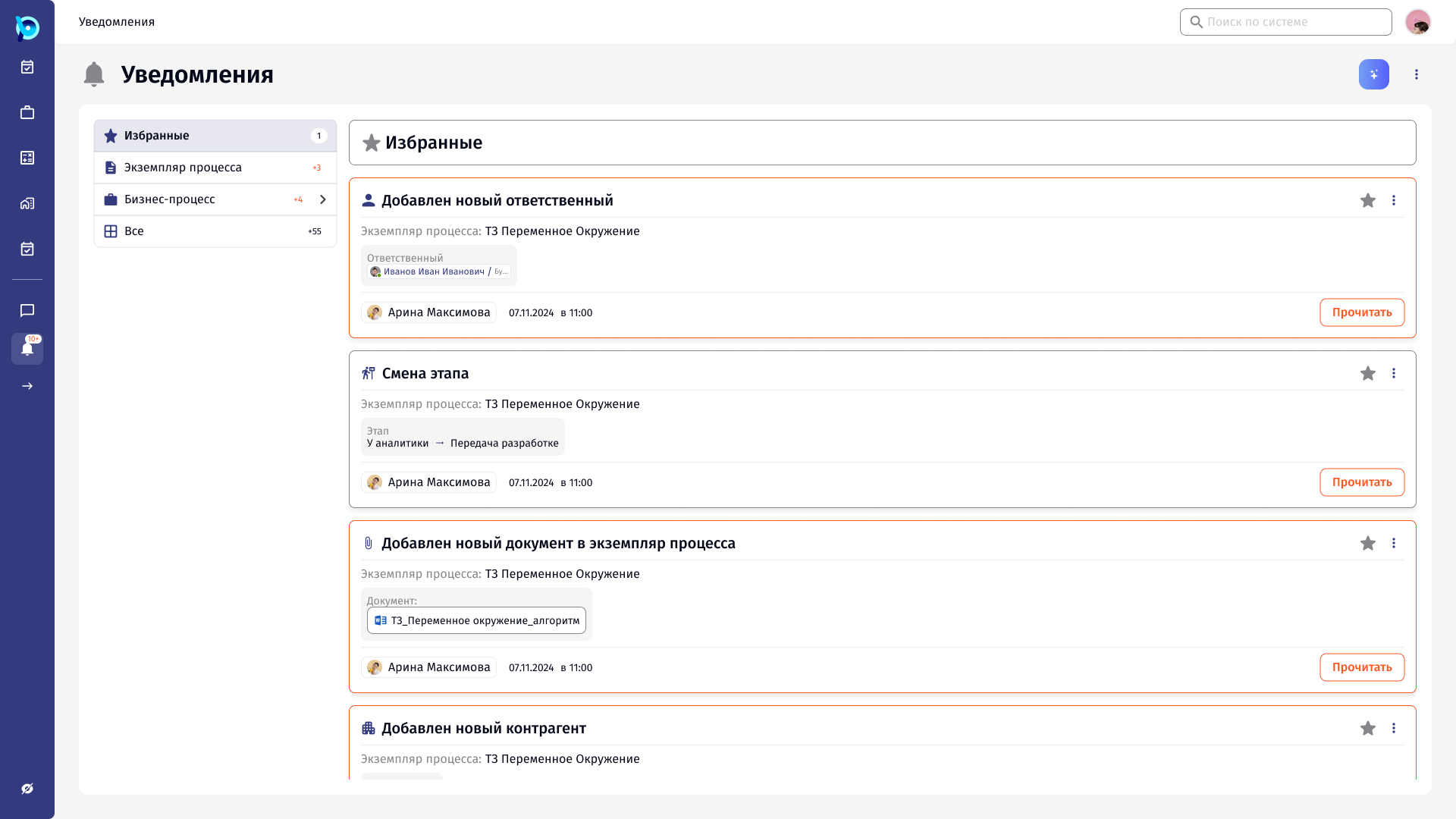
Grouped by source
The change itself
Who and when
Add to favourites
Mark as read
From all notifications to one instance.
From a notification, the user can open everything that happened in that process instance. A breadcrumb leads back, and an Events toggle narrows the list.
Business process notifications open as a second-level menu of categories, each with its own count.
Key decisions
Source first
Grouping by where a change happened, not by date alone.
Content on the card
The change is readable without opening anything.
Favourites
Important notifications can be kept at the top.
Drill into an instance
All events of one process instance, with a way back.
What was designed
The notifications page with source groups and business process categories, card layouts for each event type (responsible person, stage, document, counterparty, comment), and the drill-down into a single process instance.