Making a complex quoting process easy to follow.
CPQ stands for Configure, Price, Quote. It is the part of BusinessPad where a client request becomes a configured product, a calculated price and a quote.
- AVK Consulting
- Product Designer
- 2023–2025
- B2B SaaS · Enterprise · Desktop
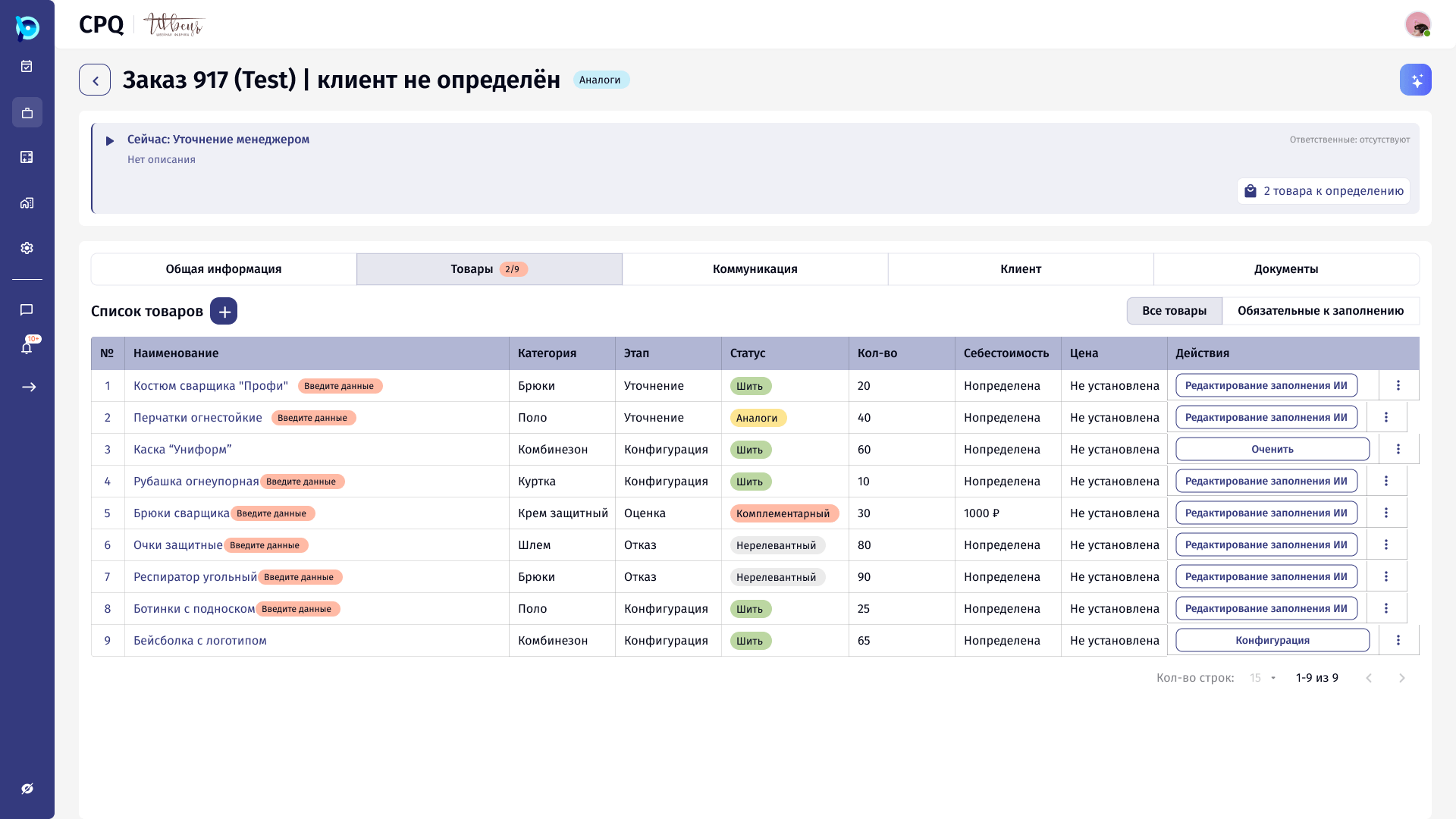
From a client request to a ready quote.
Companies that make products to order, like protective workwear, cannot pick a price from a list. Each request needs the product defined first, then costed, then quoted.
CPQ is where managers do that work inside BusinessPad. The name describes the three steps.
C
Configure
Choose the product and its options. A protective suit, for example, is built from pockets, collar, sleeves, lining and materials.
P
Price
The estimate of labour and materials updates with every choice, using product data from the catalogs.
Q
Quote
Everything is collected in the order: goods, client communication, documents, and the stage the request is in.
One product, built part by part.
The configurator splits a product into sections. Each section shows its progress, options can open further options, and the estimate on the right recalculates with every choice.
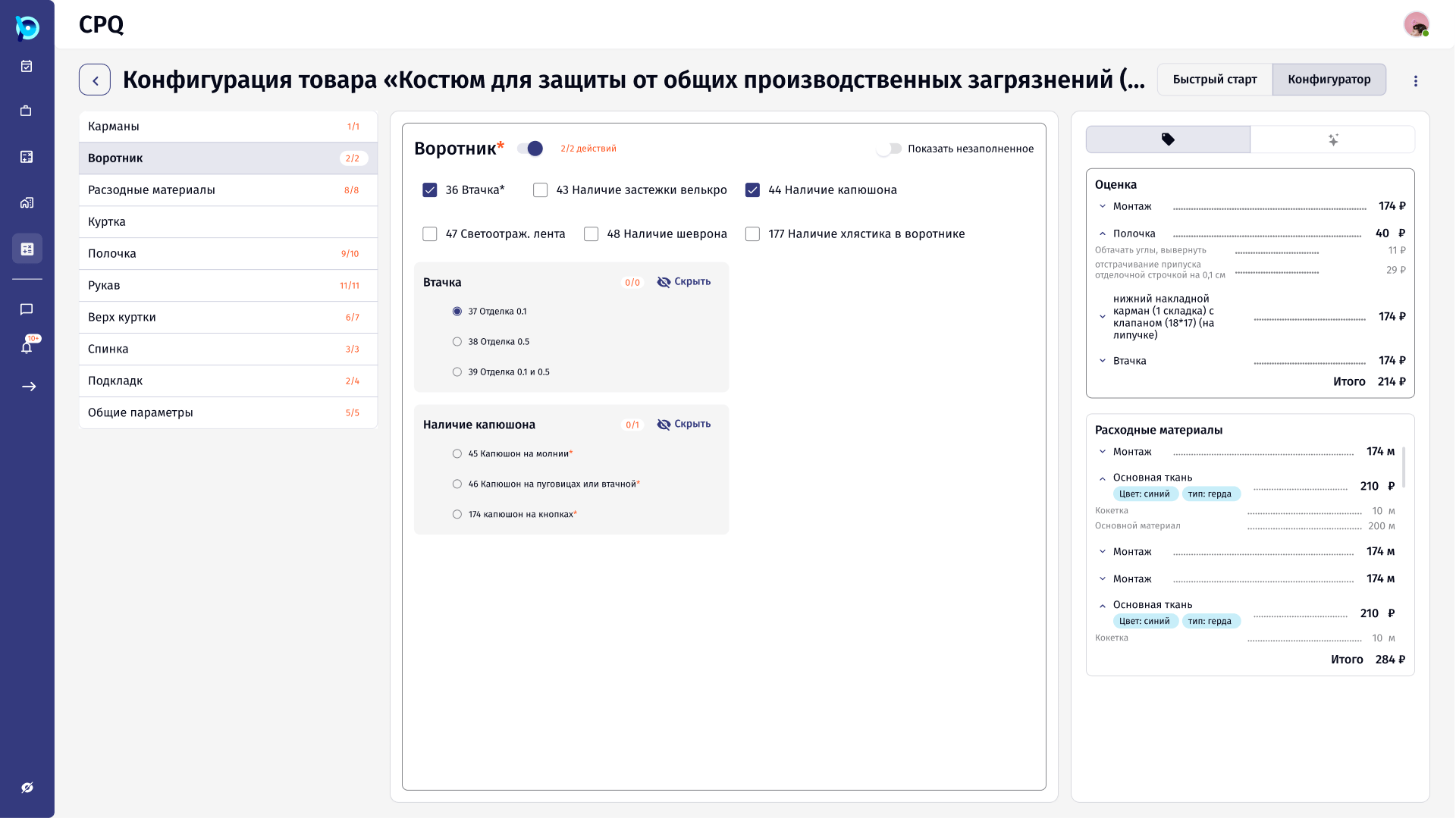
Sections with progress
Required, with a count
Nested choices
Live estimate
Simple to use, without hiding the complexity.
Products have many parts and options, prices depend on every choice, and one order can hold many items at different stages. Product data comes from several catalogs.
The goal was to simplify configuration while still supporting flexible product structures, pricing calculations and order management.
Product Designer at AVK Consulting.
- Catalog management: import and file validation, own, connected and shared catalogs, product cards, price history and filtering
- Product configurator, including a suit configurator with independently configurable jackets and bottoms
- Step-by-step configuration with selection states, progress, validation and automatic price recalculation
- Order cards, lists, sorting, filtering and navigation
- P1–P4 order priority logic based on delivery urgency, order value and payment conditions
- Navigation patterns for dense screens, including multi-panel layouts and vertical tabs
- Reusable components, tables, forms and expandable sections, with consistent interaction patterns
- Mockups, documented UX decisions and design handoff
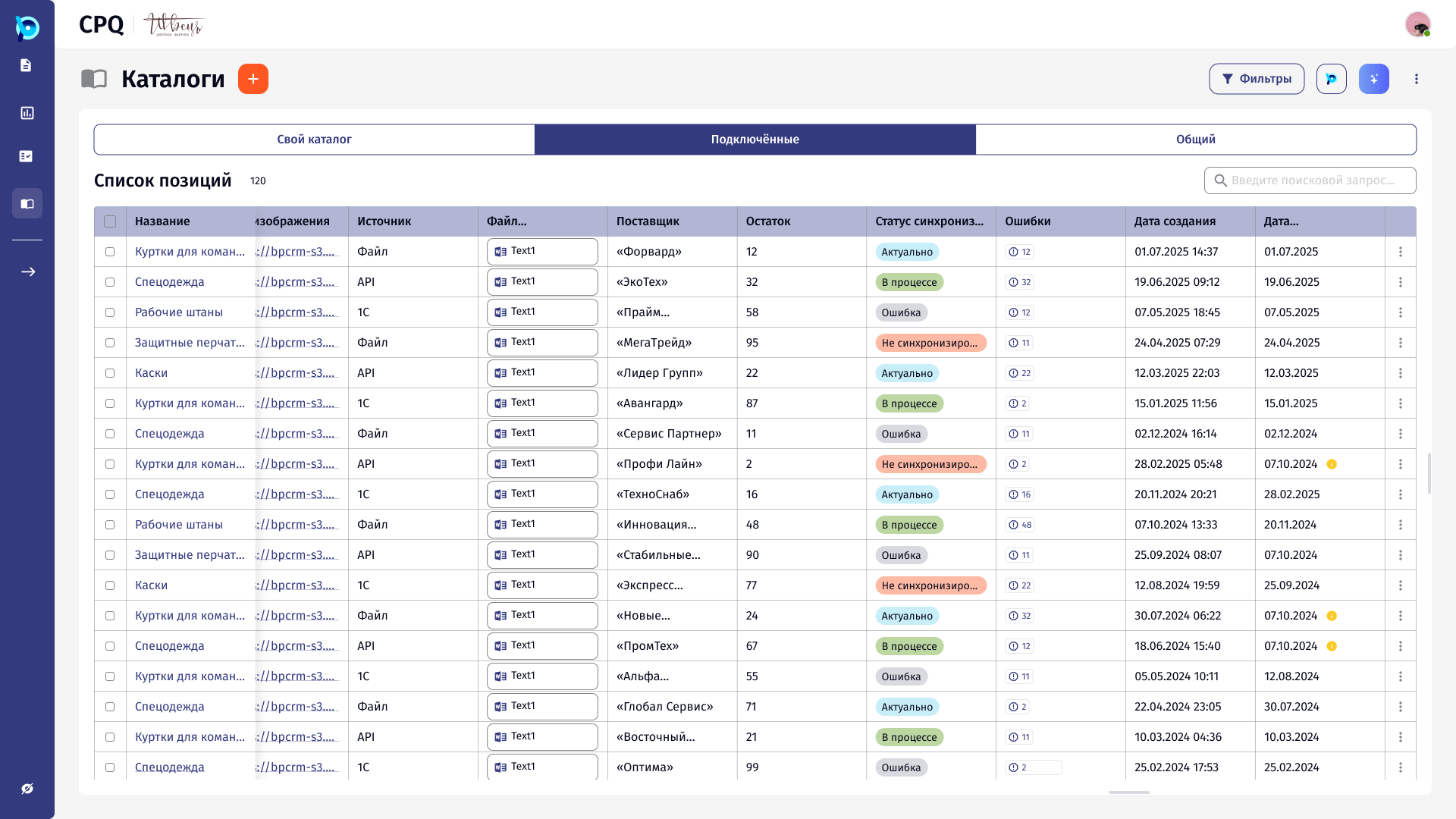
A few rules used across the product.
Show progress, not just fields
Every configurator section shows how much of it is done, so people know what is left.
Keep the price visible
The estimate sits next to the form and changes as options change.
Panels beside the list, not over it
Adding, filtering and editing open next to the content, so context stays in view.
Let AI suggest, let people decide
Where the assistant fills data, the result is shown with its source and can be checked.
Closer looks at individual features.
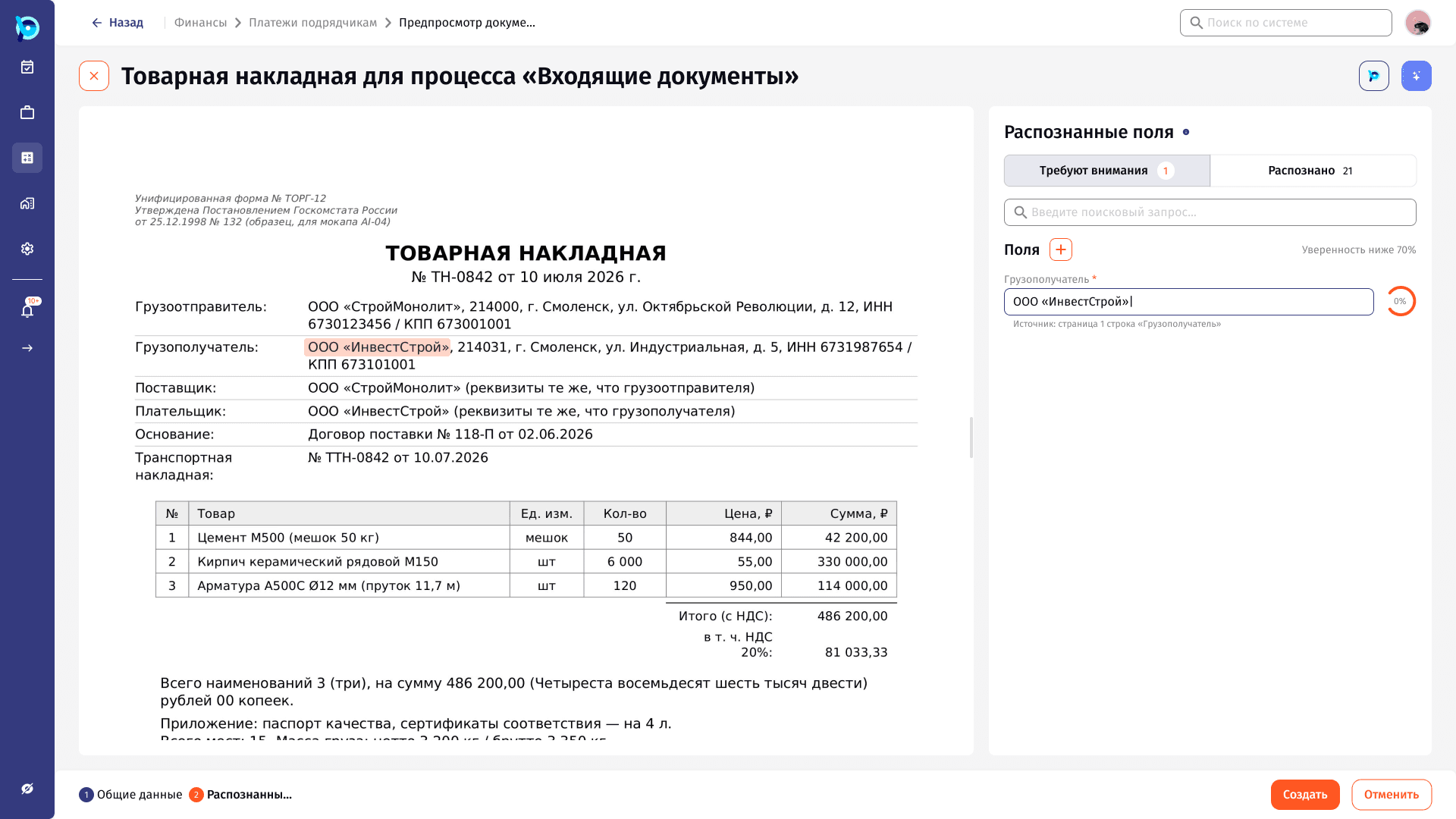
Document Management & Import
Turning an uploaded document into process instances, with an AI assistant that reads the file and a review step that keeps people in control.
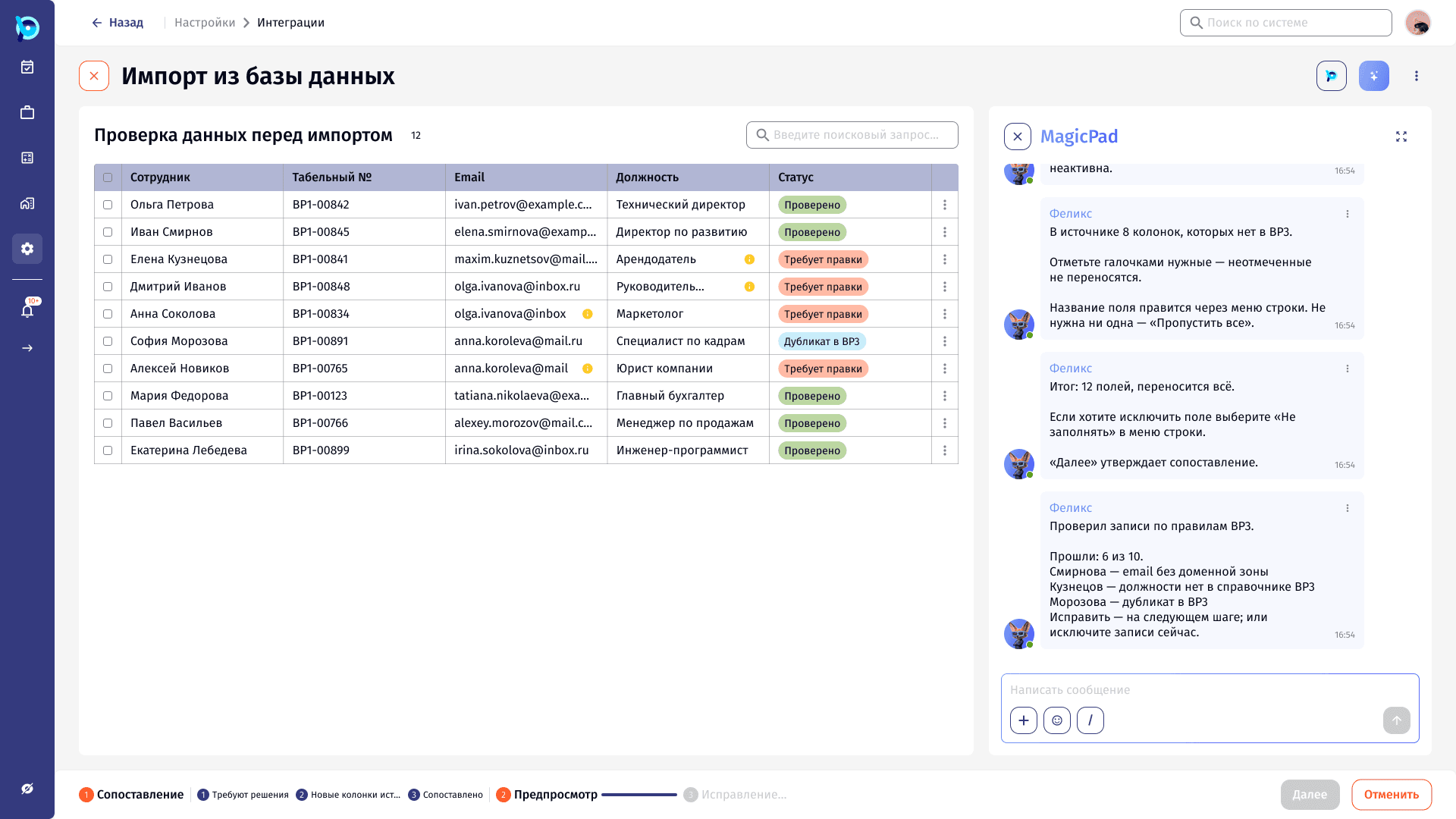
AI Integrator
Connecting an external database and importing its data through MagicPad, with explicit decisions wherever the mapping is uncertain.
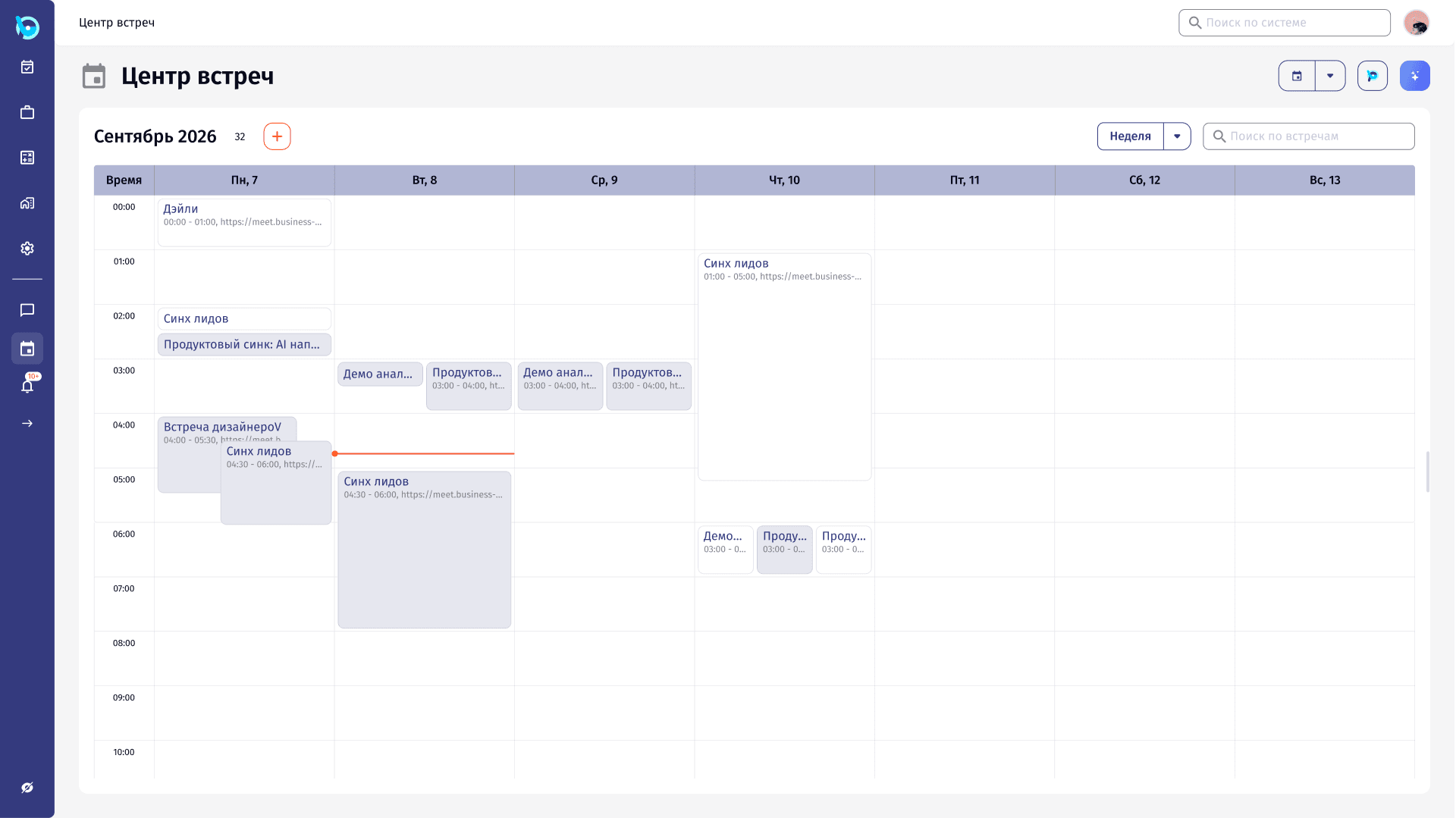
Task Tracker
A meeting center connected to tasks: four views of the same schedule, meeting creation from either side, and participation that can be negotiated.
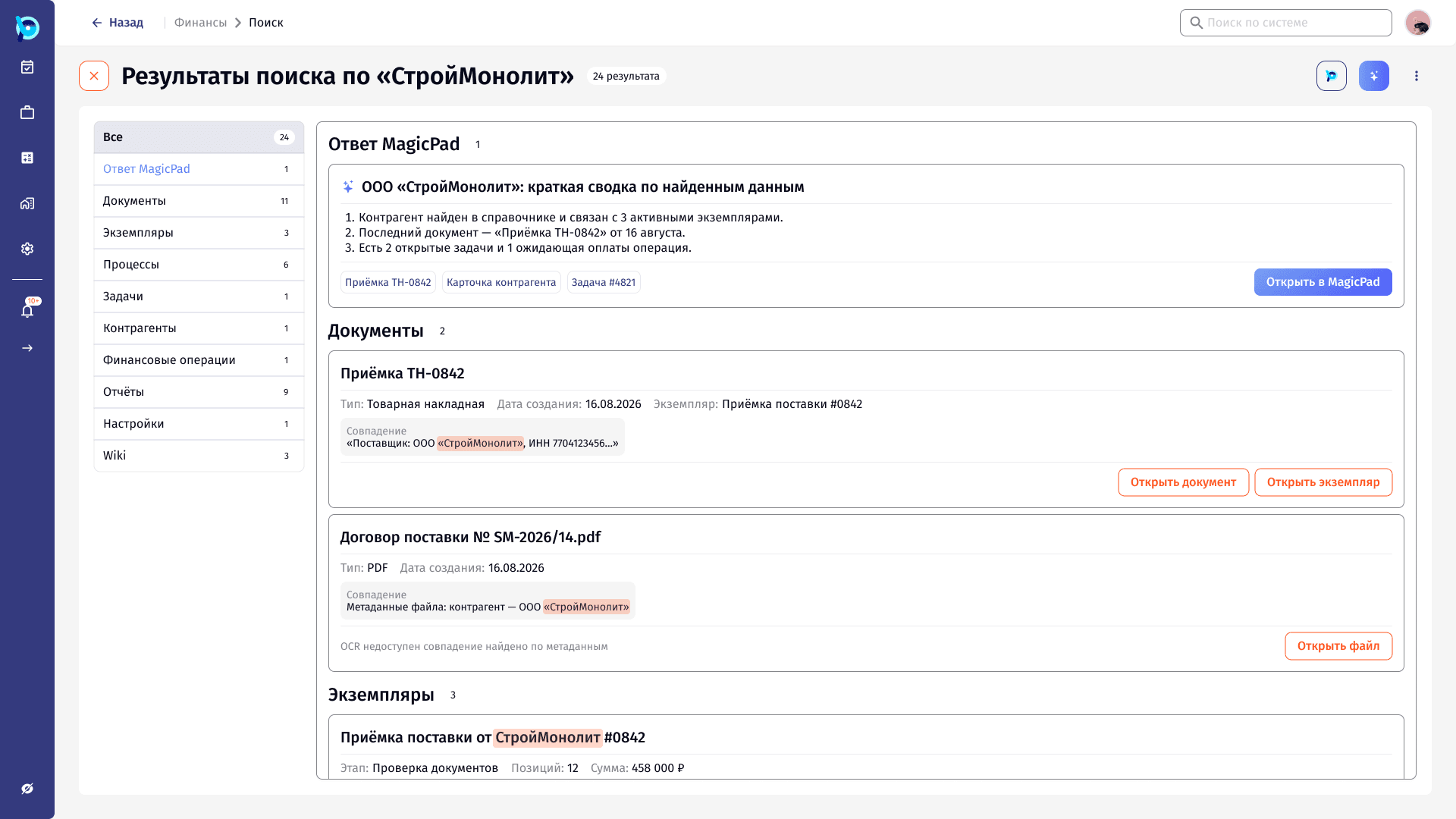
AI Search
Search across the whole product that also understands questions, from the header dropdown to a full results page with an AI summary.