Document Management & Import
Turning an uploaded document into process instances, with an AI assistant that reads the file and a review step that keeps people in control.
Documents arrive as files. The work happens in processes.
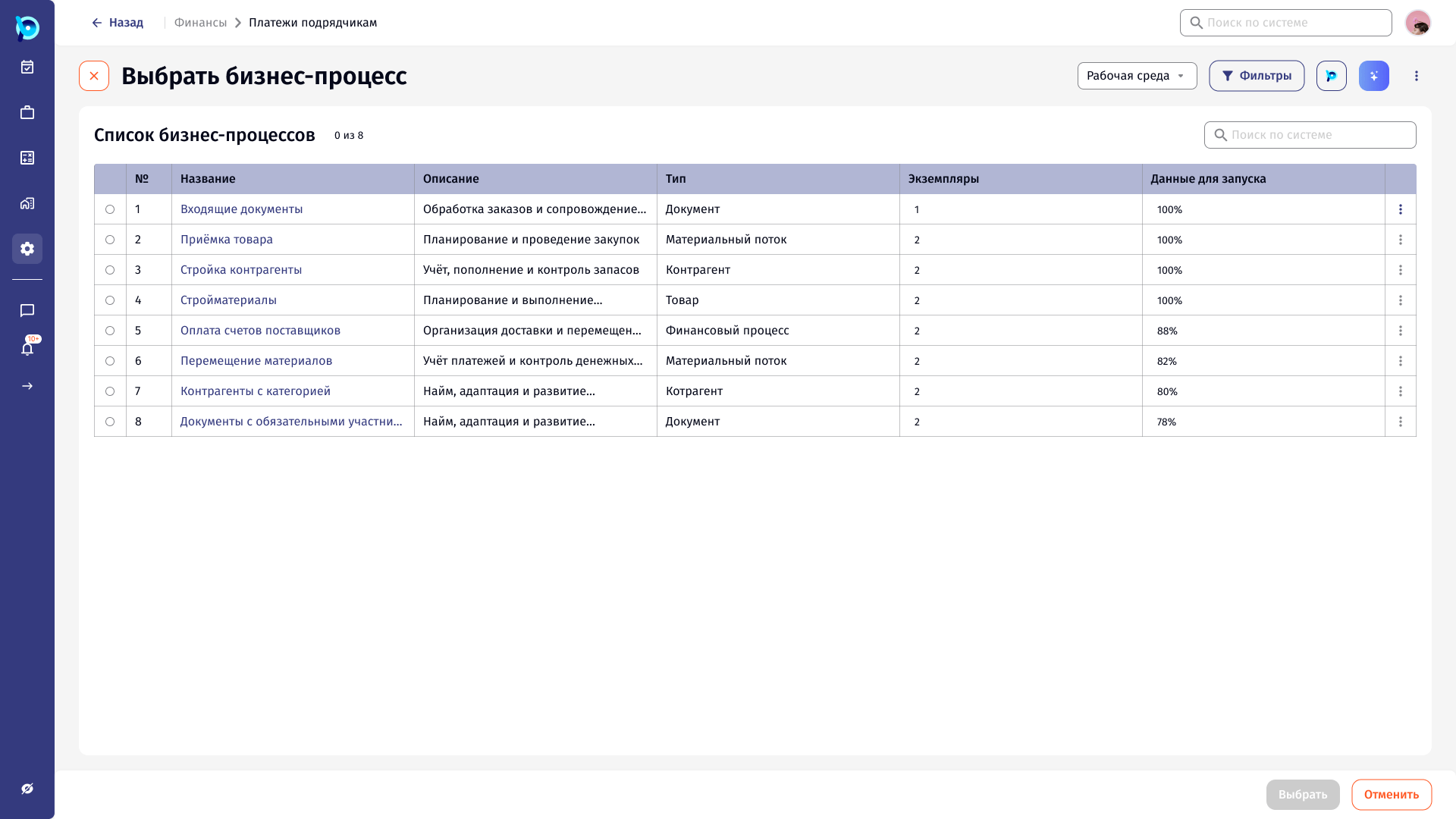
In CPQ, an incoming document such as a goods invoice feeds several business processes: incoming documents, goods receipt, counterparties, materials.
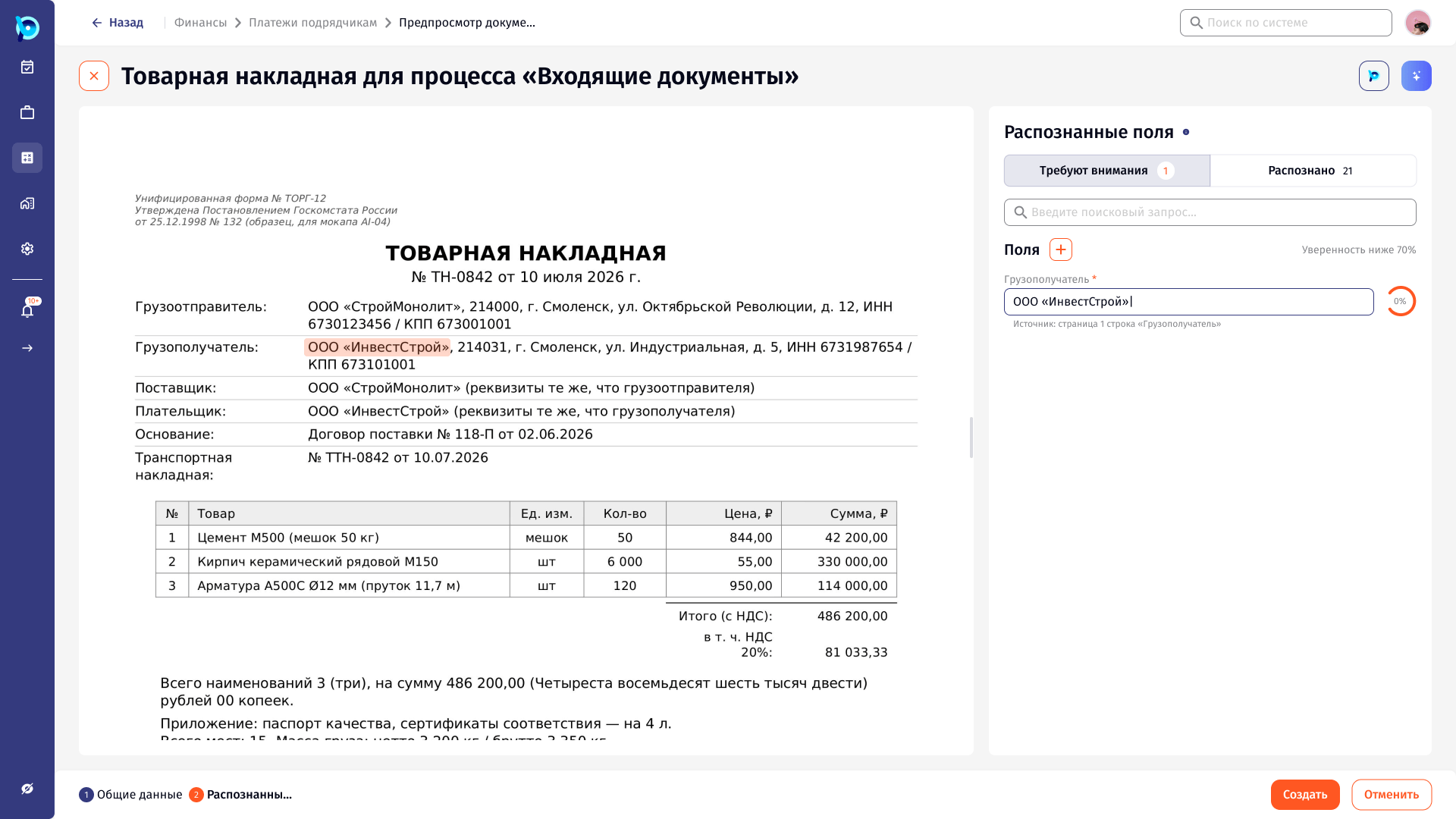
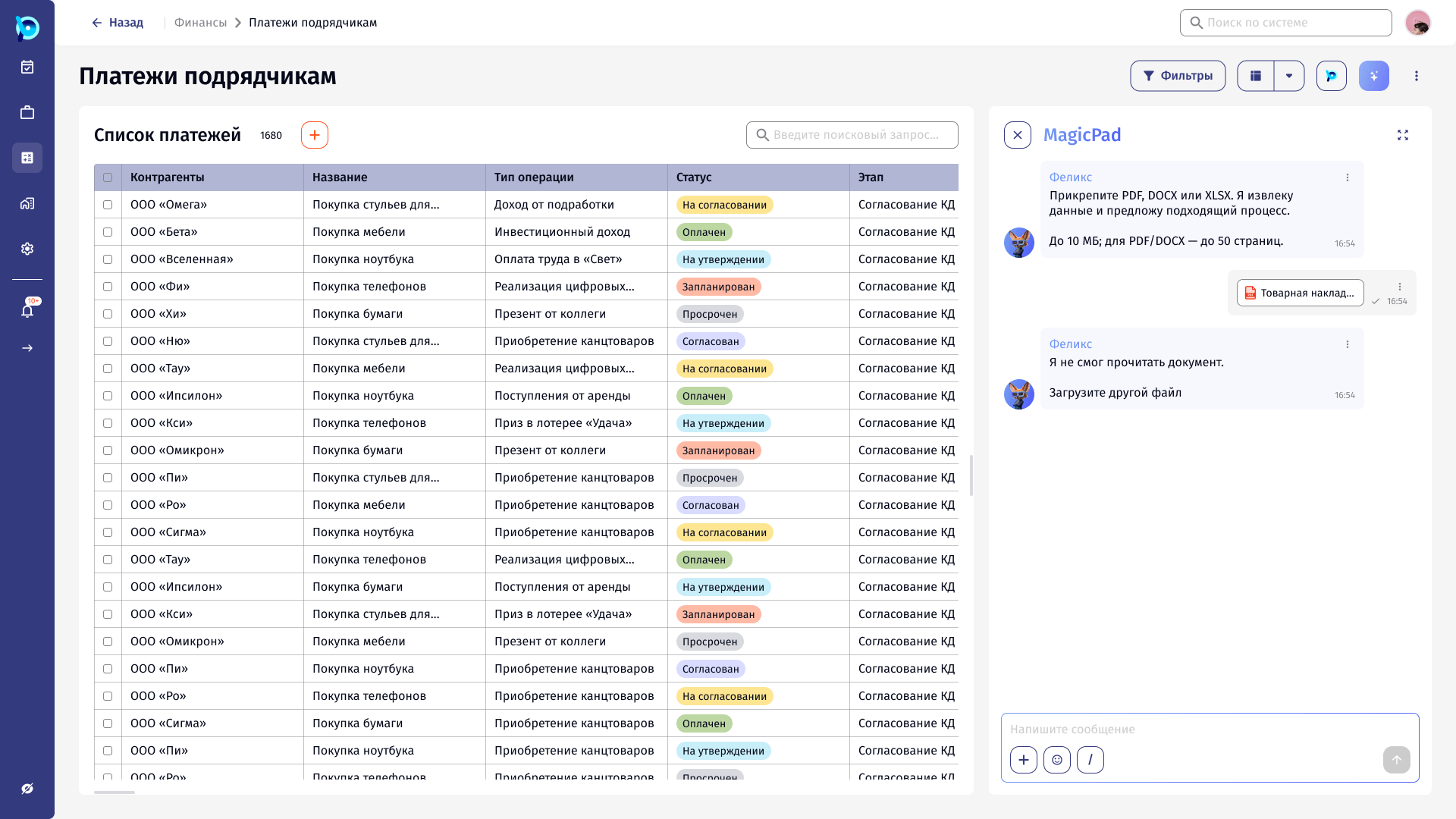
The flow starts in MagicPad, the assistant panel that sits next to any list in BusinessPad. A user attaches a PDF, DOCX or XLSX file and the assistant proposes what to create from it.
Recognition is never 100% right.
One invoice can contain several goods and organisations, and it can match more than one process. Some values will be read with low confidence, some will be missing, and some files will not be readable at all.
The design had to make that uncertainty visible without turning every import into manual data entry.
Let the assistant propose. Let the person confirm.
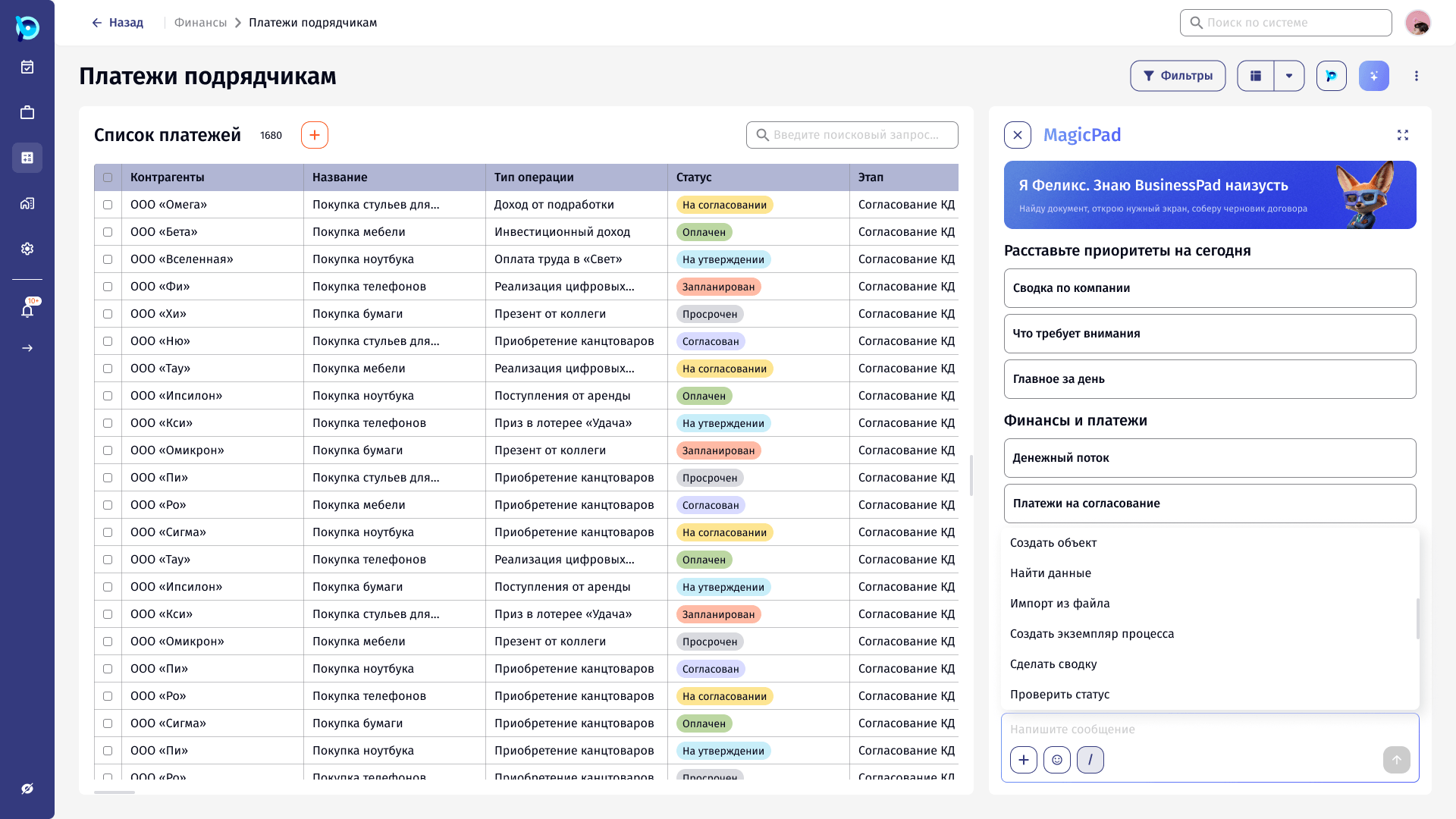
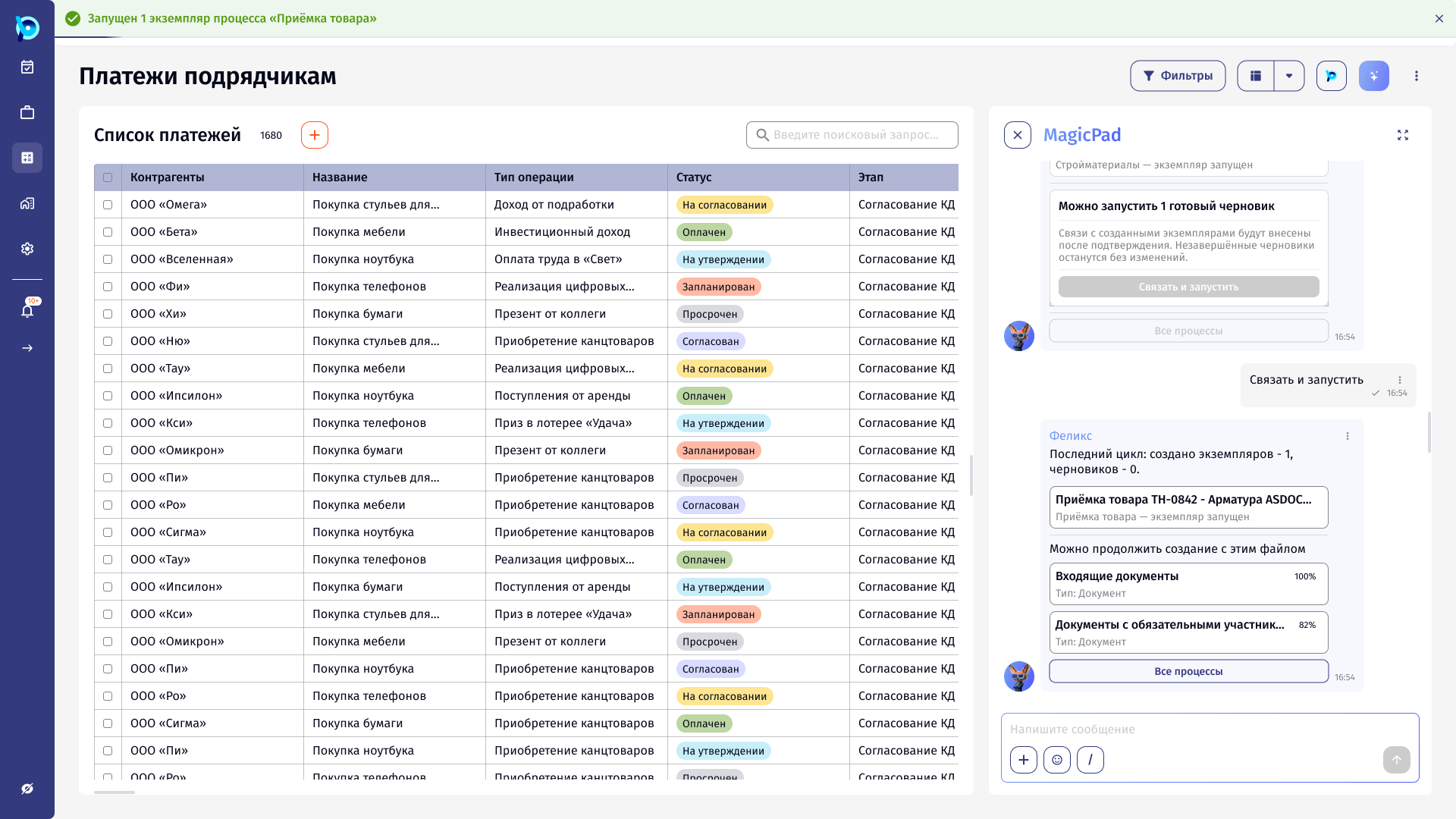
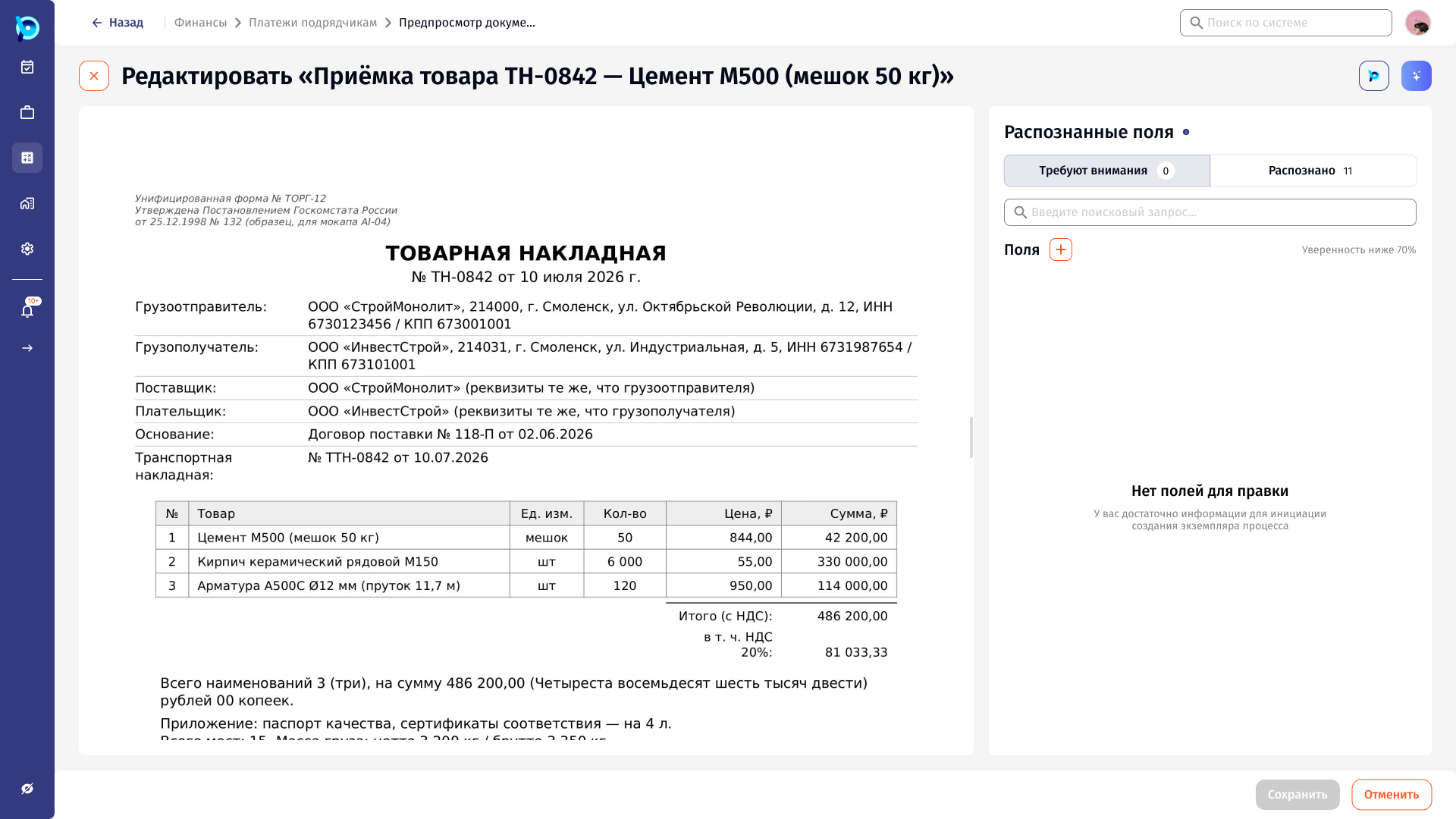
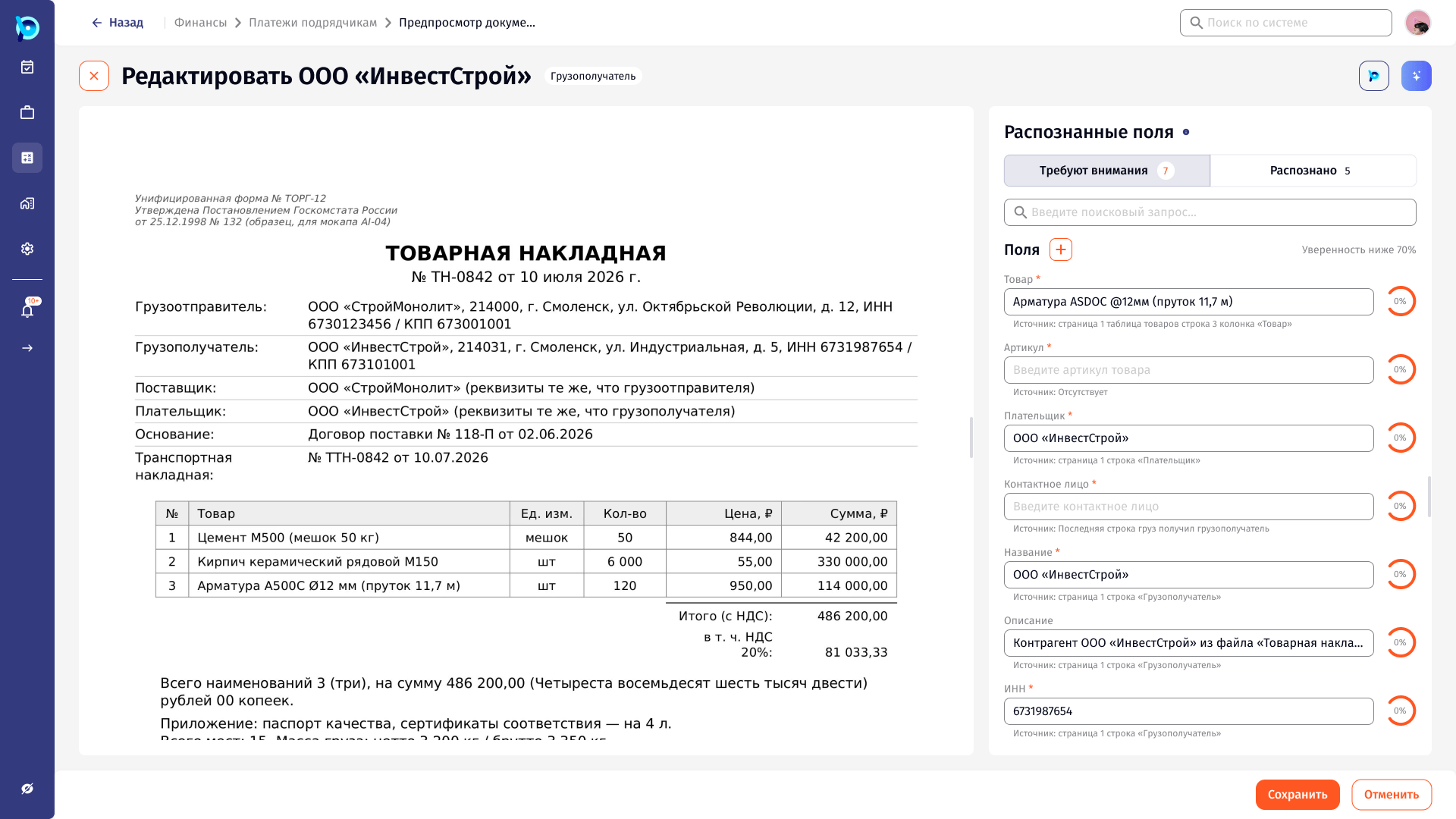
The assistant reports what it is doing at each stage, suggests the best-matching processes, and prefills what it can. Every value it fills can be traced back to the place in the document it came from.
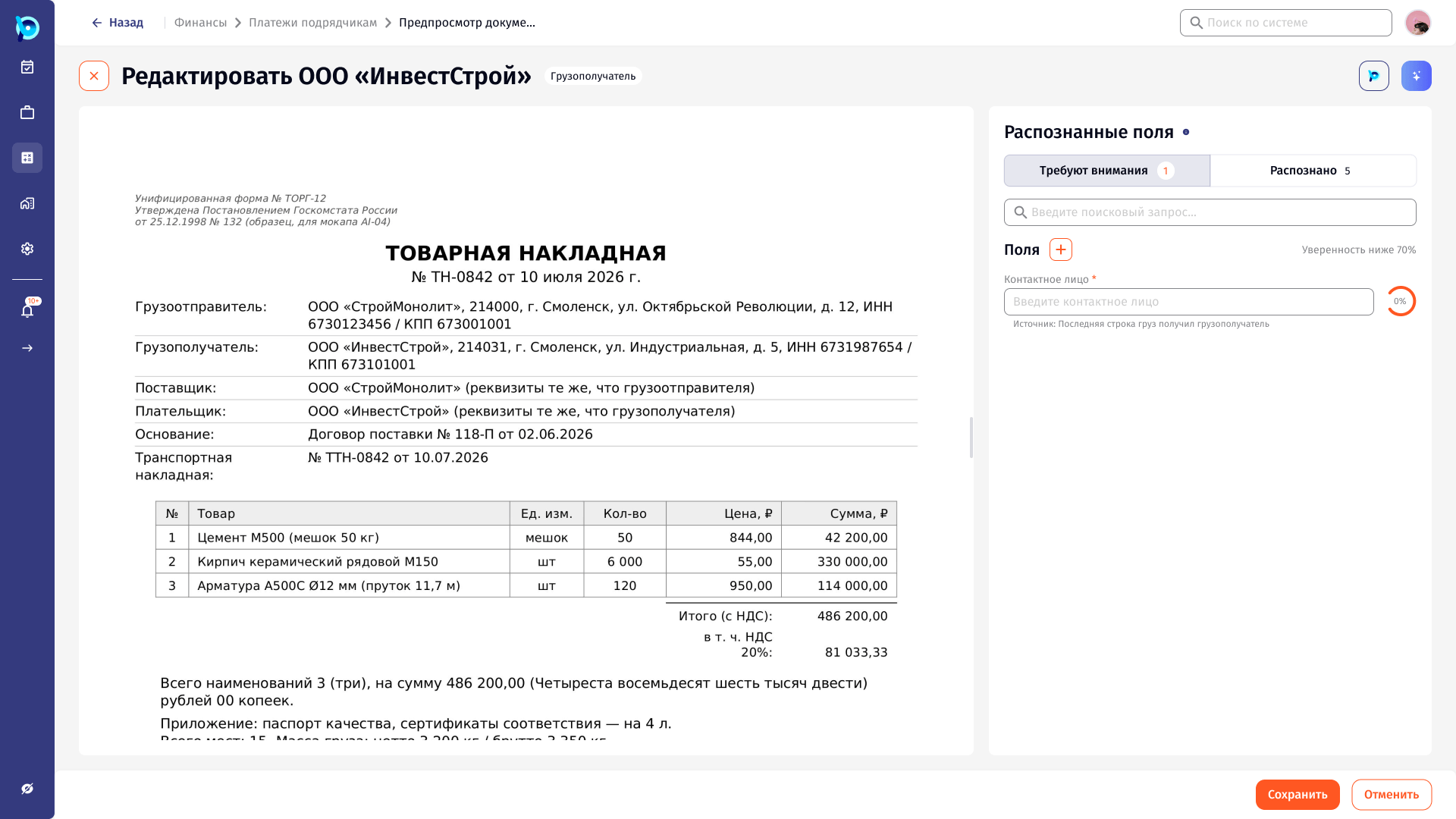
Fields are split by confidence. Only the ones below the threshold ask for attention; the rest are available to check but stay out of the way.
From file to running process.
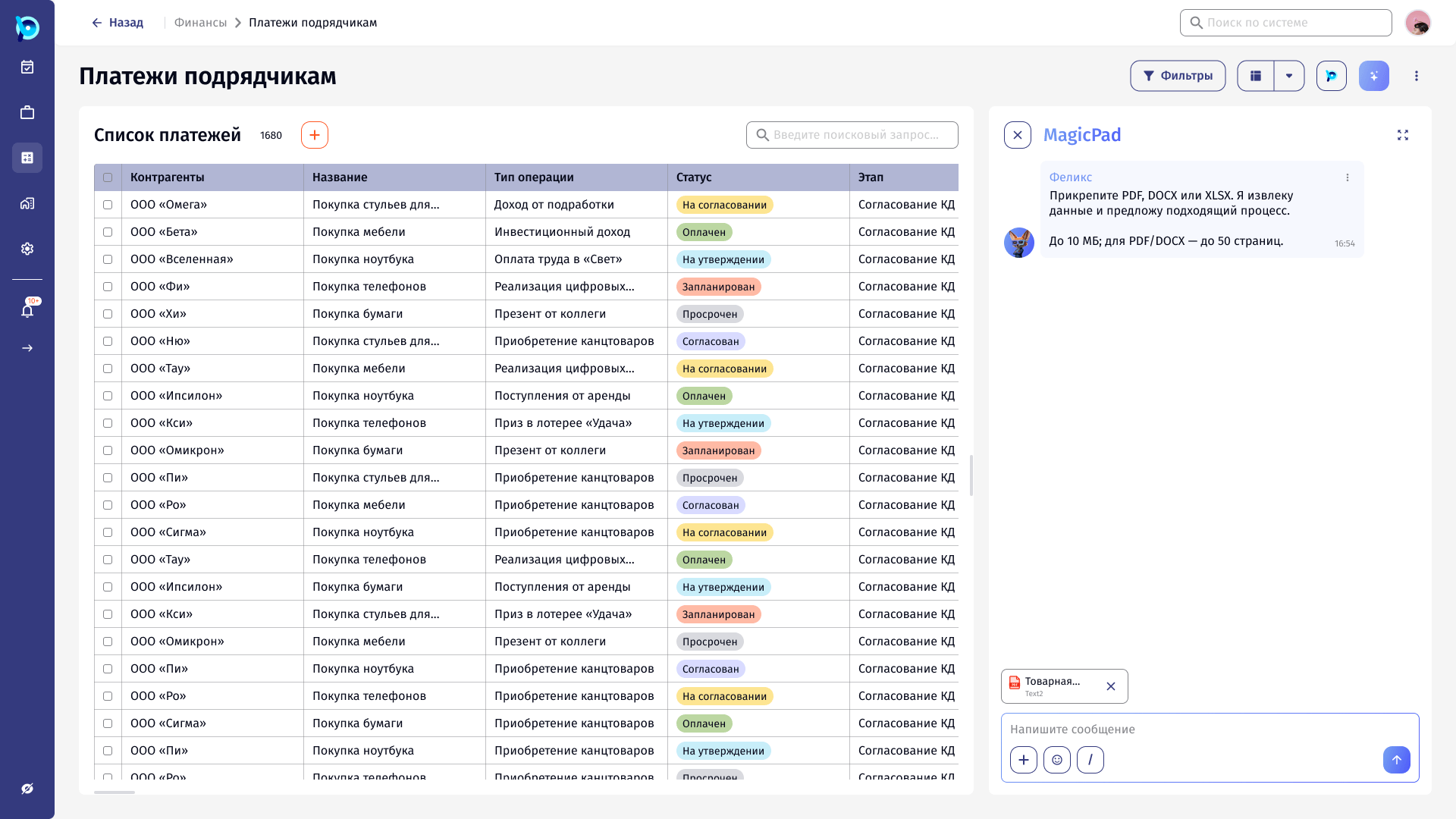
After choosing a process, the user lands in a two-step form: general data first, then recognised fields shown beside the source document.
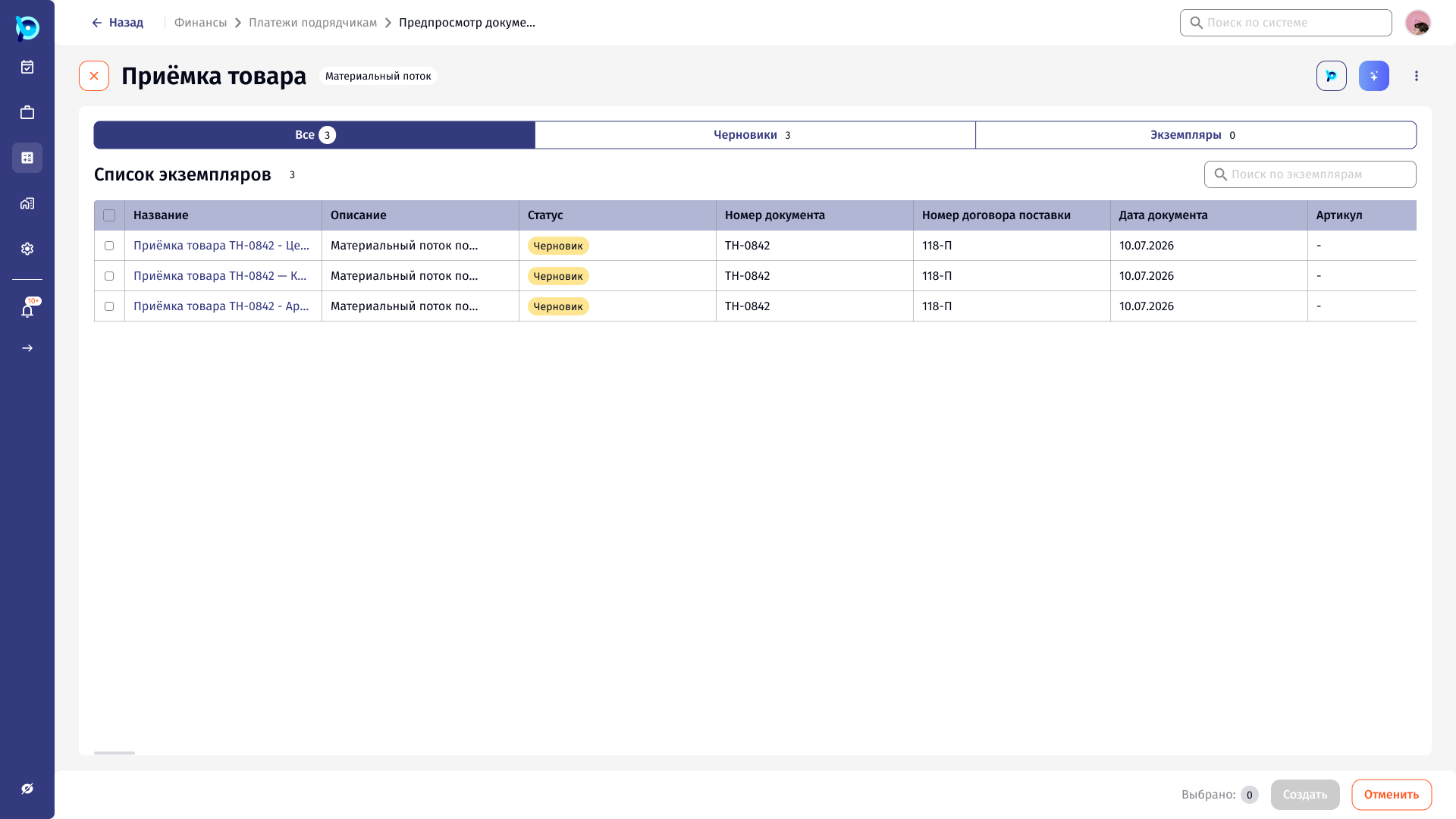
When a value cannot be found, the user selects the fragment in the document instead of typing it. A single invoice can produce several draft instances, which the assistant can link and launch together.
Source in the document
Two tabs by confidence
Threshold stated
Field with confidence
Key decisions
Progress is narrated, not hidden
Security check, extraction and matching each get their own status line.
Suggestions carry a score
Each proposed process shows how much of its launch data the file covers.
Fix by pointing, not typing
Missing values are filled by selecting the fragment in the document.
Confidence splits the work
Fields below 70% need attention; the rest can be checked but do not block.
Failure is a normal state
An unreadable file gets a plain message and a way forward.
Rule of three
Every panel is designed for nothing, one, and many items.
What was designed
A complete Figma flow from file upload in MagicPad to launched process instances, covering nine screens (U1–U9) for different target processes, alert and hint states, and the rule-of-three variants for every review panel.
The most complex scenario, a materials flow with missing counterparties and goods, covers creating the missing records, linking them and launching the process in one session.