Task Tracker
A meeting center connected to tasks: four views of the same schedule, meeting creation from either side, and participation that can be negotiated.
Meetings that belong to the work.
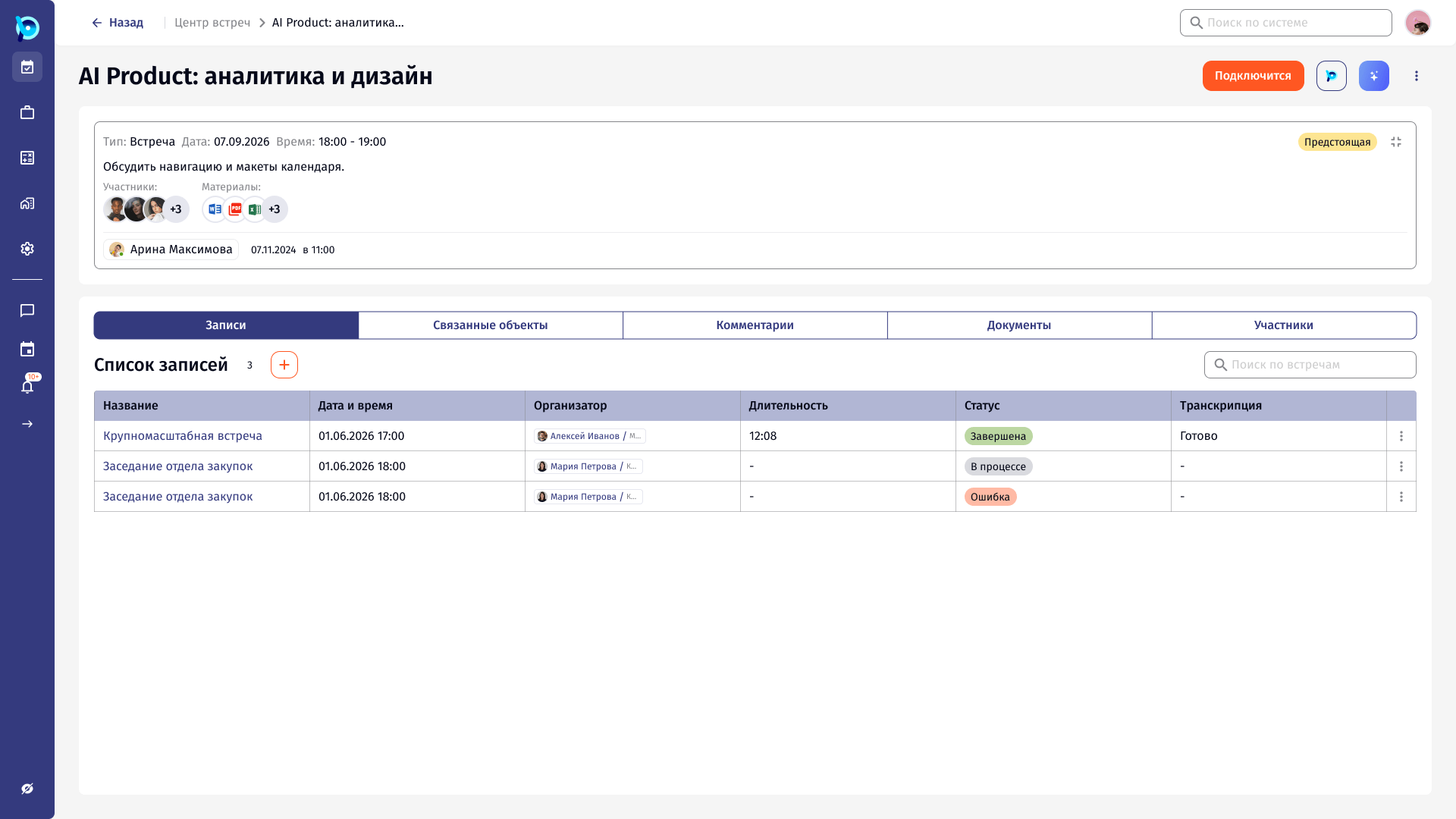
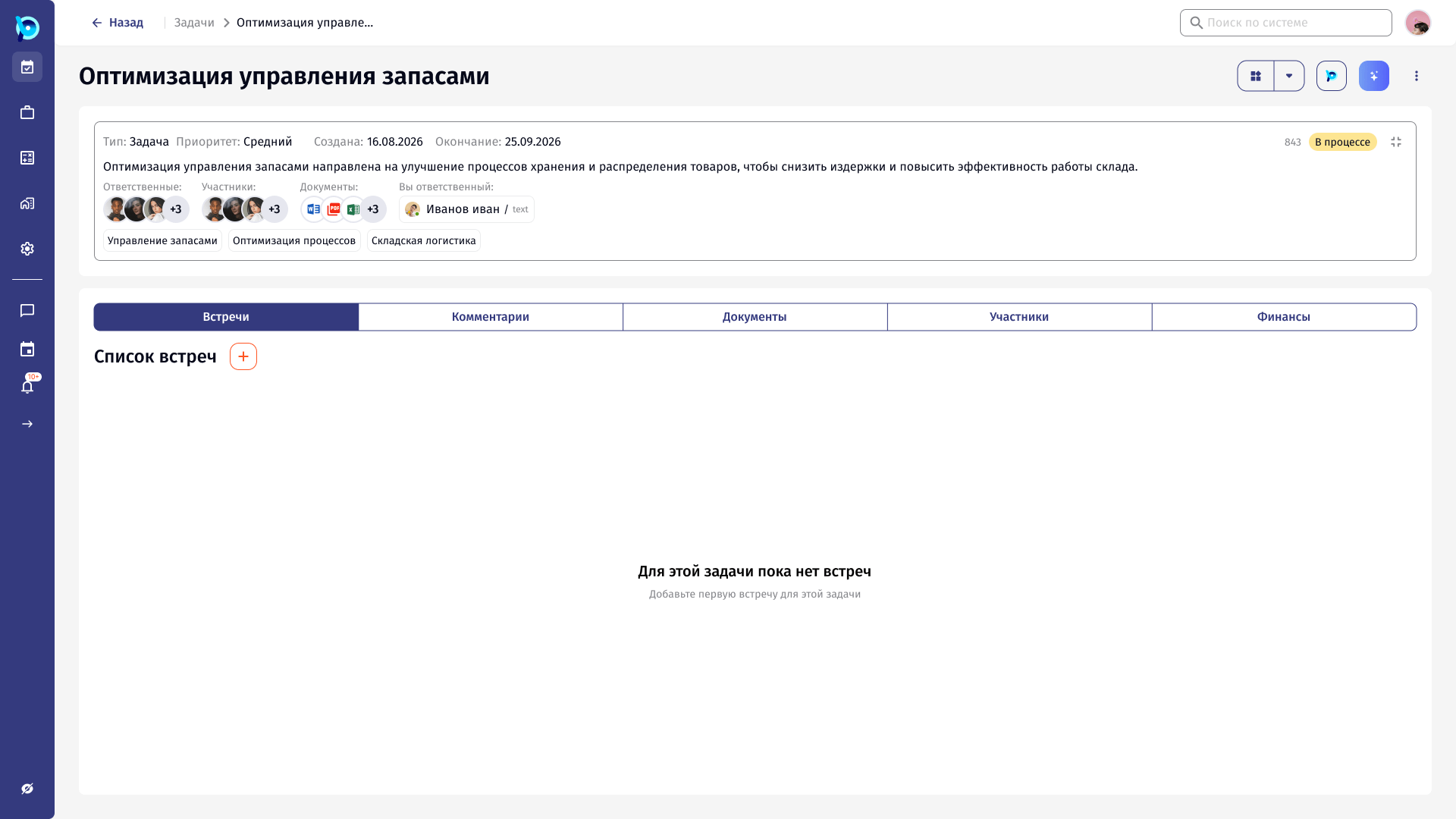
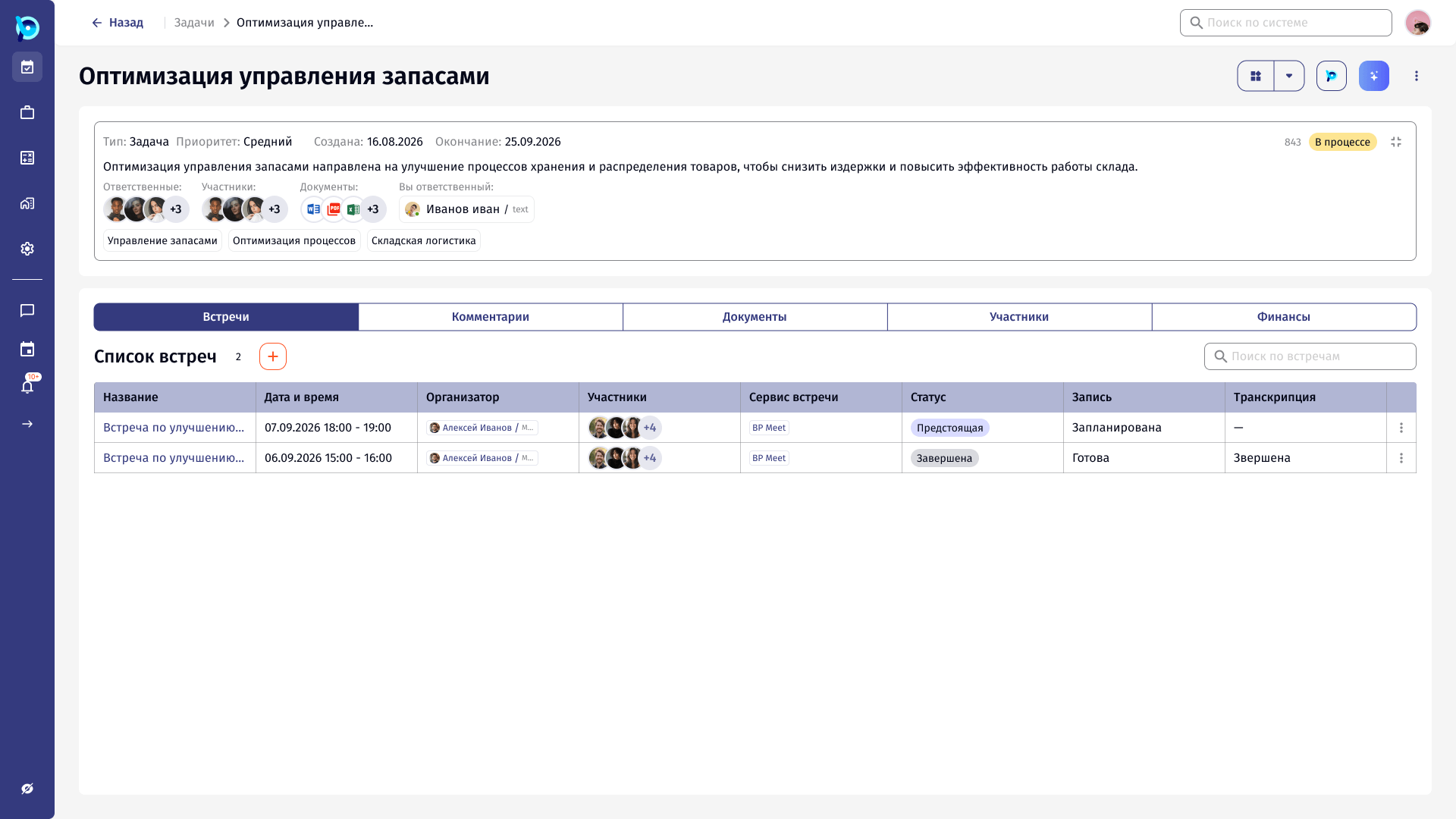
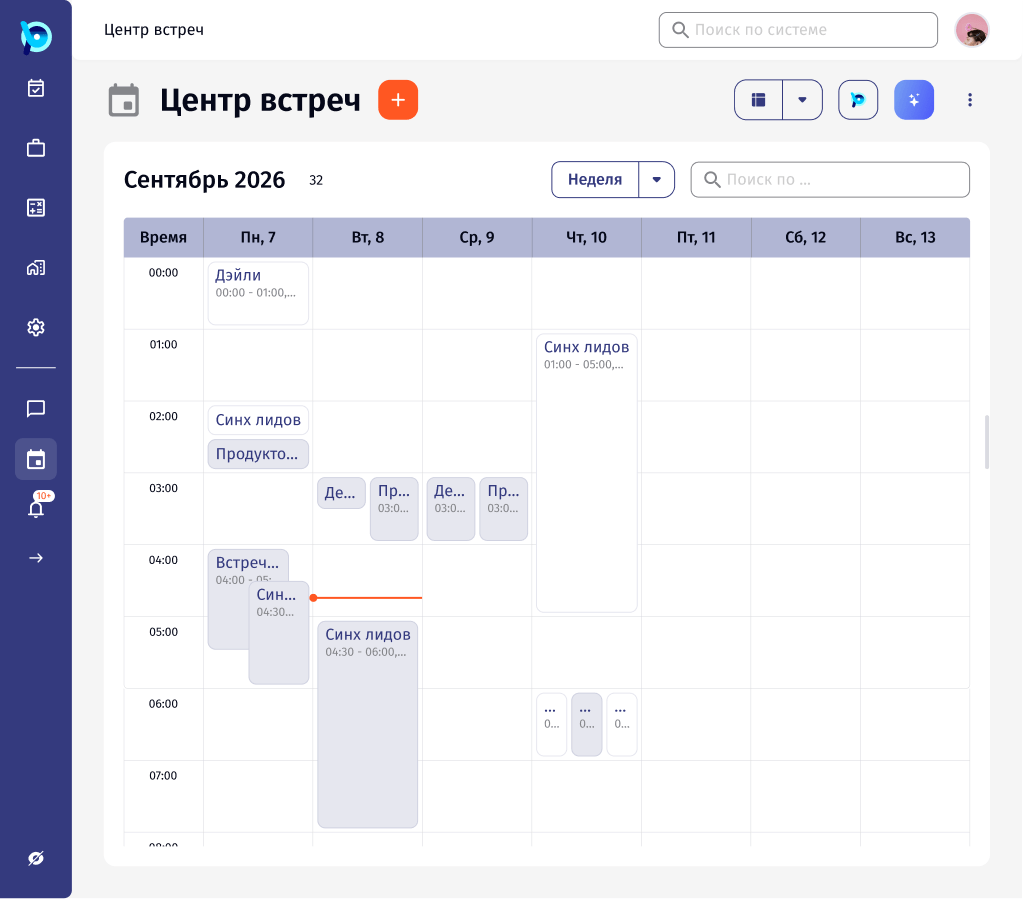
The task tracker brings meetings into BusinessPad. The «Центр встреч» schedules and lists meetings, and each meeting can be linked to a task or another object, with participants, materials, records and transcriptions.
One schedule, very different questions.
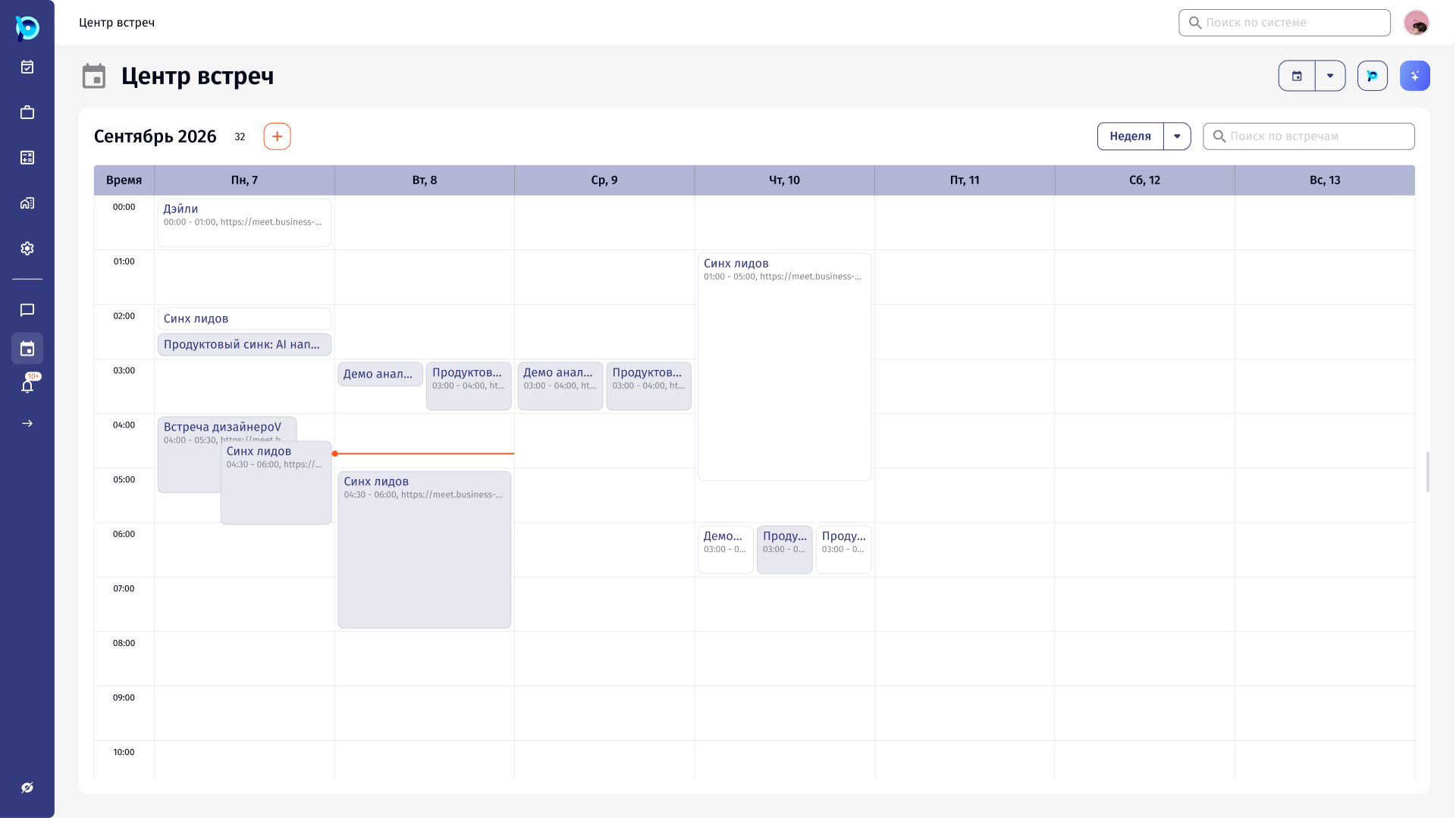
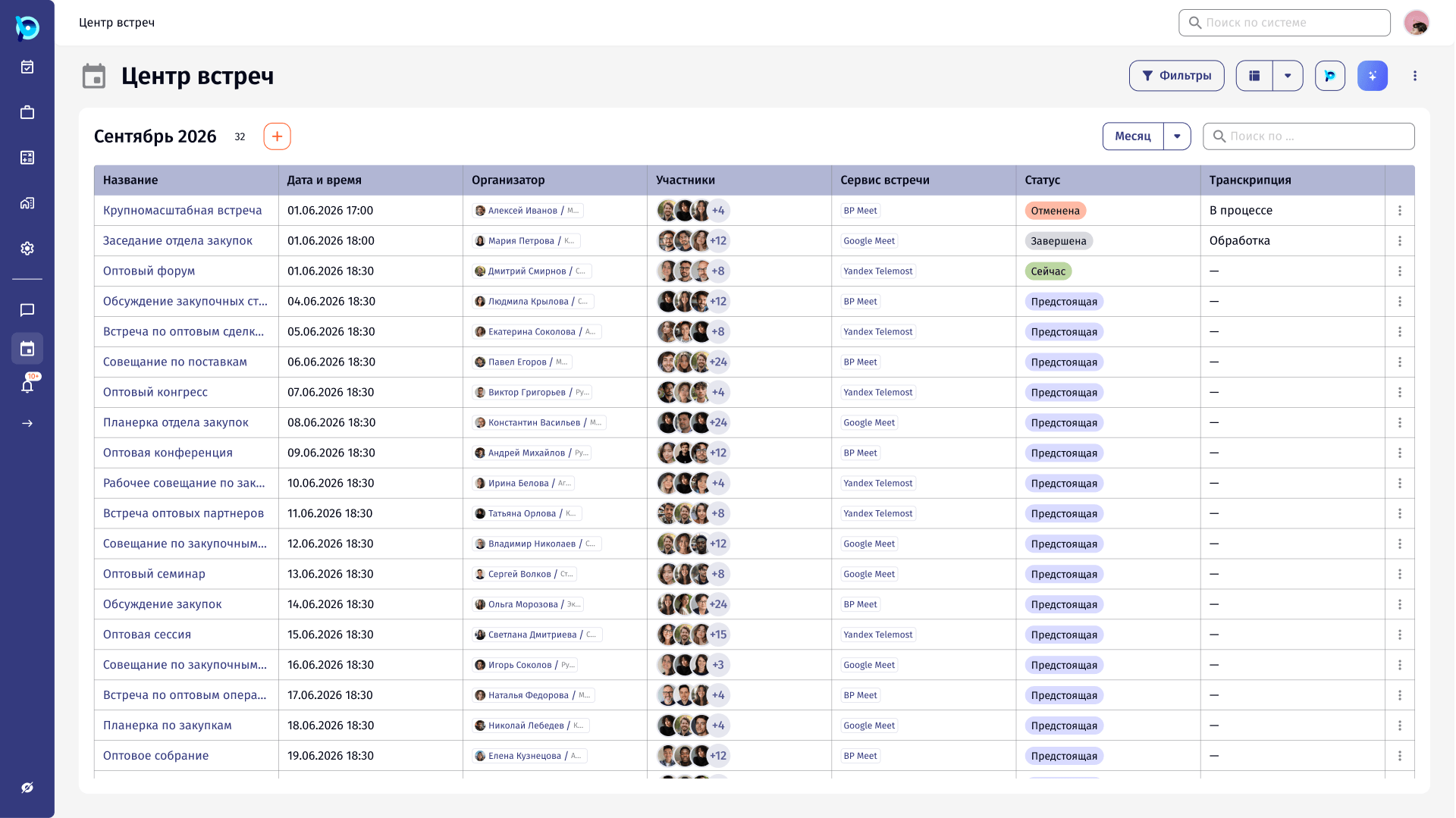
Sometimes people need to see what is happening right now; sometimes they need the week or month ahead, or a sortable list. Meetings also start from two places: the calendar, or inside a task that needs a discussion.
And invited people do not always just accept. They might be unsure, or need a different time.
Same data, the view the question needs.
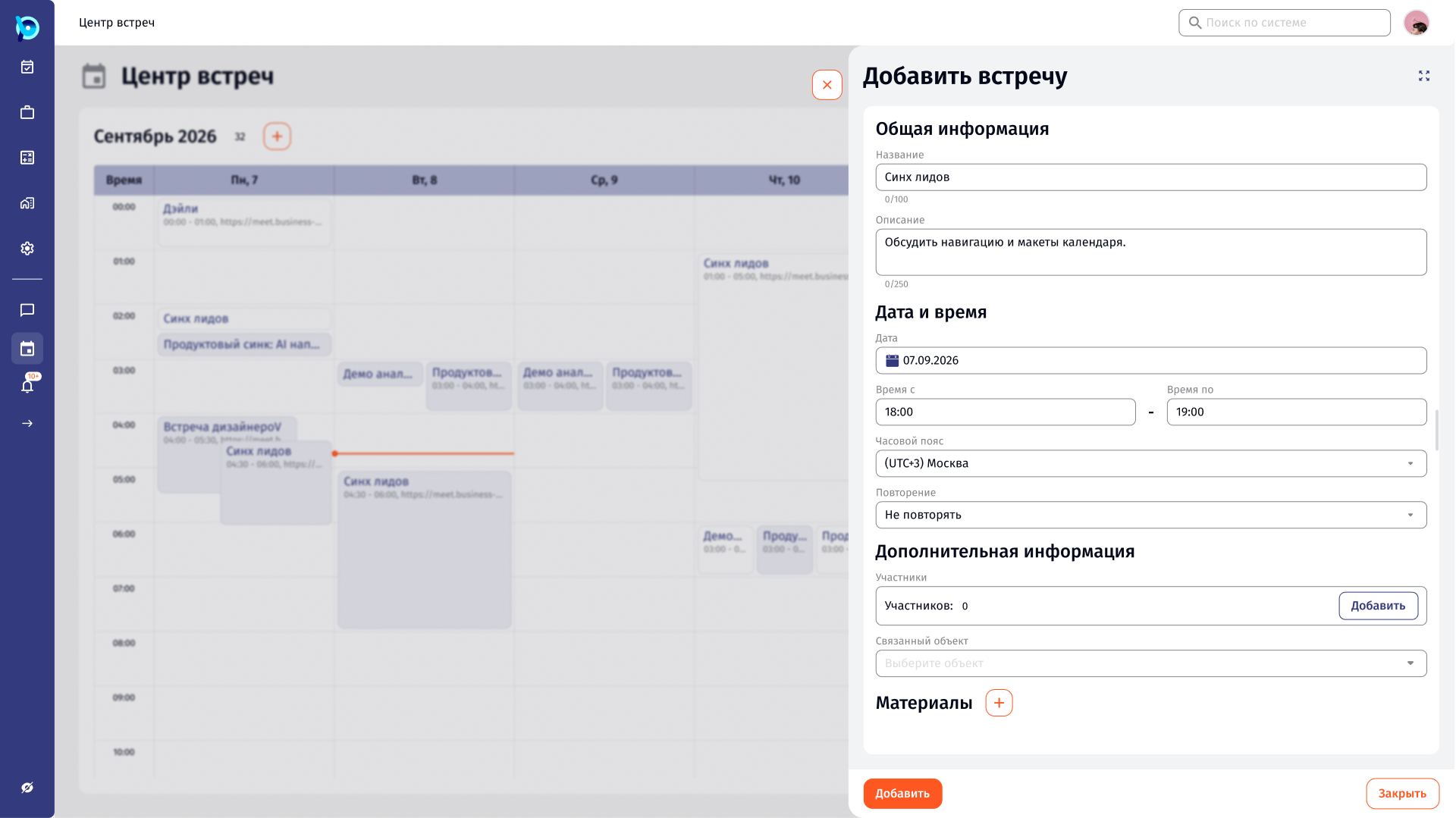
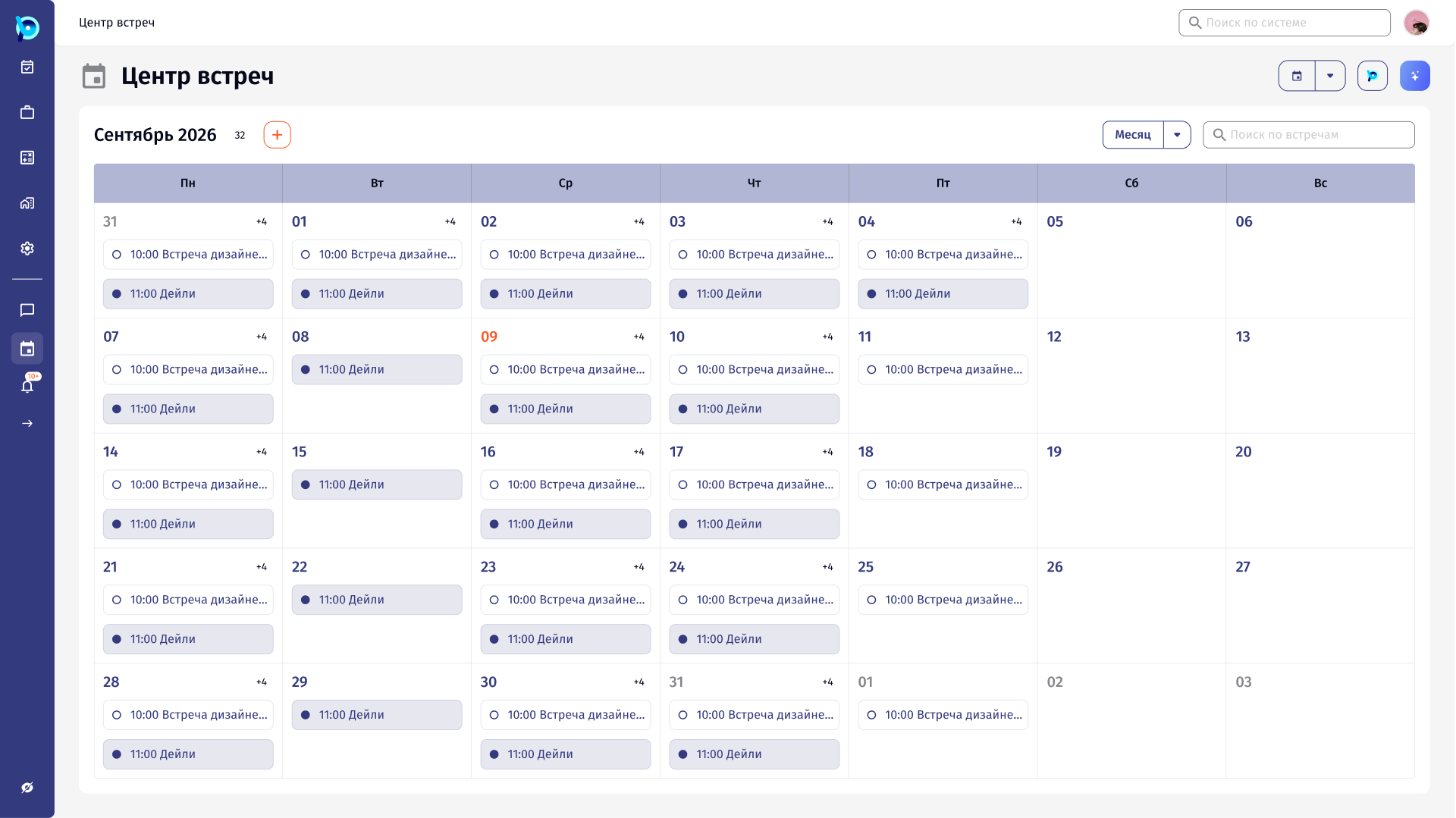
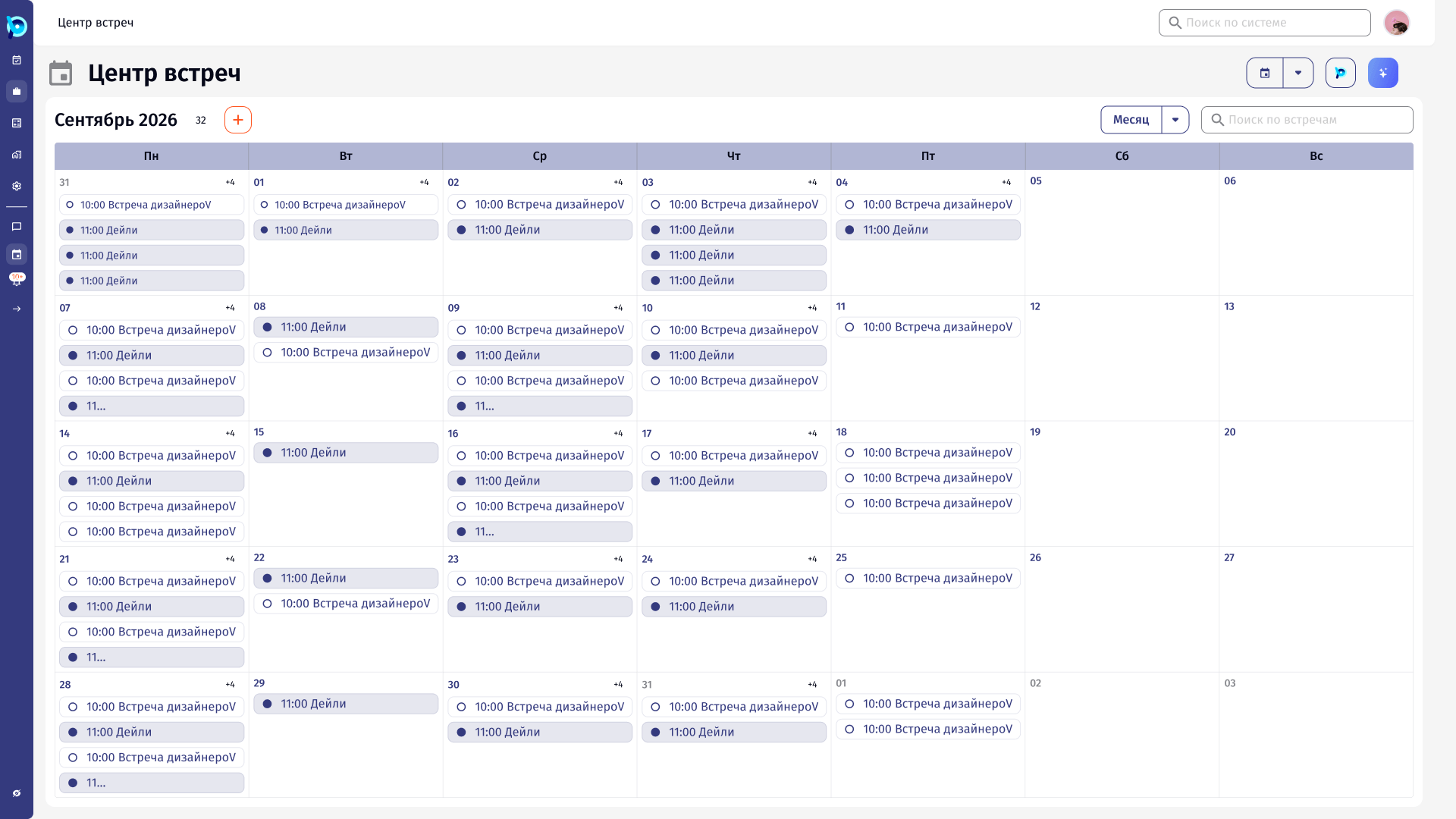
The meeting center switches between table, day, week and month without leaving the page. Creating a meeting uses the same form whether it opens as a side panel over the calendar or from a task, so the context stays visible.
Every view was also checked at 1920, 1440 and 1024 px and in three densities: spacious, cosy and compact.
From creating a meeting to answering it.
Key decisions
One form, two entry points
Calendar and task open the same meeting form, as a side panel or full page.
Participation has four answers
Going, maybe, not going, or propose another time.
Proposals are visible
A proposed time is marked on the meeting in the calendar.
Records have states
Recordings and transcriptions show completed, in progress or error.
Density is a setting
Spacious, cosy and compact variants of the month view.
Designed down to 1024 px
Week and day views were laid out at three widths.
What was designed
A Figma specification for the meeting center: four schedule views, meeting creation from the calendar and from tasks, participant selection, meeting details with records, linked objects and documents, a participation flow with time proposals, plus density, breakpoint and rule-of-three variants.