(03)AI & Data
AI Chat
MagicPad is the AI assistant inside BusinessPad. I designed how people ask it questions, hand it documents and act on what it finds.
- Company
- AVK Consulting
- Role
- Product Designer
- Year
- 2023–2025
- Type
- AI · Interaction Design
01Overview
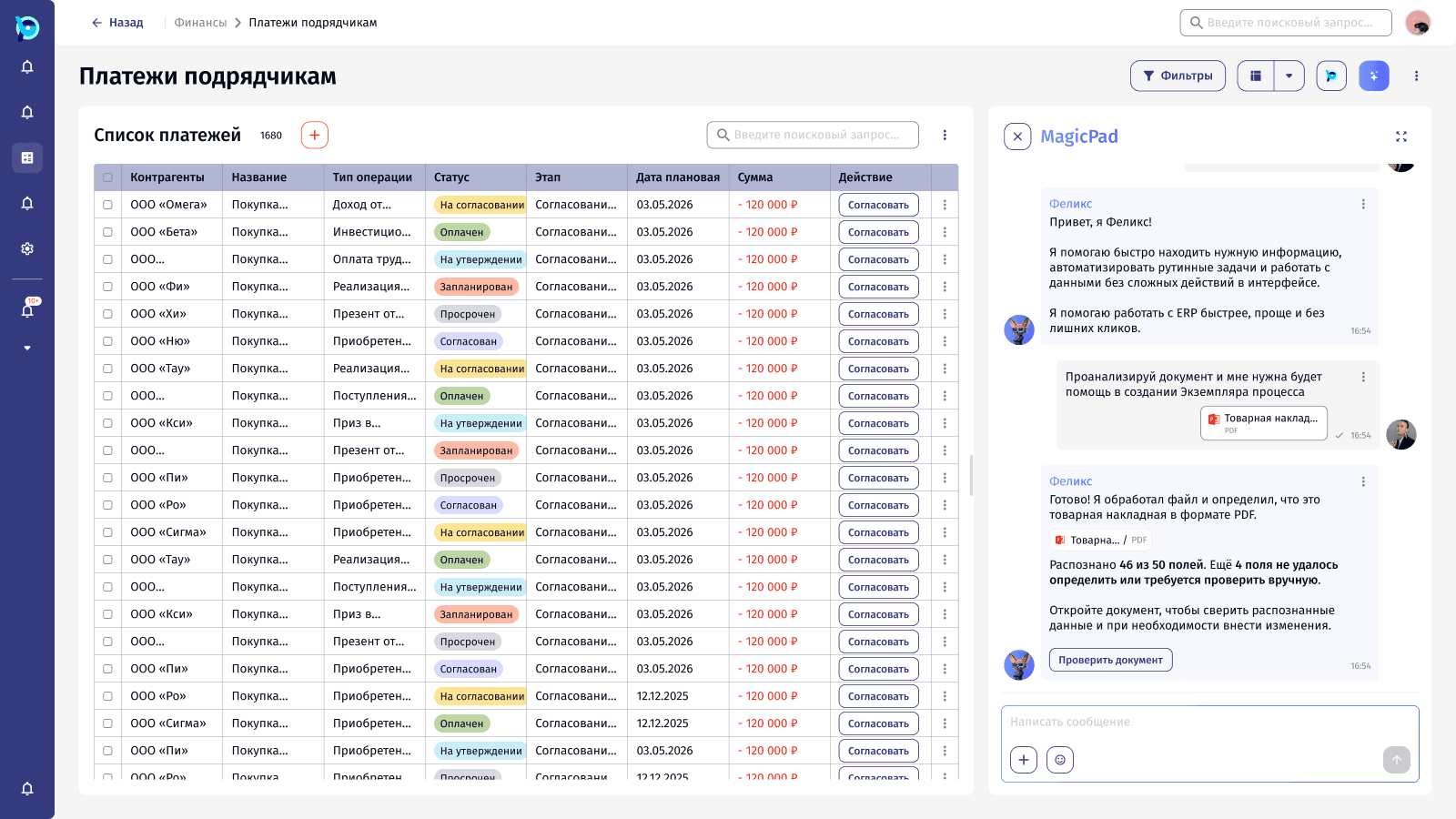
MagicPad opens as a panel next to any BusinessPad screen. Its assistant, Felix, can search across the platform, answer questions and turn documents into data, without the user leaving the list they’re working in.
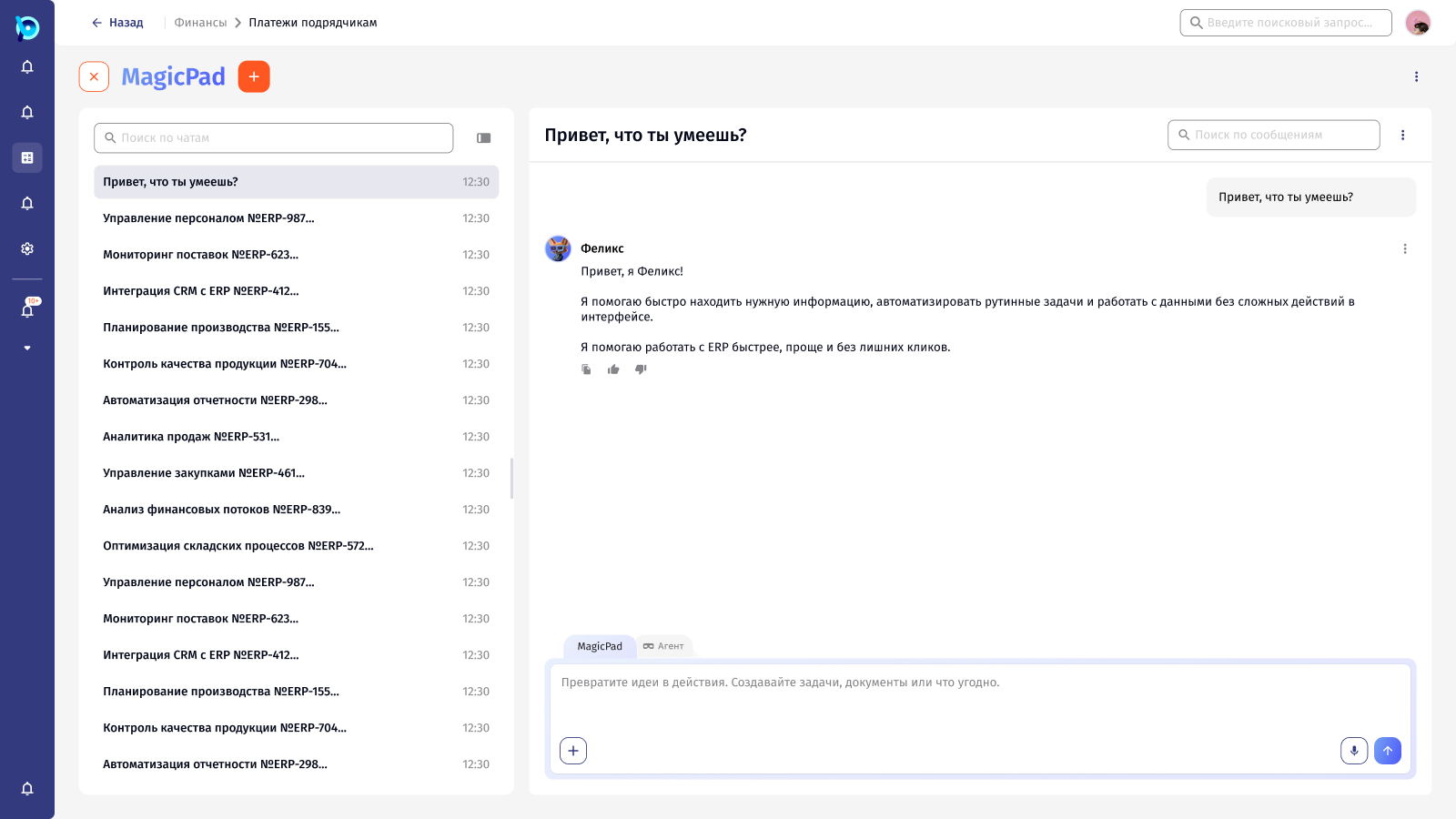
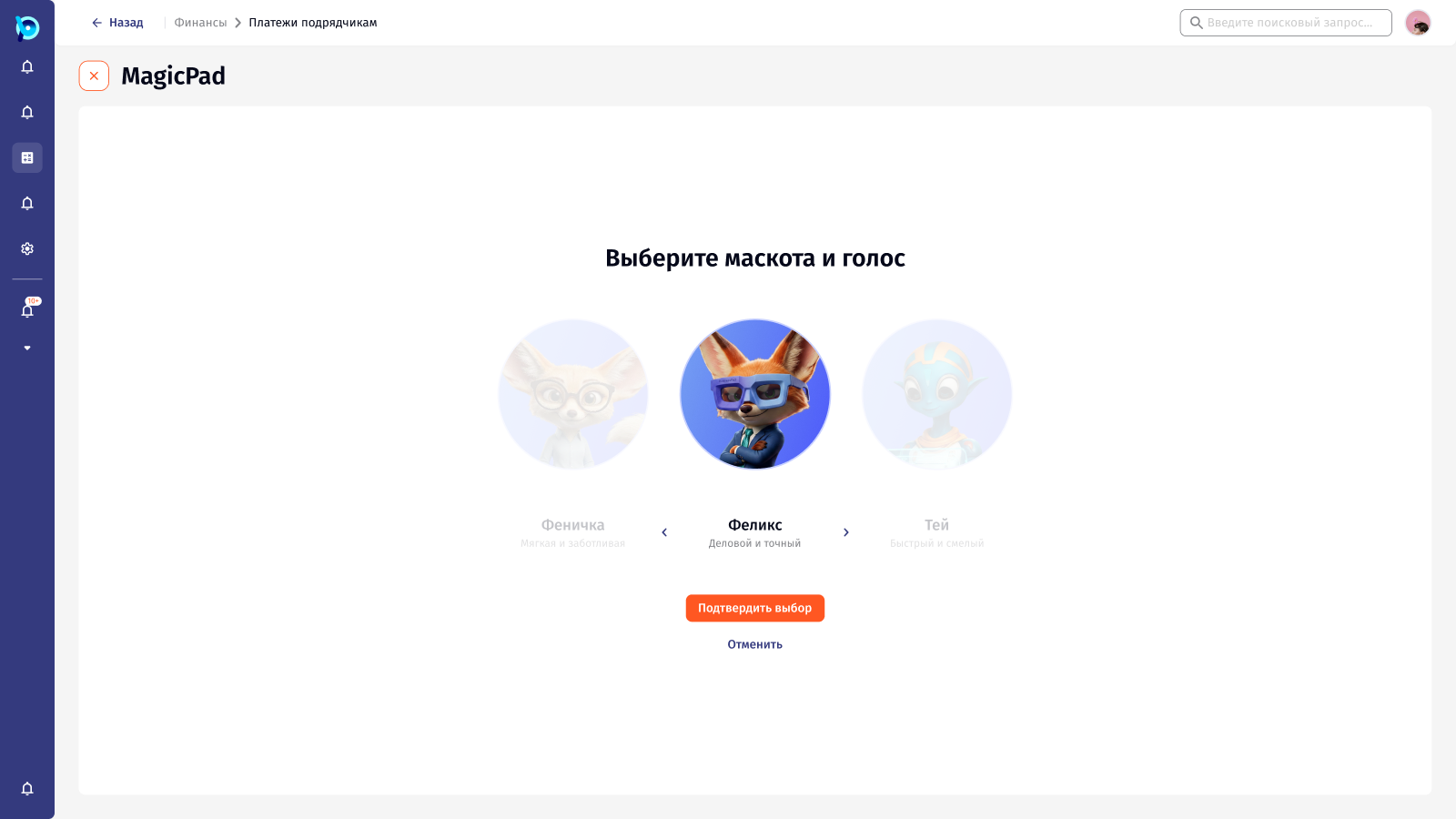
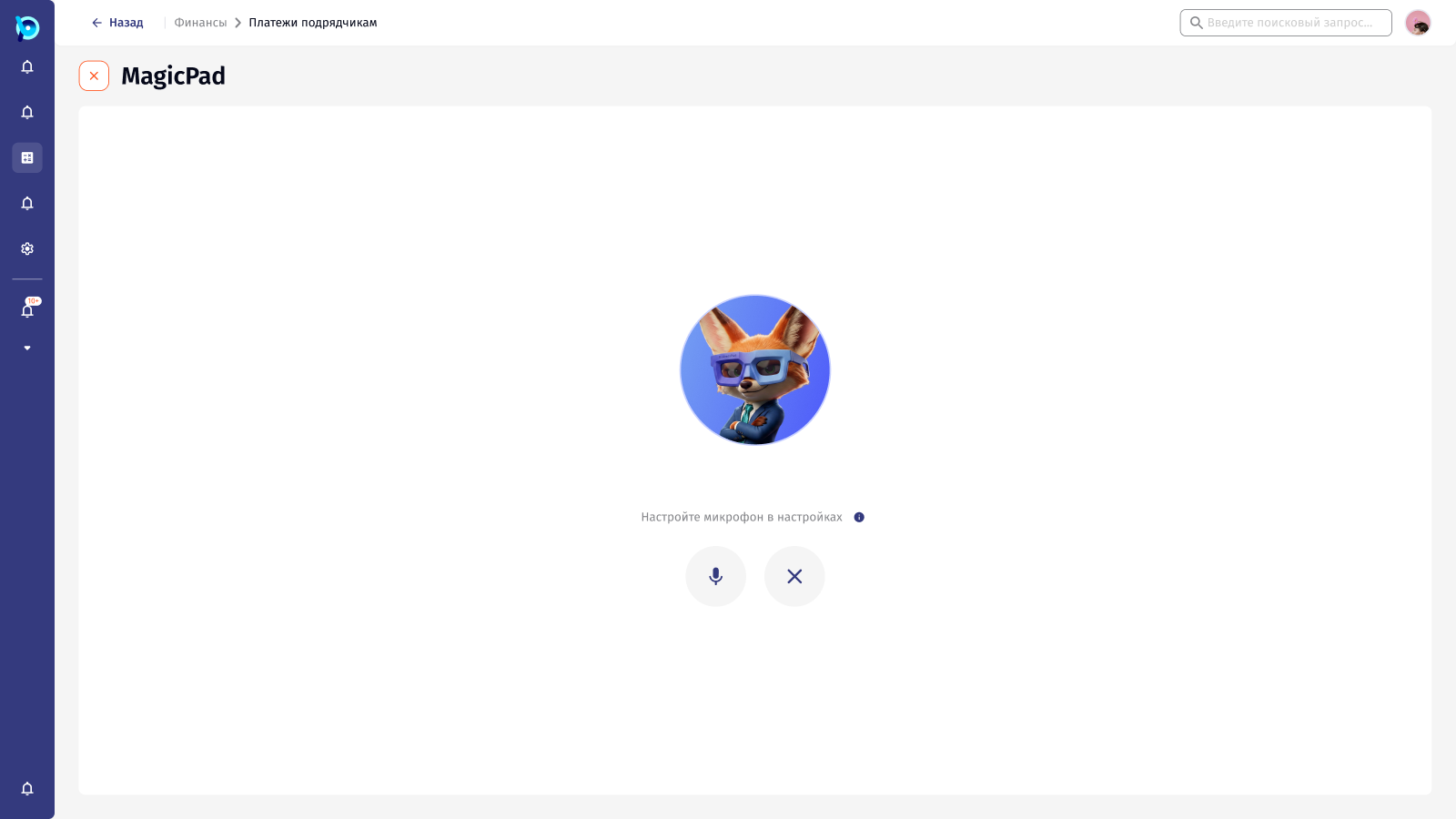
There is also a full-screen mode for longer work, with chat history, quick actions, an Agent mode, mascots and voice.
02My role
Product Designer
- Conversation design and message states
- The file-to-data scenario, including the document check screen
- Side panel and full-screen layouts
- Component specifications for the chat
03The challenge
Once answers and actions enter a conversation, a text field isn’t enough. The interface has to show what the AI is doing, how sure it is, and what the person should check before anything happens.
- 01Users should never wonder whether anything happened
- 02AI results can be partly wrong
- 03Quick questions and long work need different spaces
04Approach
4.1
A colleague in the product, not a separate chatbot
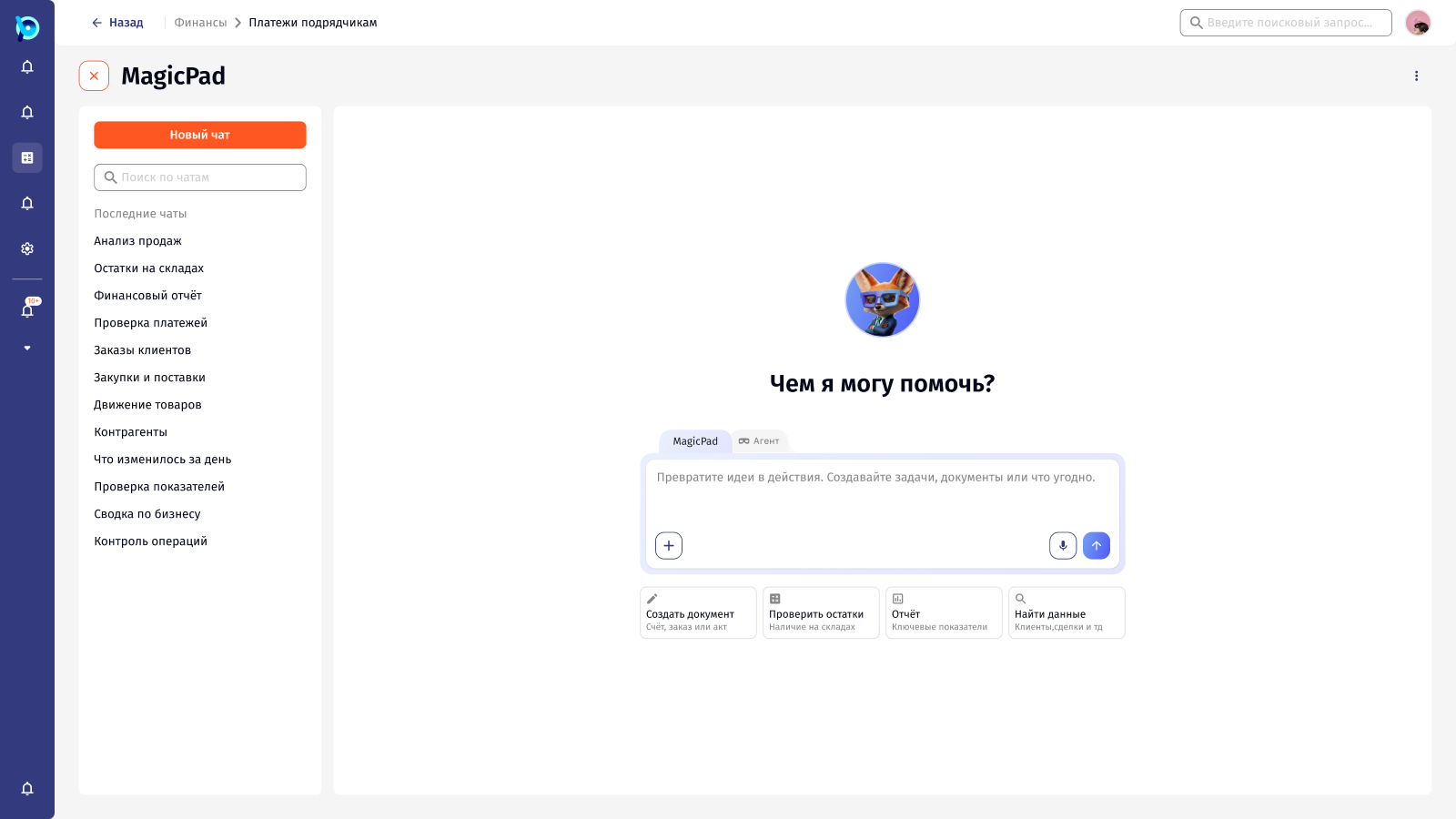
MagicPad has two places. A side panel sits next to whatever list the person is already in, for a question or a file. Full screen is for longer work: recent chats, quick actions, MagicPad and Agent modes, a choice of mascot and voice.
The work covered the whole conversation, not only the answer. Sending, thinking and analysing each look different. A file becomes a result that says what was recognised and what still needs a person. Felix’s messages can be replied to, quoted, reacted to or reported.
05Key flows
5.1
Asking a question
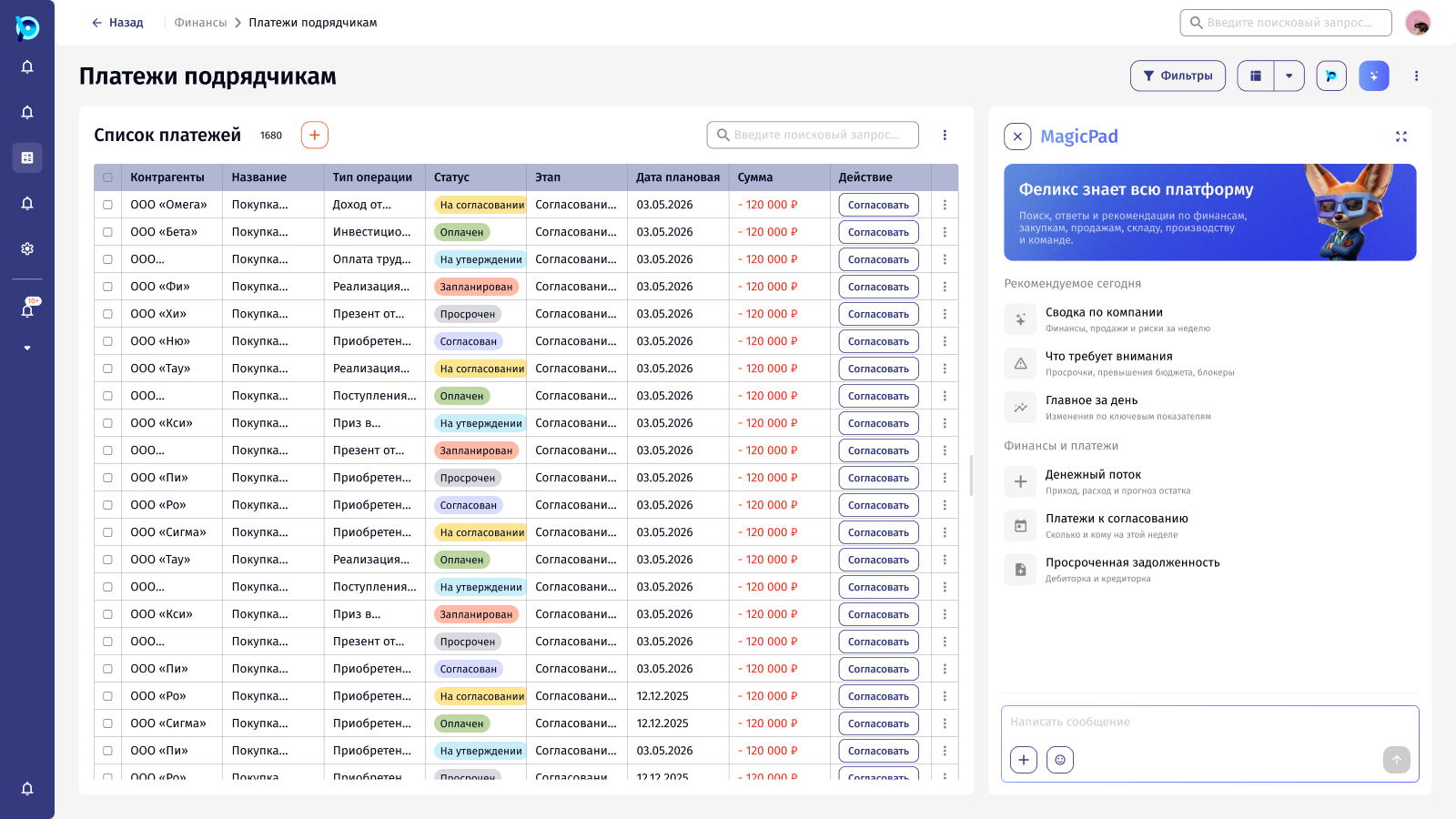
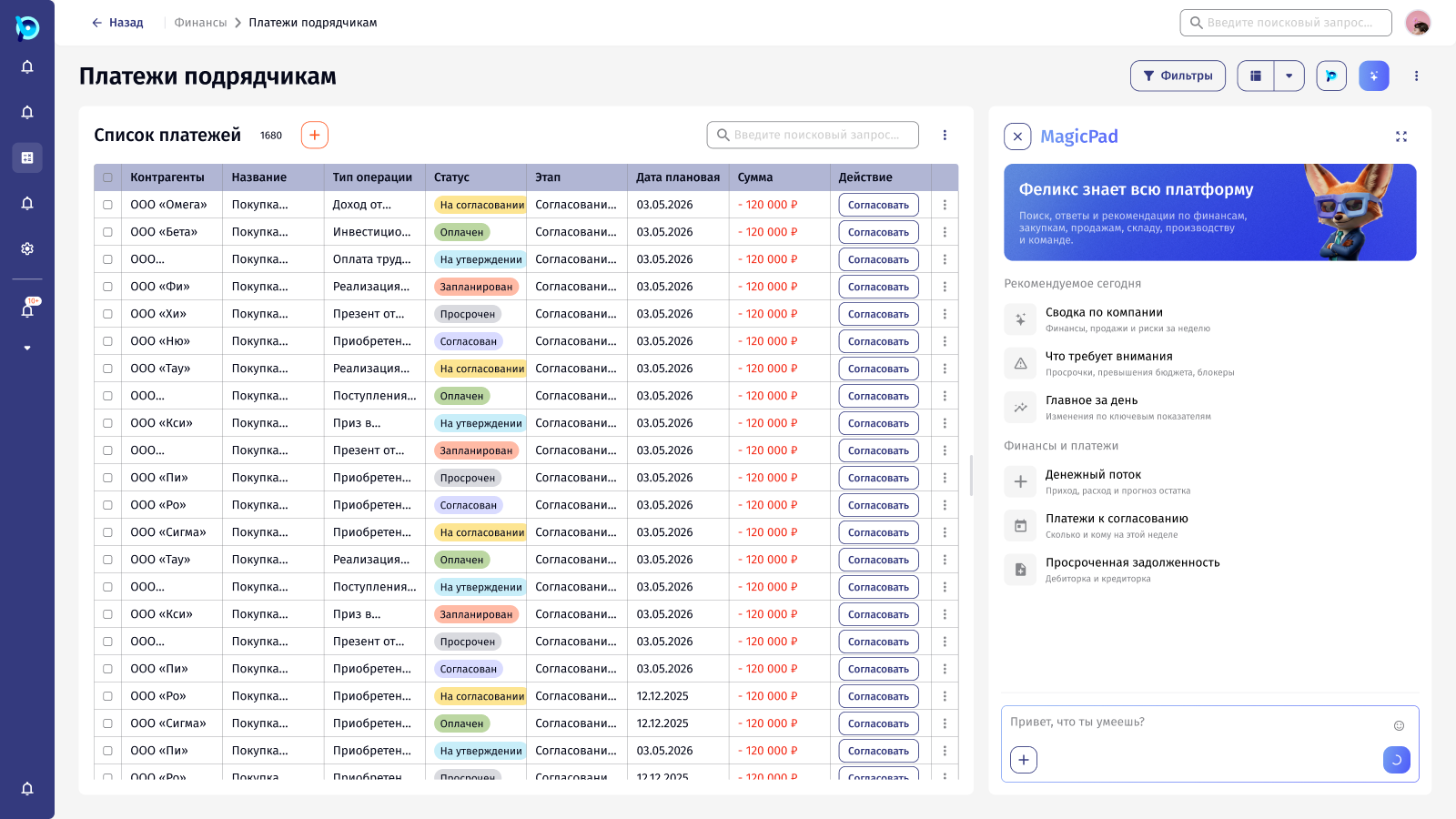
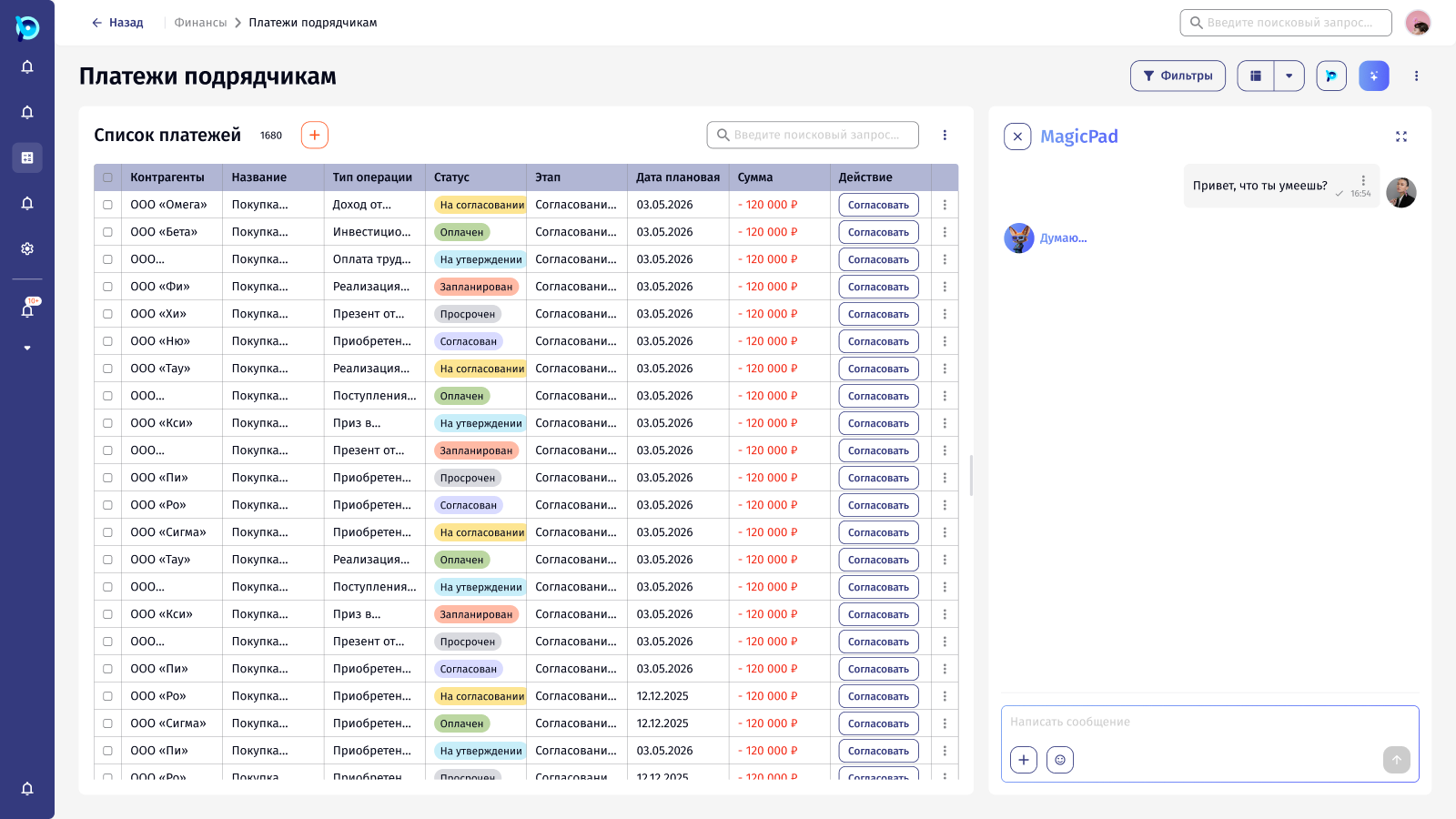
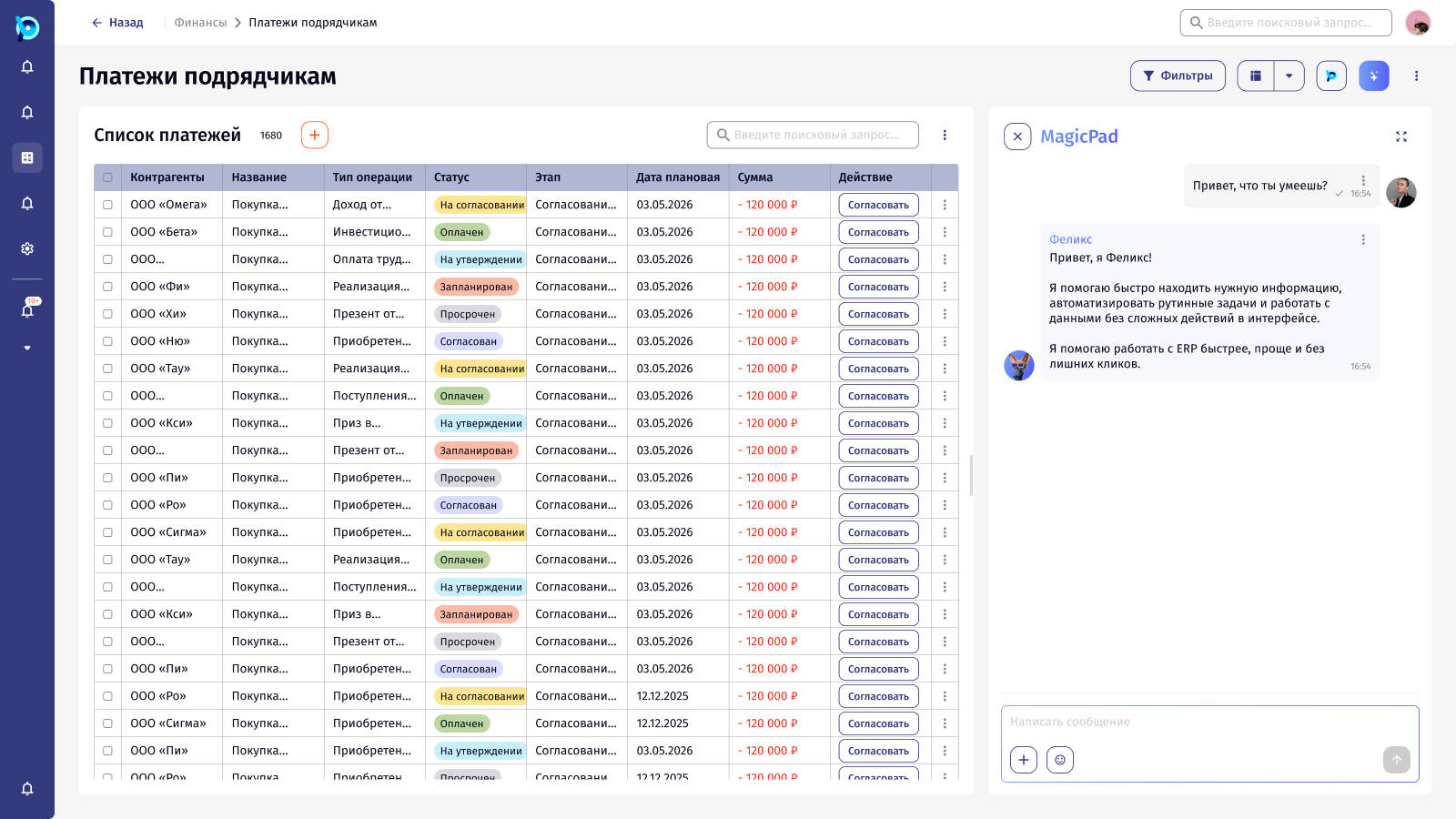
Each stage of a question looks different, so the user always knows where it is.
- 1Open the panel
- 2Type
- 3Send
- 4Felix is thinking
- 5Answer
5.2
From an invoice to checked data
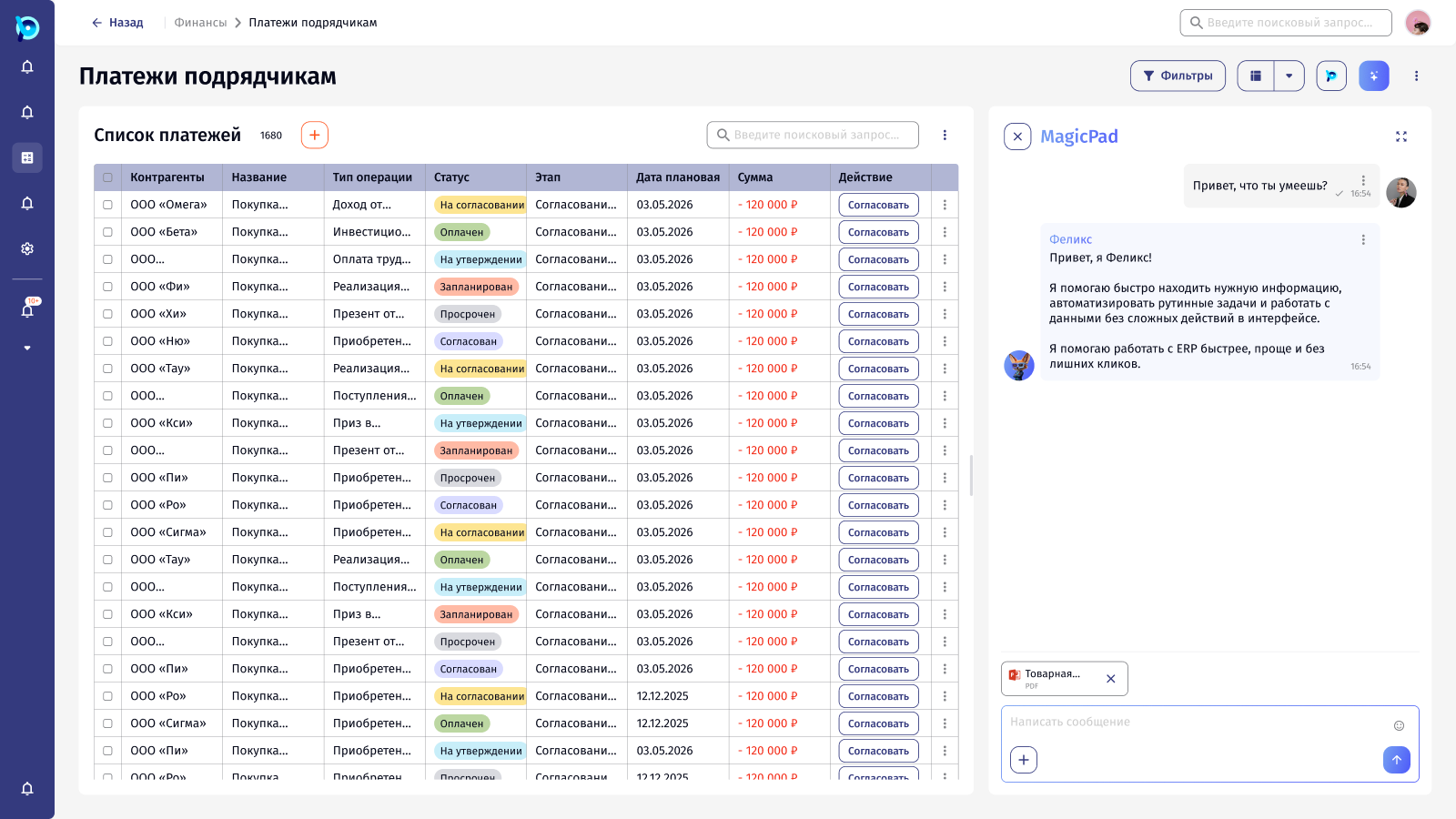
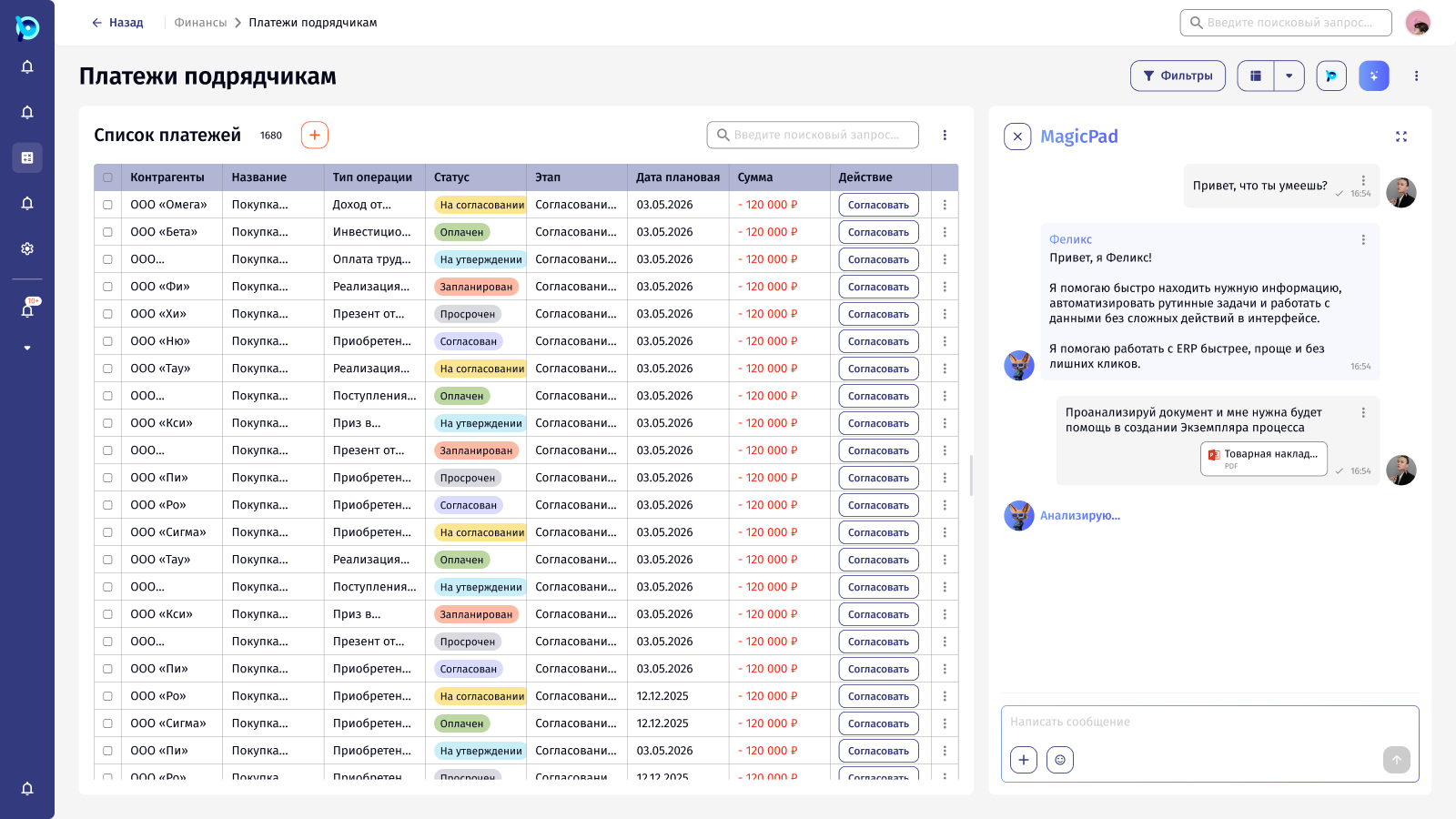
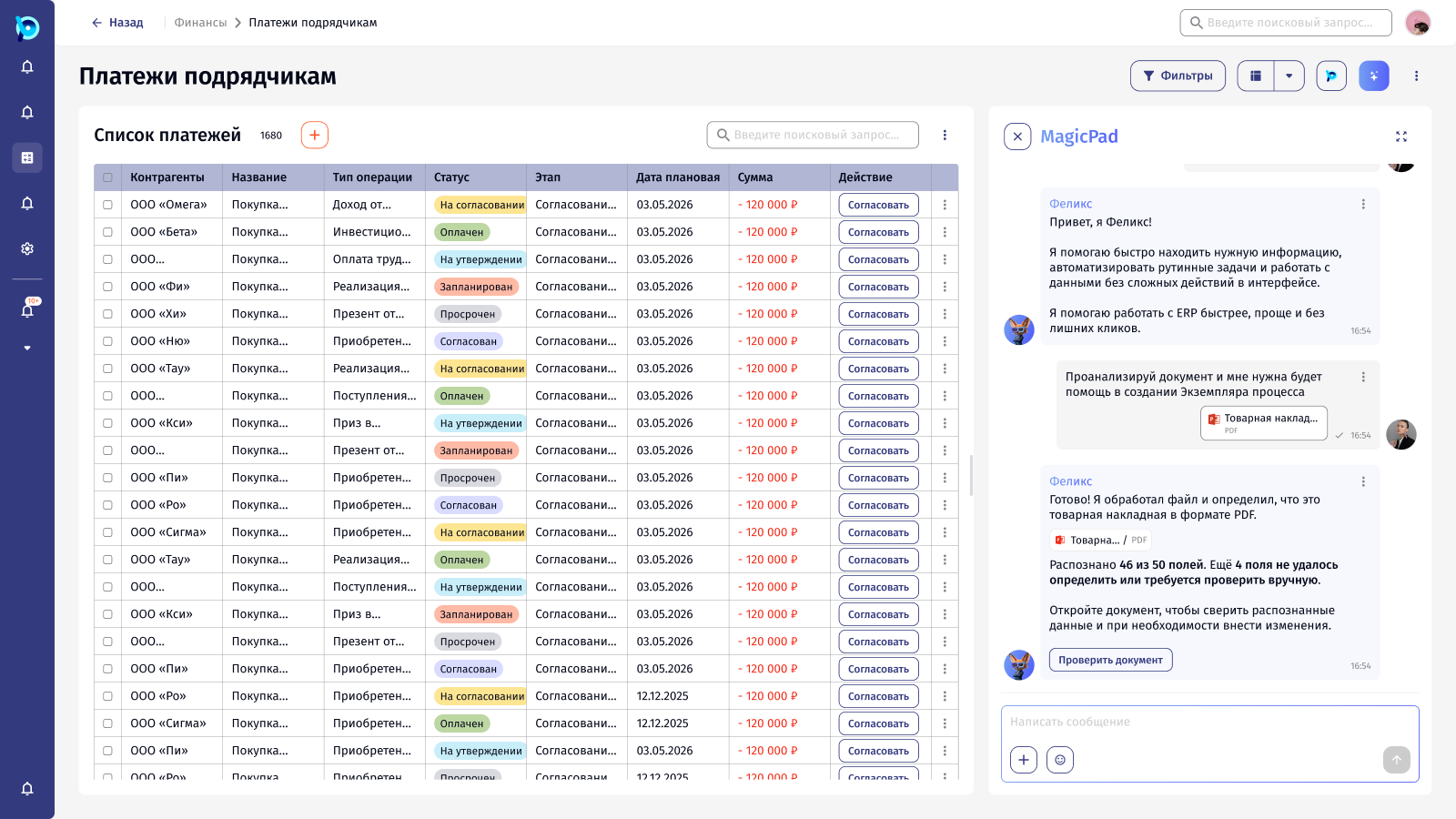
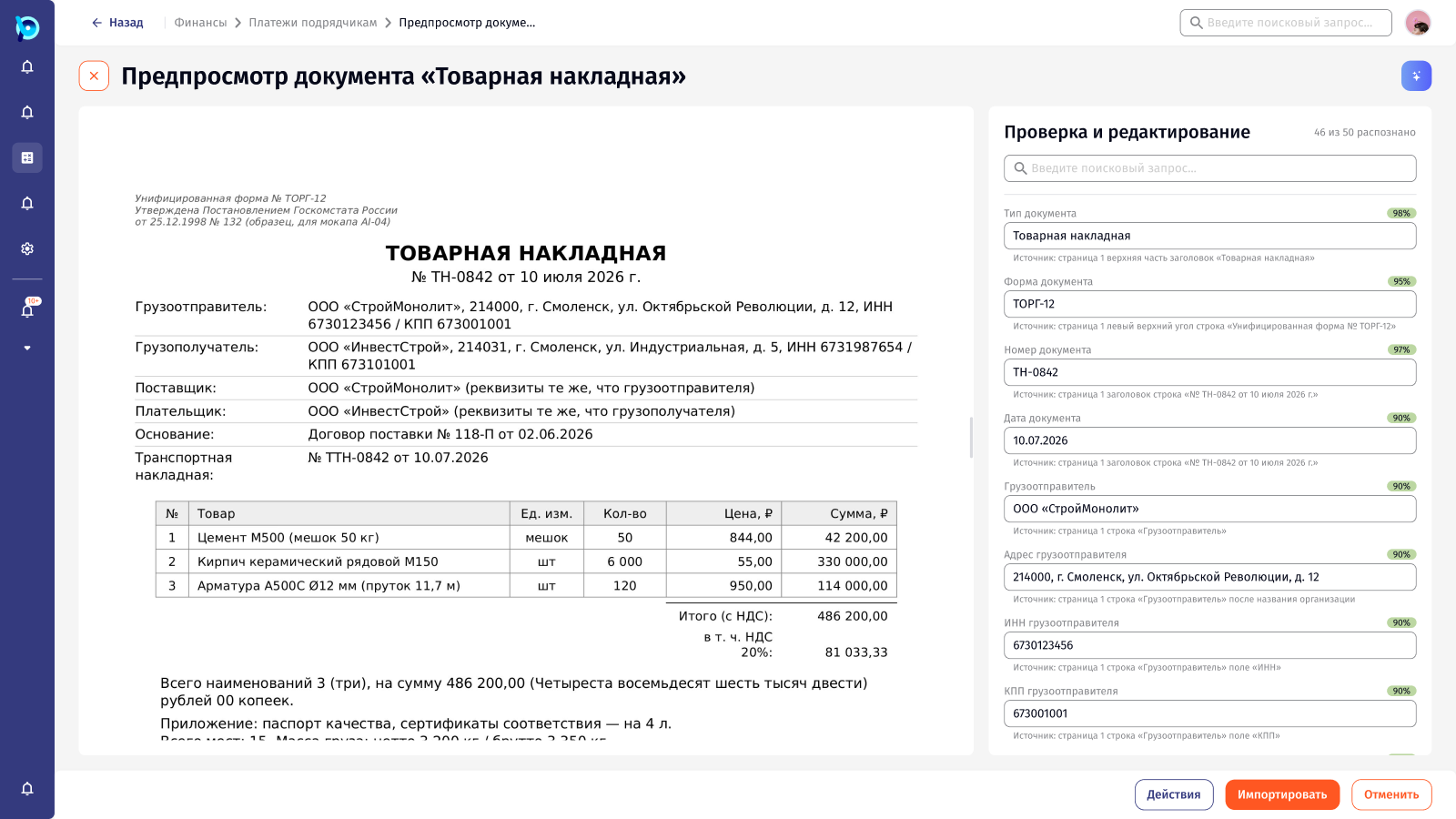
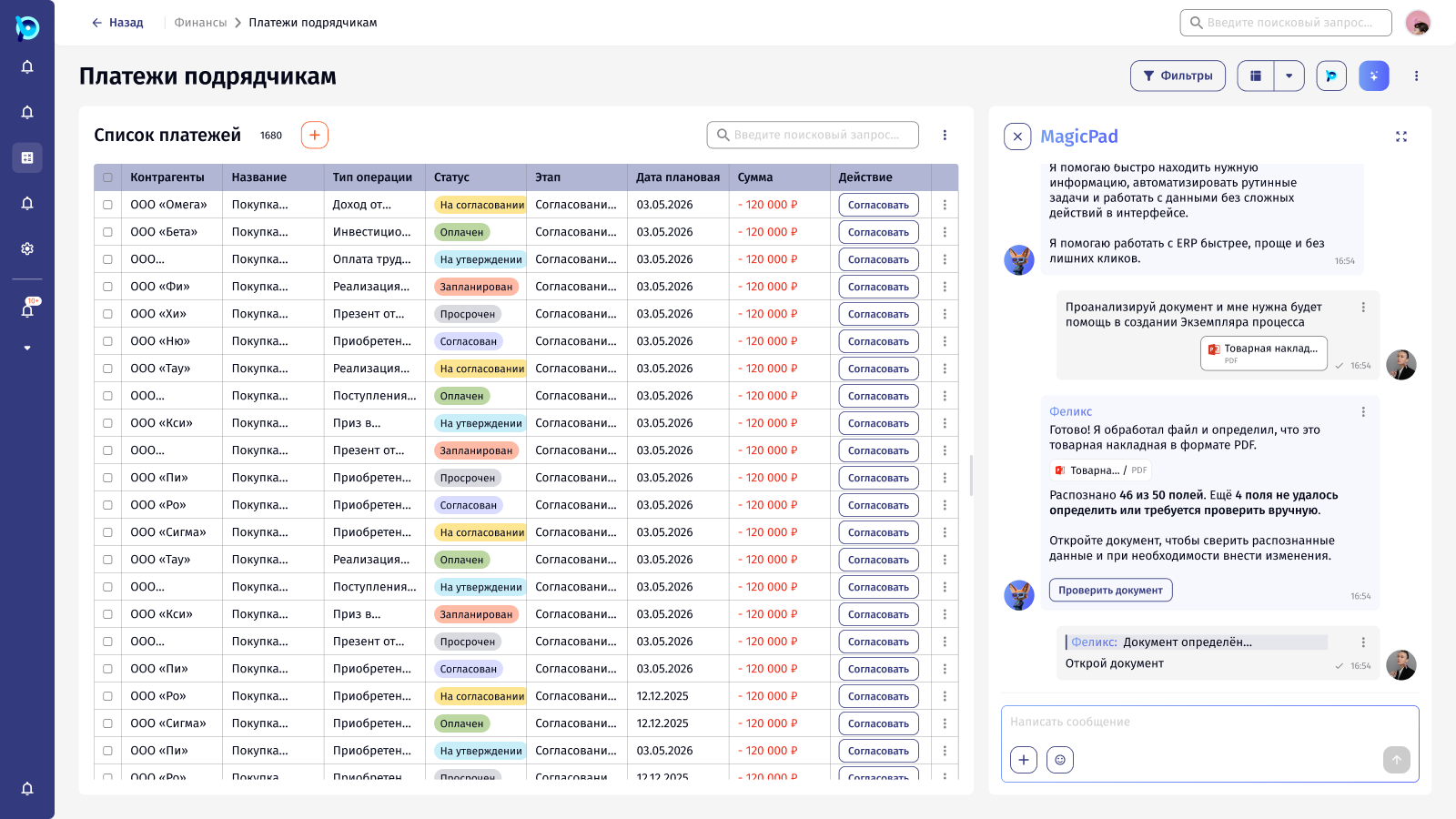
The user attaches a goods invoice and asks Felix to help create a process instance. Felix names the document type, says how many fields he recognised and how many he couldn’t, and offers to open the document.
- 1Attach a file
- 2Ask
- 3Felix analyses it
- 4See the result
- 5Check every field against the original
 Open full size
 Open full size
 Open full size
 Open full size
5.3
Responding to an answer
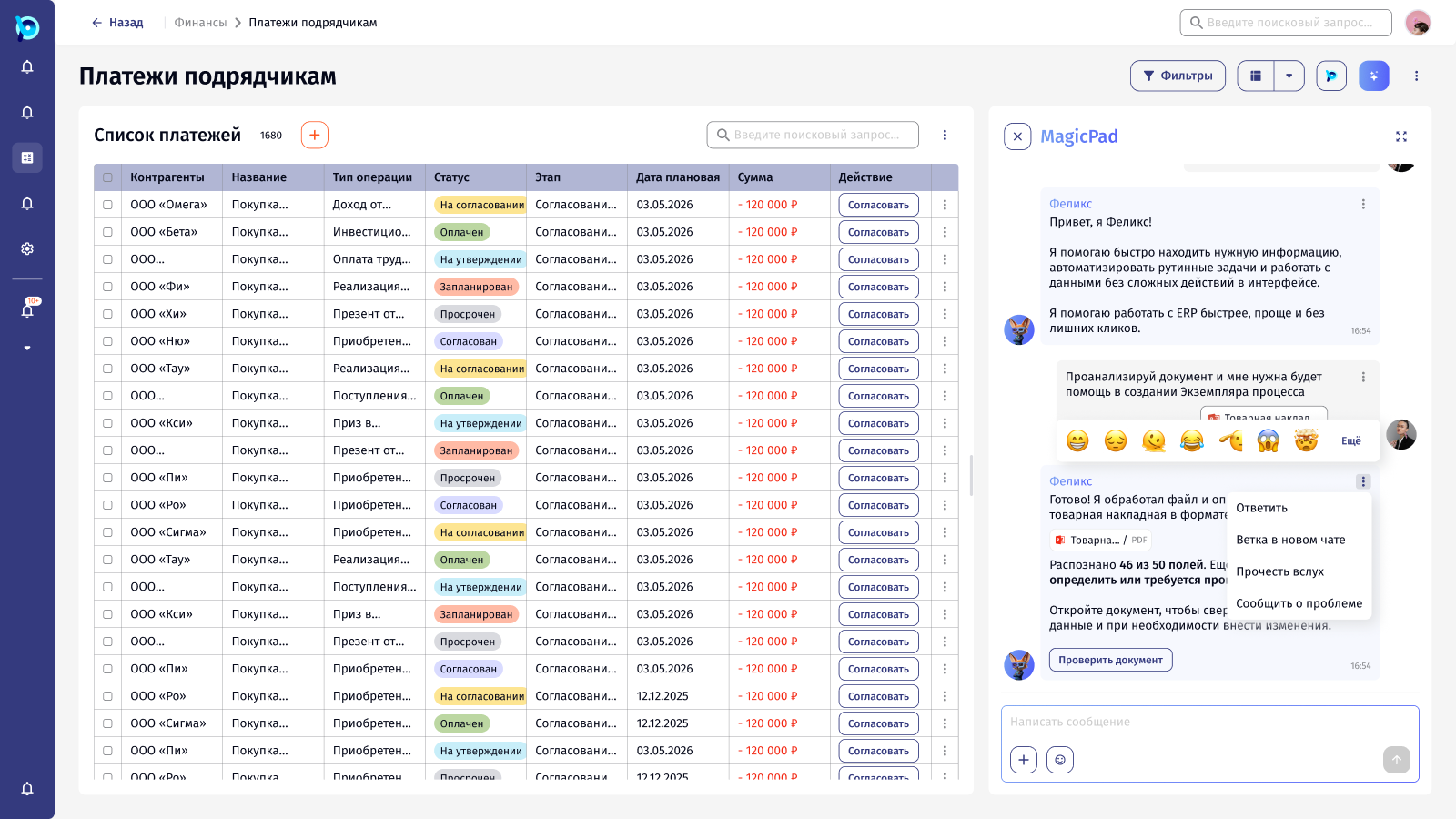
Felix’s messages work like a colleague’s: reply with a quote, branch into a new chat, read aloud, react, or report a problem.
 Open full size
 Open full size
5.4
Full-screen MagicPad
For longer work: recent chats on the left, quick actions to start from, MagicPad and Agent modes, and a choice of mascot and voice.
 Open full size
 Open full size
 Open full size
 Open full size
06Design decisions
Next to the work, not instead of it
The panel opens beside the current list, and its suggestions follow that context.
Always say what is happening
Sending, thinking and analysing each have their own visible state.
Show how sure the AI is
File results say how many fields were recognised and how many need a human check.
The person confirms
Recognised data goes to a check screen with sources before anything is imported.
07Outcome
The assistant became part of the product rather than a chatbot on top of it. The same thinking fed the design system, where an AI “Magic” layer marks what MagicPad filled in or suggested on the components people already use.