(09)Mobile
HOP
HOP is a Swiss delivery platform. I designed Order & Pay: dine-in ordering and payment from the table, added to the same service as delivery and click & collect.
- Company
- Freelance
- Role
- Product Designer
- Year
- Freelance
- Type
- Consumer · Mobile · Service Design
01Overview
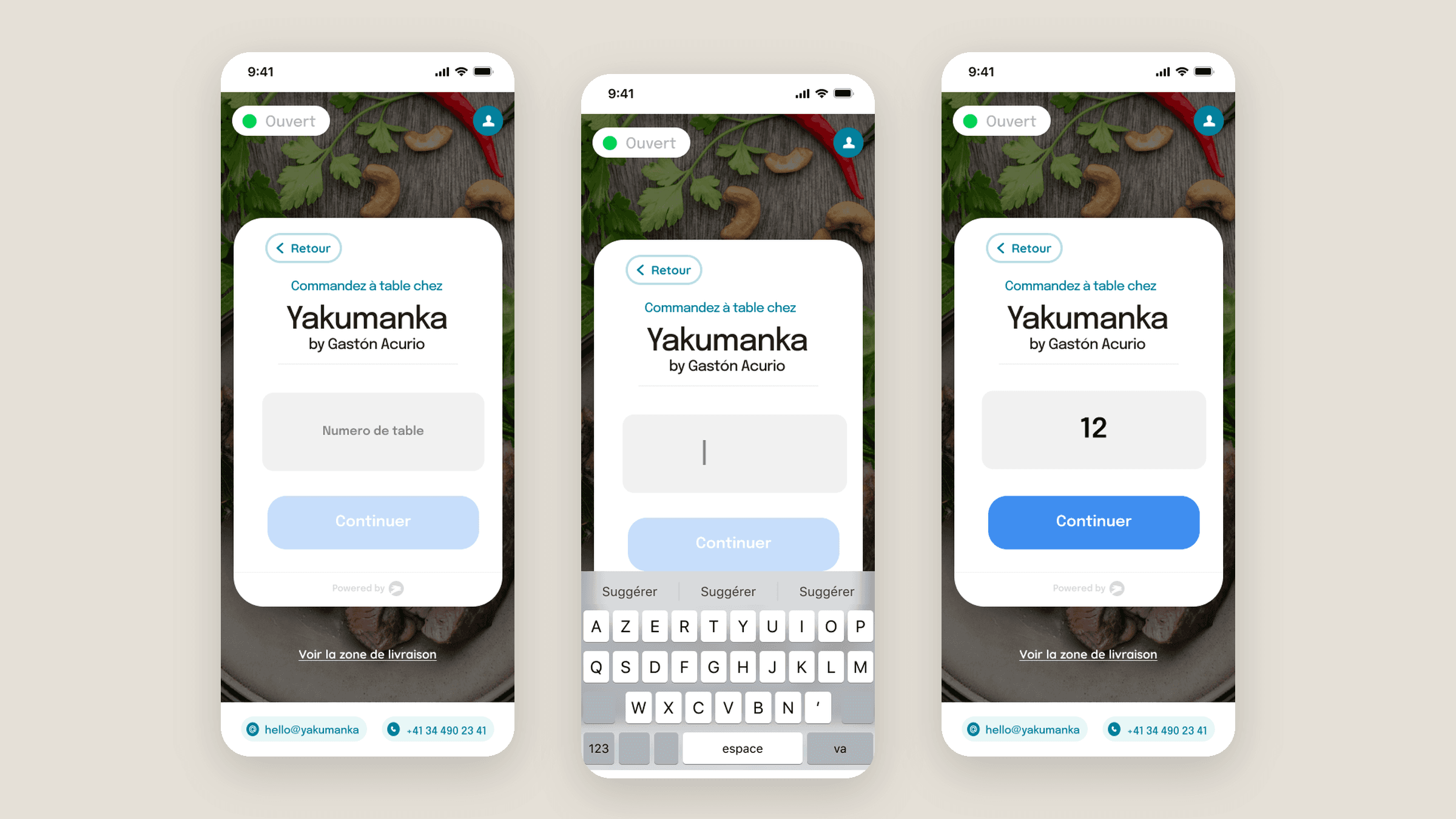
Each restaurant on HOP has its own ordering page. Order & Pay adds a third option, so guests can order and pay from their table, and restaurants can switch it on themselves.
The work covered the guest flow on mobile and web, and the restaurant side in the HOP Store Panel.
02My role
Product Designer
- User flow for ordering at the table
- Mobile screens: table number, ordering, payment
- The same order on the restaurant’s website
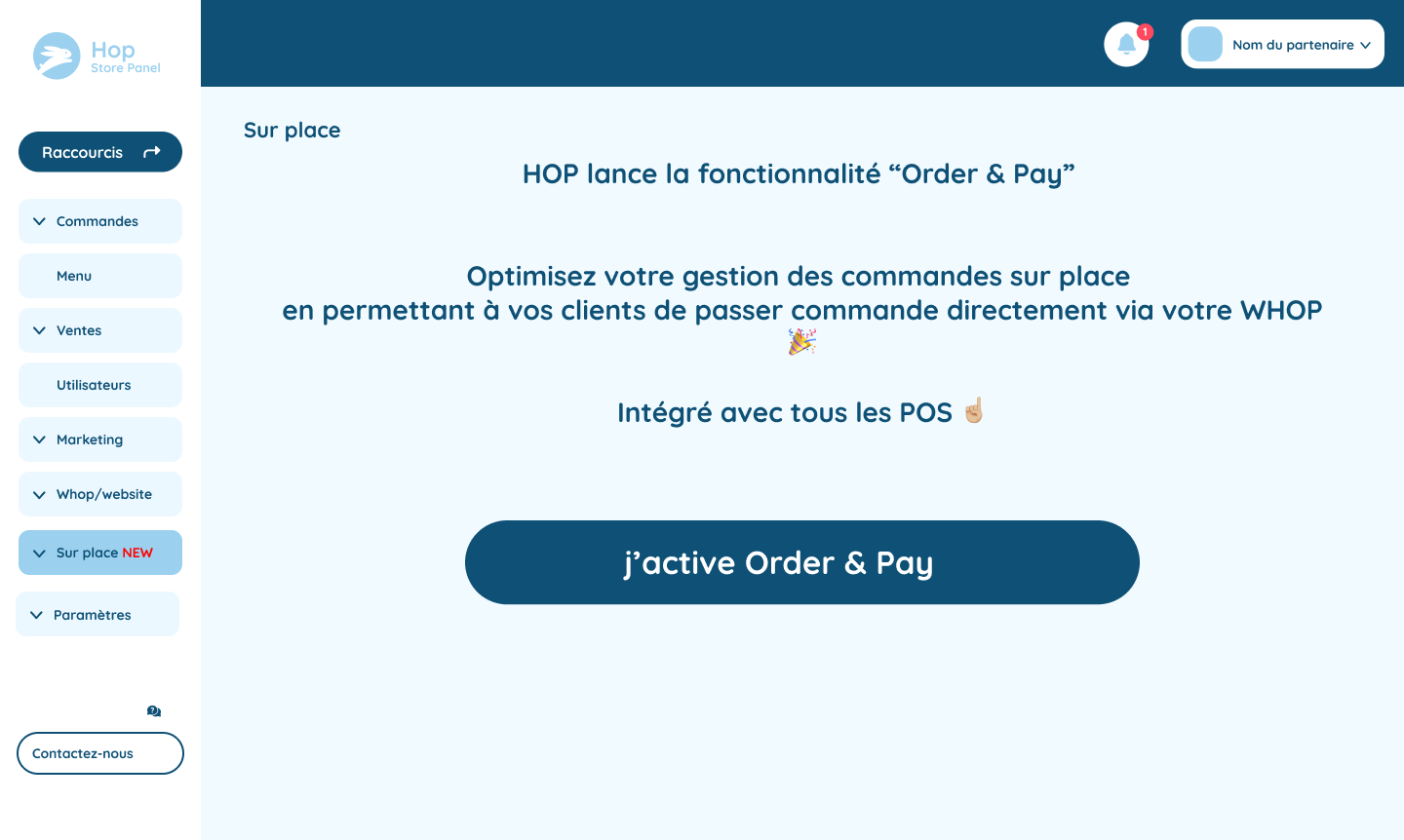
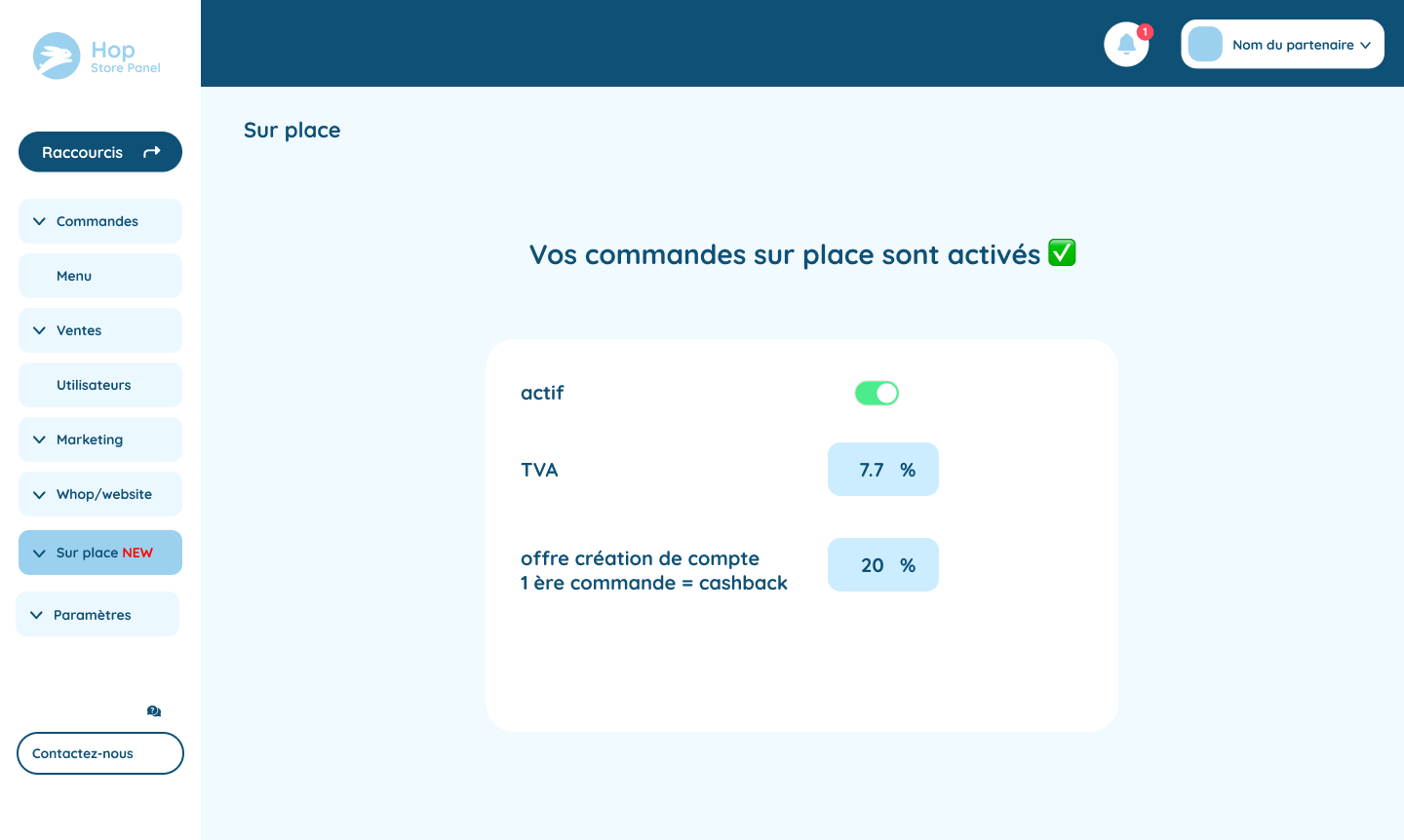
- Activation and settings in the Store Panel
03The challenge
Ordering from the table is a different job from ordering delivery. It had to feel like part of the same service, not a second app that turns the restaurant into a checkout.
- 01Guests start in two places: at the table, or not there yet
- 02The table number is new to the flow
- 03Restaurants need to opt in and configure it
04Approach
4.1
The same service, with one new step
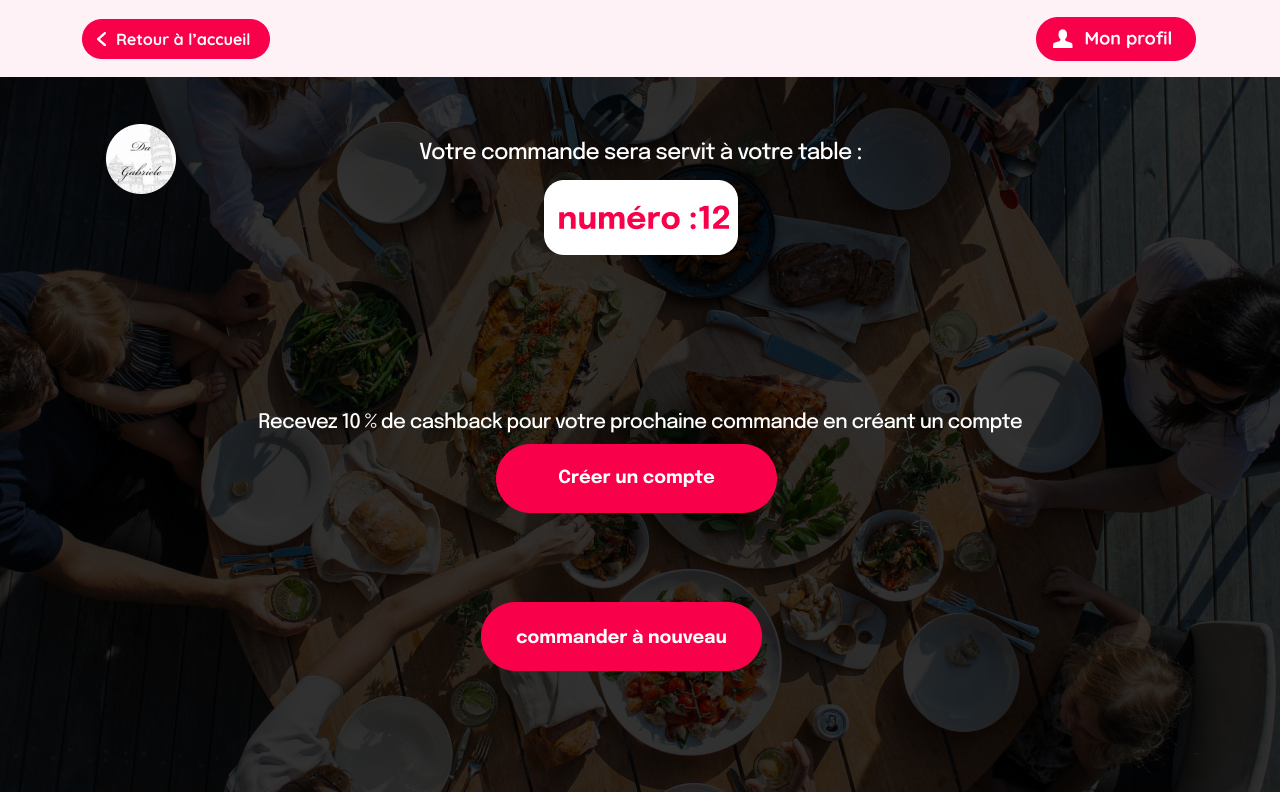
HOP already did delivery and click and collect. Order & Pay adds dine-in: a guest orders and pays from the table, and the food is tied to that table number. The guest flow exists on the phone and on the restaurant’s own site.
Restaurants turn it on in the Store Panel. Activation can be pending, on or off, with VAT and a first-order cashback. The table-number step was tried in three versions before it became one field and one button.
05Key flows
5.1
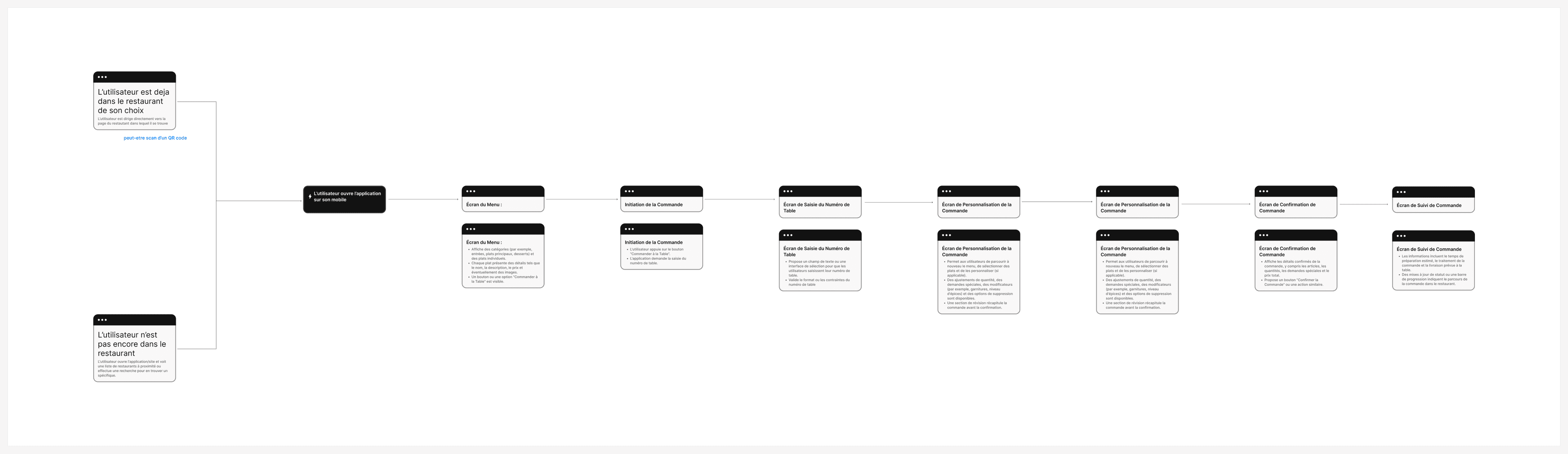
The journey
Both starting points lead to the same short path.
- 1Menu
- 2Start the order
- 3Table number
- 4Customise
- 5Confirm
- 6Follow the order
5.2
Entering the table number
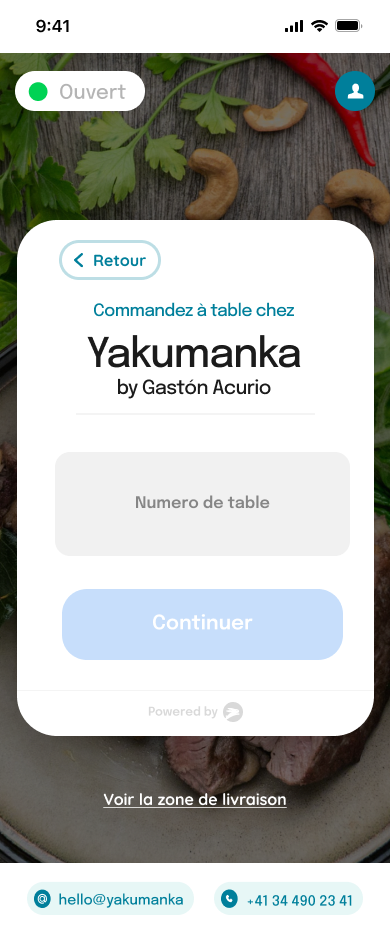
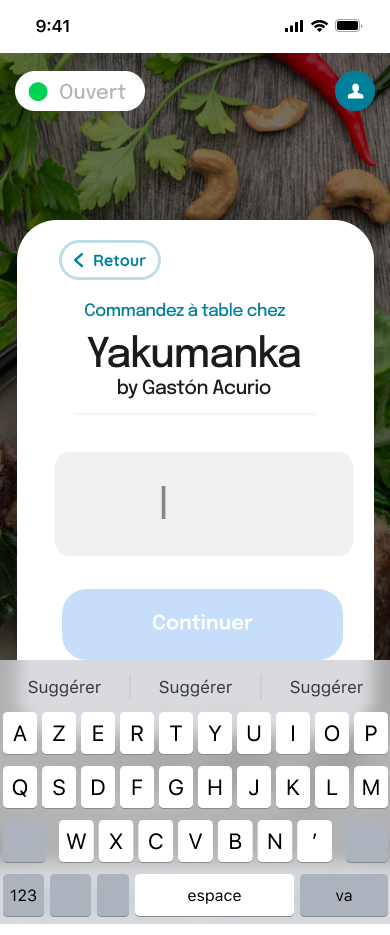
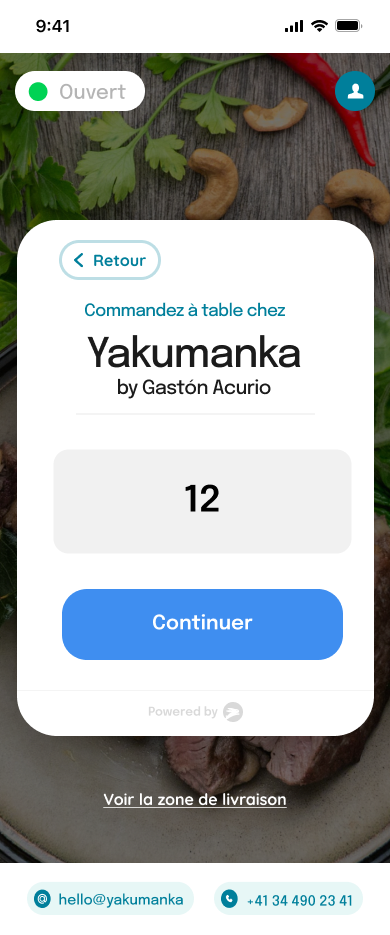
The one thing dine-in needs that delivery doesn’t. I explored it in three versions; the final one is a single field on the restaurant card, with Continuer enabled once a number is entered.
5.3
Ordering and paying
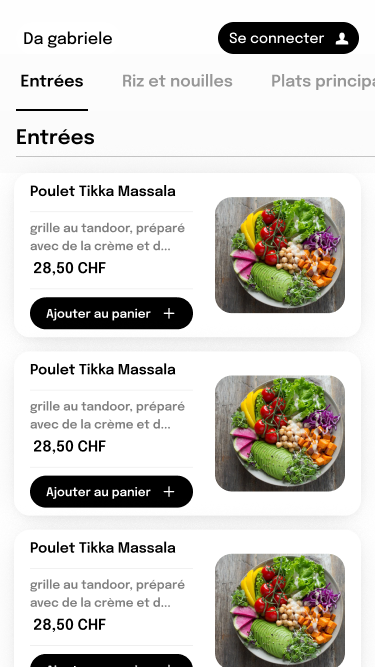
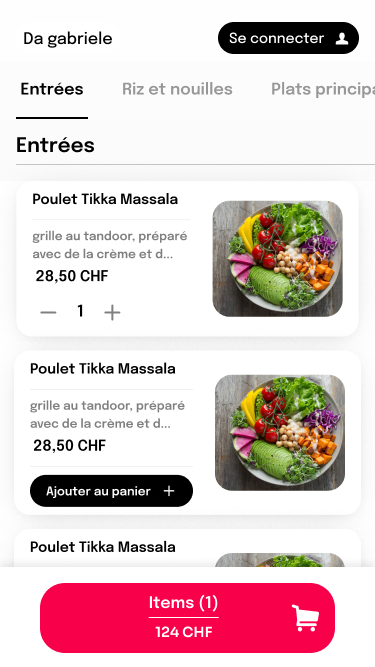
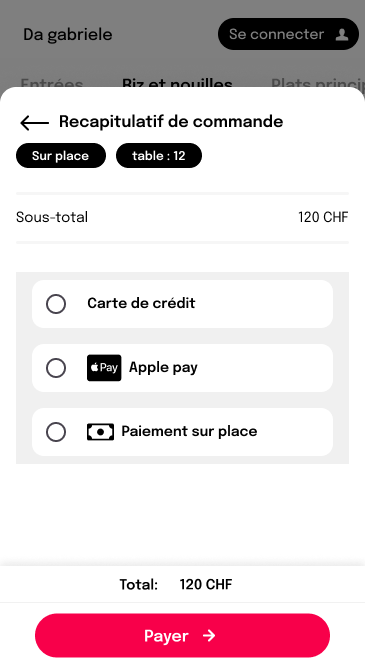
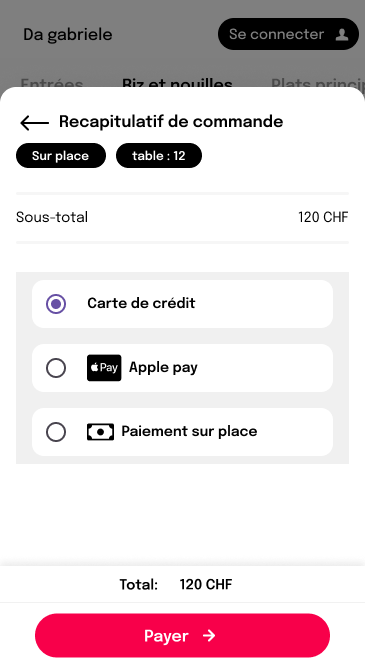
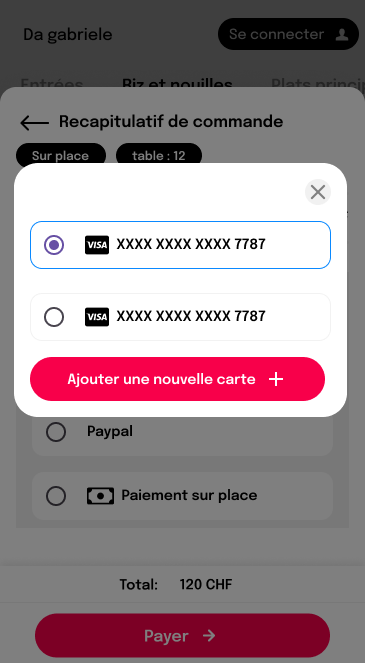
One tap adds a dish and the basket bar stays on screen. The recap carries the order type and table, and guests pay by card, saved card, Apple Pay or on site.
 Open full size
 Open full size
 Open full size
 Open full size
 Open full size
5.4
Web and restaurant side
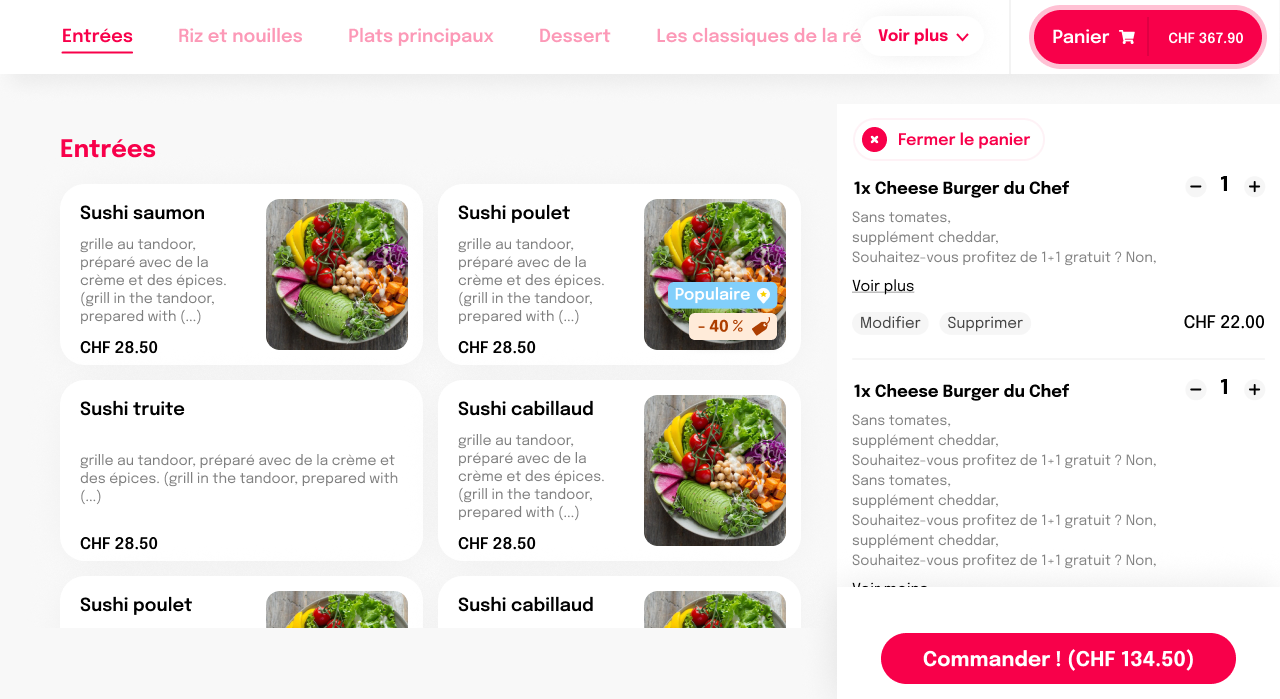
On the website the basket sits next to the menu. In the Store Panel, restaurants ask for activation, then set VAT and a first-order cashback, or turn it off.
 Open full size
 Open full size
 Open full size
 Open full size
06Design decisions
One field, one button
The table number is the only new step, and it’s as small as possible.
The basket stays visible
Item count and total are always on screen while ordering.
Extras once
Add-ons are offered once before payment, and can be skipped.
The table goes with the order
The recap always shows where the food goes.
07Outcome
Delivery and dine-in share a brand and a basket, but not the same pace. The work was to keep that difference without splitting HOP into two products. In the file, payment options are still marked as to be refined.